Parivar-bg-design

Parivar Blogs

Tips and Insights on Family & Community Management

organize-community-activities

Different Community Activities You Can Organize Using Parivar App

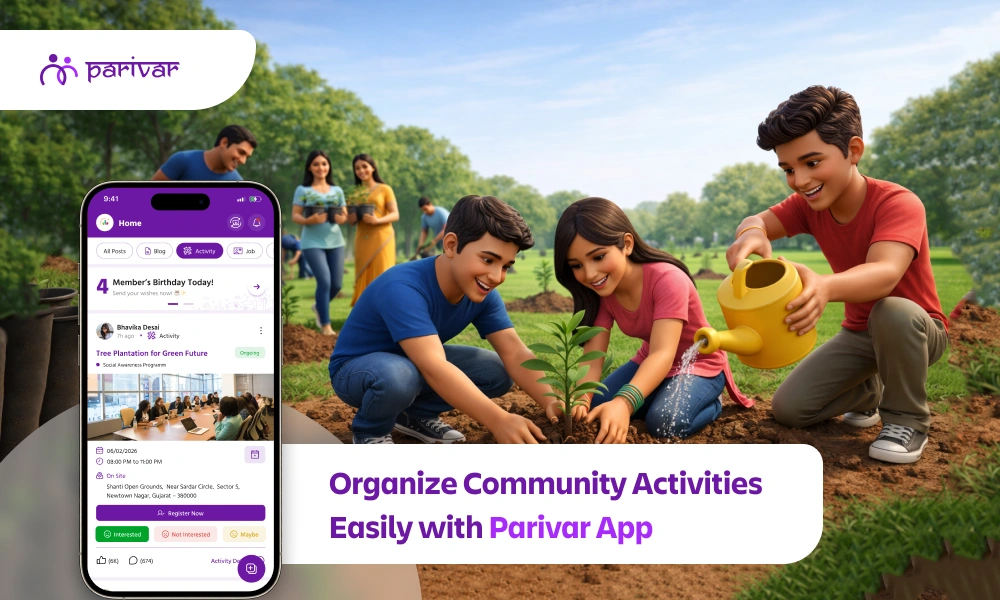
Strong communities are built on shared experiences. Whether it’s celebrating festivals, learning together, or giving back to society, community activities help people connect beyond daily routines. However, organizing these activities is often challenging as scattered communication, low participation, and poor coordination can quickly turn good ideas into missed opportunities. This is where Parivar’s Activity feature makes a real difference. It gives communities a simple, organized way to plan, manage, and participate in activities. Here are a few creative community activities you can easily organize using Parivar, along with tips on how the Activity feature helps make each one successful. Why Parivar is Ideal for Community Activity Management Before diving into ideas, it’s important to understand why Parivar app works so well for activity planning: All activities are listed in one centralized space. Members get clear information about date, time, and location. Participation is visible, improving turnout. Updates and changes are easy to communicate. Unlike scattered social app messages or offline notices, Parivar keeps everything structured, accessible, and community-friendly. Everything You Need to Plan a Community Activity in One Place Parivar’s Activity feature is designed to handle every detail from planning to participation without juggling multiple tools. Add Basic Activity Details with Complete Customization Activity name, description, category Virtual / on-site activity type One-day or multi-day duration Cover images & documents Activity color personalization Manage Registrations, Participation Limits & Payments Enable/disable registration Set participation limits Define registration window Add registration links & charges Track paid and unpaid members Set Location, Dates & Timing for Better Coordination Venue or address Start & end dates Activity time Community Activity Ideas You Can Organize Using Parivar App 1. Health, Fitness & Wellness Activities Health-focused events are becoming increasingly popular in residential societies and communities. Yoga sessions, morning walks, meditation programs, or health check-up camps benefit all age groups. How Parivar helps: Schedule one-time or recurring wellness activities. Enable or disable registration based on the nature of the activity. Set participation limits for camps or sessions. Define a registration window so members know when to sign up. Track attendance to understand engagement levels. Wellness activities often lose momentum due to poor coordination. Parivar provides structure and visibility, encouraging consistent participation and healthier habits. 2. Learning & Skill-Building Workshops Communities thrive when they grow together. Skill-building sessions add long-term value, especially for children, youth, and working professionals. Popular workshop ideas: Kids’ art & craft classes Financial planning or investment awareness sessions Digital literacy workshops for seniors How Parivar helps: Add clear descriptions and target audience. Add a registration link or payment details if the workshop has charges. Track who has registered and whether they have completed payment. Share updates or follow-up information easily. Members are more likely to attend when they understand the value of the session and have all details in advance exactly what Parivar enables. 3. Social Service & Volunteering Drives Activities that give back to society help build empathy and unity. Communities often organize blood donation camps, cleanliness drives, donation collections, or tree plantation programs. How Parivar helps: Clearly state the purpose and impact of the drive. Run both free and paid drives with transparent participation controls. Coordinate volunteers efficiently. View complete participation details in one place. Share post-event updates and appreciation messages. Transparency and organization increase trust and participation. Parivar ensures volunteers know exactly how and where they can contribute. 4. Community Networking & Social Meetups Not all activities need a formal agenda. Informal meetups help members build stronger personal connections. Examples: New member introduction sessions Women’s group meetups Senior citizen gatherings Youth networking events How Parivar helps: Simple activity creation without complexity Mark activities as active or inactive based on relevance Encourages participation across age groups Keeps communication structured and welcoming When people feel connected, communities become more harmonious. Parivar helps create safe, inclusive spaces for interaction. Plan Community Activities with Precise Location & Timing Parivar gives organizers complete control over when and where an activity happens. Add venue or address for on-site activities. Select start and end dates for multi-day events. Set clear activity timings to avoid confusion. Tips to Increase Participation in Community Activities To get the most out of the Activity feature: Keep activity titles and descriptions clear. Share activities well in advance. Choose convenient timings for most members. Post reminders and updates when needed. Monitor registered members and their paid or unpaid status. Edit, publish, or cancel activities while keeping members informed. Consistent, well-managed activities naturally lead to higher engagement. Simplify Community Activity Management with Parivar App Community activities play a crucial role in building relationships, preserving culture, and creating a sense of belonging. With the Parivar Activity feature, organizing these activities becomes simple, transparent, and stress-free. Whether you’re planning a festival celebration, a wellness program, or a volunteering drive, Parivar gives your community the tools it needs to participate, connect, and grow together. Start your next community activity with Parivar and turn ideas into shared experiences.

  • Kanishka Panchal
how-to-create-community-events

How to Create and Run a Successful Event on Parivar

Events are the heart of any community. They bring people together, celebrate life’s moments, and strengthen connections. Whether it’s a family gathering, a local festival, or a small meet-up, the Parivar App makes event planning and managing easy. Here’s a step-by-step guide to creating successful events that everyone in your community can enjoy. Why Events Matter in a Community A community grows stronger when its members come together. Events help us: Celebrate Milestones & Festivals: Mark important occasions, from birthdays and anniversaries to cultural and religious festivals, creating shared joy and tradition. Share Experiences & Memories: Turn everyday moments into lasting memories by gathering for meals, game nights, outings, or simple conversations. Connect With Neighbors & Family: Bridge the gap between busy schedules and different generations. Events provide a natural reason to reach out and strengthen bonds. Build a Sense of Belonging: Foster a feeling of "home" and mutual support. Regular gatherings remind everyone that they are part of a caring network. With Parivar, organizing these meaningful events doesn’t have to be complicated. The app keeps everything simple, organized, and accessible to everyone in your community. What the Parivar Events Feature Offers Parivar’s Event feature is your all-in-one tool for community gathering, transforming it into a powerful community event app. It lets you: Plan, Organize, & Track with Ease Create events in minutes, manage guest lists, and see all upcoming community activities in one main screen. Share Events with Full Visibility Create events that every community member can see with admin approval to maintain order and organization. Manage & Communicate Effortlessly Edit details, delete canceled plans, or filter events by date. Send reminders and updates to keep everyone informed. Designed for Community Involvement From creation to recap, the feature is built to encourage participation, making event management simple while keeping the whole community engaged and connected. Step-by-Step Guide to Creating an Event Step 1: Go to the Events Section Open your Community Profile and click on the side menu icon. Then select Event. You’ll see all the events created by your community members and yourself. Step 2: Manage Your Existing Events Here, you can: See all community events in one place Delete events you created if plans change Filter events to quickly find the ones you want This makes it easy to stay on top of what’s happening in your community. Step 3: Create a New Event To host your own event: Click on the Plus (+) button on the right-hand side. A form will appear. Fill in details like title, date, time, location, and description. Submit the form, and your event is created! Step 4: Event Visibility and Approval Depending on your role: Community Owner/Admin: Your event appears automatically in the community list. User: Your event will be visible to everyone after admin approval. This ensures events are well-organized and visible to the right people. Best Practices for Event Success Turn a simple plan into a must-attend gathering by following these tips: Write a Clear & Catchy Title Your event title is the first thing people see. Make it descriptive and engaging to build excitement. Instead of: "Meeting" Try: "Sunshine Apartments Annual Meeting: Pool Renovation Vote & Summer BBQ Plan" Write a "Can't-Miss" Description Use the description field for all essential details. A clear agenda sets expectations and increases attendance. What to include: The purpose/agenda, what to bring (e.g., a dish for potluck), parking instructions, dress code, and how to find the group at a public venue. Encourage Early Interaction Build buzz before the event by asking questions or encouraging comments in the event announcement. Try posting: "What's your favorite summer dish to share? Let us know in the comments!" or "Any agenda items for the meeting? Add them below." Share Visuals & Updates A picture is worth a thousand RSVPs. Share photos of the venue, past events, or a fun graphic to generate interest. Before: Share a photo of the decorated community hall. During/After: Post a few highlights or a thank-you note to keep the excitement going and show members what they missed, encouraging future participation. Even these small touches can make a significant difference in turning a routine announcement into a vibrant community gathering. After the Event The community experience doesn’t end when the event does. On Parivar: Members can create albums and share photos and videos from the event. Post a thank-you note or highlights to keep the conversation going. Collect feedback or comments to improve future events. This helps the community feel involved and keeps memories alive. Wrap-Up: Make Every Event Count Events are more than just dates on a calendar; they’re opportunities to connect, celebrate, and grow together. With the Parivar App, event planning and managing becomes effortless. Get started with your next community event today. Download the Parivar app on iOS and Android and bring your community together in one place.

  • Kanishka Panchal
family-vs-community-side-parivar-app

Understanding the Two Sides of the Parivar App: My Profile vs Community

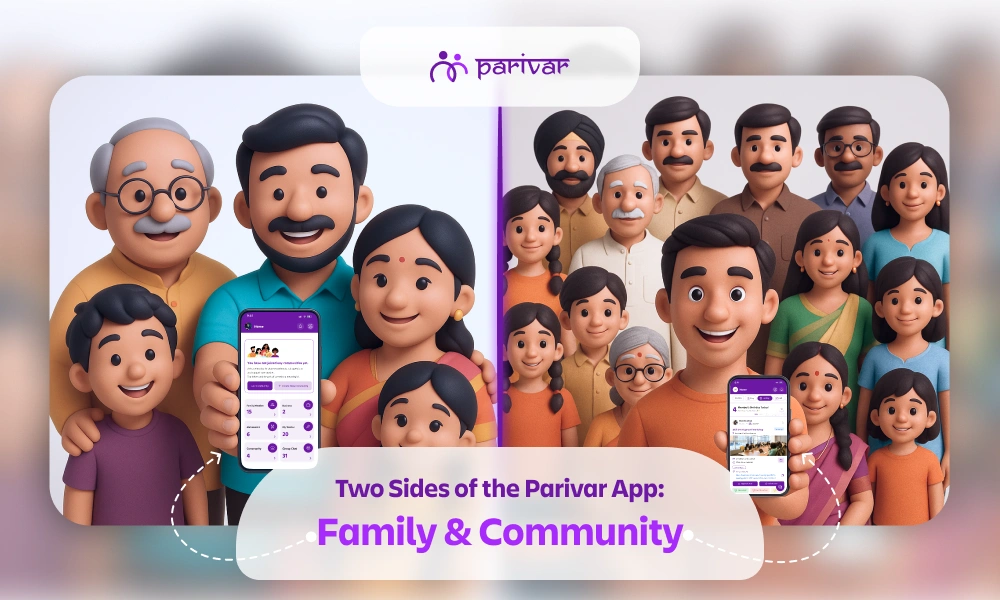
The Parivar App is more than just a social application; it’s a platform designed to help you stay connected with both your family and your wider community. This structure is defined by two core spaces: ‘My Profile’ and ‘Community’. This powerful separation is key to the app's success: My Profile: Your private family space for personal relationships and memories. Community: Your shared space for group engagement, events, and community activities. Many users think about the difference between these two sections and the specific features available in each. In this guide, we break down both sides of the Parivar App, detailing the tools that help you connect, organize, and thrive within your network. Let's explore the comprehensive features within each section, starting with ‘My Profile’. My Profile: The Heart of Your Family The ‘My Profile’ section is your personal, dedicated space focused on preserving your family history, strengthening immediate relationships, and managing your personal and familial milestones. It is the digital anchor for your closest connections. Here are the key features available on the ‘My Profile’ side of the Parivar App. 1. Family Member & Family Tree The core feature for connecting generations. You can create your very own family tree, easily add, remove, or invite members, and connect with relatives and cousins globally. 2. Matrimonial A secure platform for finding a life partner within trusted community circles. You can create and upload a matrimonial profile that is visible exclusively to trusted members within your community, removing the need for external apps. 3. Memories Your personal archive for cherished family moments. Upload photos, short reels, or long videos, organize them into private albums, and easily share them with your family to keep memories alive and accessible. 4. Wishes A dedicated feature for celebrating milestones. Easily send and receive warm wishes exclusively for birthdays, ensuring no family member’s special day goes unnoticed. 5. Friends Enables private, real-time communication across Parivar. You can send friend requests to individuals, manage your personal connections, and start one-to-one or group chats. 6. Chat Chats are private and connection-based, meaning you can message: Family members from your family tree Friends you’ve personally connected with Community members only after a mutual connection is established This setup ensures your conversations are always private, controlled, and distinctly separate from public community discussions. 7. Daily Quotes A source of inspiration and positivity, offering curated quotes across themes like wisdom, growth, and spirituality to spark meaningful conversations and add rhythm to your day. Community: Growing Together The Community section focuses on collective engagement, shared resources, and running community activities for the larger group. This is where members collaborate, exchange information, and participate in events that benefit everyone. 1. Create or Join Community The gateway to connection. You can start a new community or send a request to join an existing one. Once approved, you gain exposure to new connections and community-wide resources. 2. Events Easily organize and manage community gatherings, encouraging members to participate and helping to bring your community closer in the real world from professional meetings to social gatherings and exhibitions. 3. Jobs A dedicated job portal for the community. Post vacancies, share resumes, and hire budding talent directly from within your trusted network, providing opportunities for members. 4. Discussion & Blog Hubs for sharing ideas and insights. Use the Discussion feature for community conversation and share thoughts on traditions, careers, and more, and explore or contribute to the Blog feature with posts written by community members. 5. Polling Makes decision-making easy. Create and publish polls to quickly gather opinions and input from the community on important or even small decisions. 6. Invitations Makes sharing event details easy and efficient. You can openly share public event invites with all community members instantly, eliminating the need for physical invites or individual messages. 7. Album A private, shared media gallery specifically for the community. Any photos, videos, or media uploaded by individual members are visible here, creating a collective visual record of community life and events. 8. Request & Facility Allows members to seek or offer support. Use the Request feature to ask for help (e.g., blood donation or charitable causes). The Facility feature lets admins list and members book shared resources like venue rentals. 9. Committee Facilitates internal governance for administrators. This feature is limited to committee members only, allowing them to view who is part of the committee, with the admin retaining the right to manage membership. 10. Achievements A celebratory space to recognize success. Community members can upload and share achievements, awards, and rewards, allowing everyone to offer congratulations and spread joy. 11. Report & Feedback Essential for a healthy platform. Use Report to flag any inappropriate content (matrimonial, jobs, blogs). Feedback is where you can share suggestions to help the platform continuously improve. Parivar App: The Perfect Balance of Family and Community Connection This clear separation between the intimate ('My Profile') and the expansive ('Community') ensures your experience is always organized, relevant, and meaningful.  The Parivar App empowers you to nurture close family bonds while actively contributing to your larger community.  Download the Parivar App today and experience the perfect balance of family bonding and community collaboration like never before! Available on Android and iOS

  • Kanishka Panchal
parivar-registration-login

How to Register and Get Started on the Parivar Community Management App

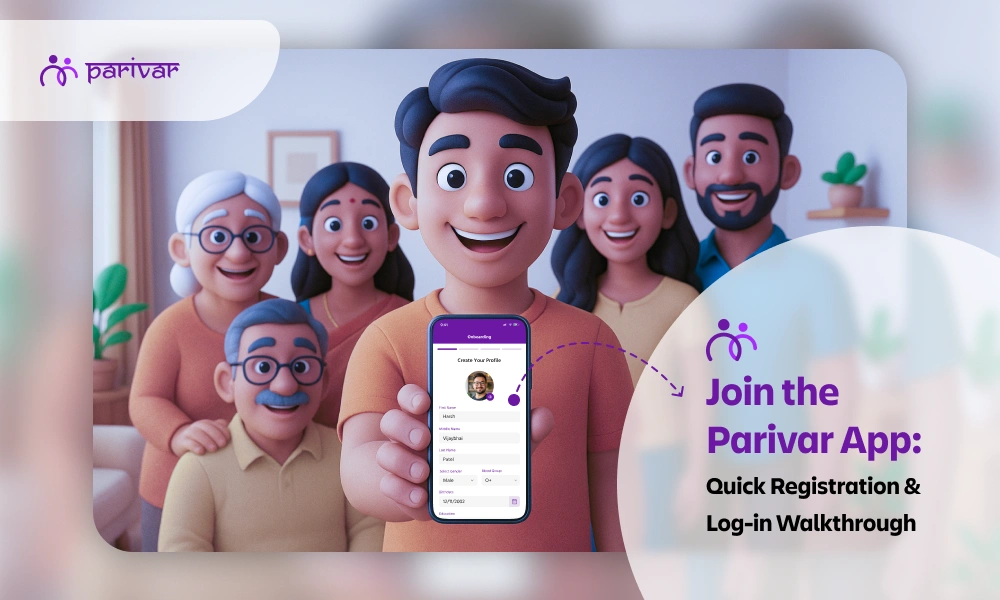
The Parivar Community Management App makes it easier for families and communities to stay organized, connected, and engaged. Whether you want to manage family details, participate in community updates, or stay connected with relatives, the first step is creating your account and setting up your profile. This guide walks you through each step, from signing up to adding your family members, ensuring a smooth onboarding experience. To begin your journey, download the Parivar App from the Google Play Store or App Store, and follow the simple onboarding steps. Signing in to Your Parivar Account If you’ve already created an account before, Parivar lets you sign in quickly using two simple methods: Password Login or OTP Login. A. Sign In with Password This is the traditional and secure way to access your account. Open the Parivar app and select Sign In. Enter your email address or contact number. Type in your password. Tap Sign In to access your dashboard. This login method is useful if you prefer not to wait for OTPs every time. B. Sign In with OTP For users who prefer convenience or cannot remember their passwords, Parivar offers login via OTP. Enter your email address or contact number on the login screen. If you're signing in with a phone number, you can check the box to receive updates on WhatsApp. You’ll receive a One-Time Password (OTP) on the email or number you provided. Enter the OTP and tap Submit to sign in instantly. This is helpful for quick access without needing a permanent password. Creating a New Account (Sign-Up Process) If you’re new to the Parivar app, the registration process is simple and only takes a minute. Here’s how to create your account: Enter your First Name Enter your Last Name Select your Gender Choose your Birth Year from the dropdown Provide your Email Address or Contact Number Create a strong password you can remember Agree to the app’s Terms & Conditions After submitting this information, Parivar will send you a confirmation code to verify your identity. Enter the code, tap Submit, and your Parivar account will be successfully created. Verification ensures your information stays secure and prevents unauthorized access. Signing in After Deleting Your Account Parivar gives users the option to delete their accounts, but only permanently after a 30-day window. If you attempt to log in during this period: You will see a pop-up message asking for confirmation: “Are you sure you want to sign in to your account?” It will remind you that: Signing in now will restore your account, canceling the scheduled permanent deletion. You can choose: Yes – to restore and sign in No – to cancel This ensures users have full control over account restoration during the 30-day grace period. Completing Your Profile After Sign-In Once you’re logged in, the next step is to complete your profile. A complete profile helps other members recognize you and allows the app to connect you with your family structure. Add Your Personal Information You will be asked to fill in: First Name Middle Name (optional) Last Name Gender Blood Group Birthdate Education Details These details make your profile authentic and useful within the community ecosystem. Adding Your Family Members on Parivar One of the core features of Parivar is the ability to digitally map your family tree and stay connected with relatives inside the app. How to Add Existing Members If your family members are already on Parivar: Use the Search Member feature to find them. Send them a connection request. Select your relationship with them (e.g., Father, Mother, Sister, Cousin). Once they accept the request, the member is officially linked to your family profile. If you added a wrong person by mistake, or selected the wrong relationship, you can cancel your request and send a correct one anytime. This feature helps build an accurate family network within the app, making community communication more efficient. You’re All Set to Explore Parivar App The Parivar Community Management App is designed to simplify how families and communities stay connected. With easy sign-in options, a simple registration process, and powerful family-linking features, anyone can get started in just a few minutes. Whether you are setting up your profile for the first time or reconnecting after reactivating your account, Parivar ensures a seamless and secure onboarding experience.

  • Kanishka Panchal
community-facility-management-mistakes

Mistakes to Avoid When Managing Community Facilities

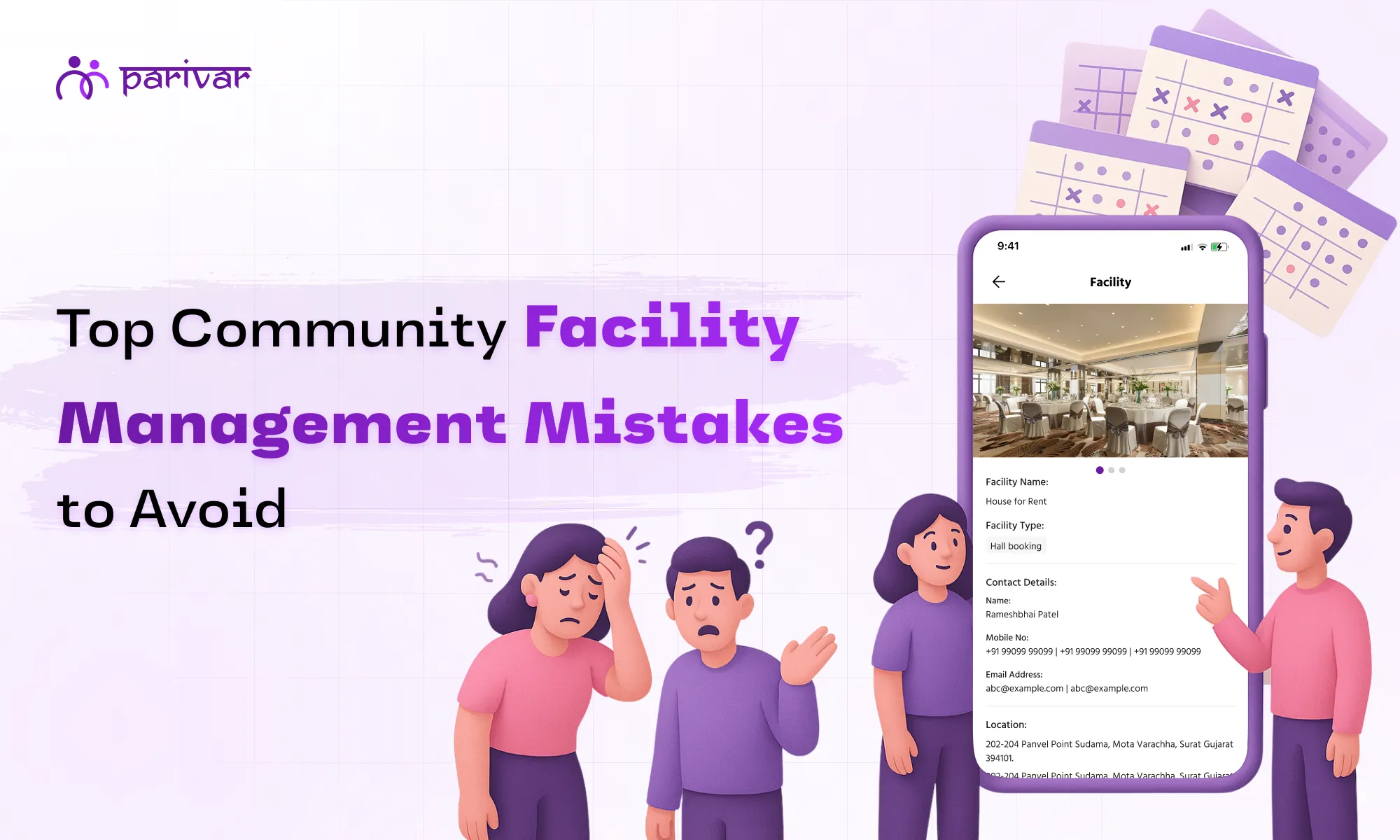
Managing community facilities whether it’s a meeting hall or an event venue might seem straightforward. But anyone who’s been part of a facility management committee knows the truth: it can get messy fast. Double bookings, missing approvals, and endless chat threads often turn a simple task into a headache. The good news? Most of these problems aren’t new and they can be easily solved. Let’s look at five common mistakes communities make when managing shared spaces, and how the Facility feature in Parivar helps fix them once and for all. Common Mistakes in Community Facility Management Even well-organised communities face challenges when it comes to managing shared amenities. From unclear booking processes to poor communication, these small mistakes can create unnecessary confusion and conflict. Here are the most common ones and how Parivar App helps solve them. Mistake #1: Relying on Manual or Word-of-Mouth Bookings In many communities, booking a space still happens through calls, chats, or a scribbled note on a noticeboard. It works… until it doesn’t. One member books the hall for an evening function, another assumes it’s free, and suddenly you have two parties and one venue. How the Facility feature helps: With Parivar, all facilities are listed digitally with real-time availability. Members can view open slots, contact the respected person, book instantly, and get confirmations. No middlemen, no confusion. This prevents overlaps or miscommunication. Mistake #2: Lack of Clear Information About Facilities Sometimes members don’t even know what facilities are available or how to use them. Maybe the yoga studio exists but isn’t clearly listed anywhere. Or the conference room has certain rules nobody remembers. How the Facility feature helps: Each facility on Parivar has a dedicated listing: images, capacity, location, and usage guidelines. Members can review everything in one place before booking. This ensures better visibility and usage of all community spaces, not just the popular ones. Mistake #3: Poor Communication Between Members and Admins Without a structured system, booking requests often get buried in chat groups or delayed in approval cycles. The result? Frustrated members and overwhelmed admins managing reminders and follow-ups. How the Facility feature helps: Parivar streamlines communication. Members can contact the respected person directly through the app and request bookings. Mistake #4: No Transparency in the Booking Process One of the biggest sources of friction in community living is perceived unfairness. When bookings happen informally, it’s easy for people to think that certain members get priority access, even when they don’t. How the Facility feature helps: Parivar promotes complete transparency. Everyone can view the facility and understand how approvals work. The entire process is open and visible, removing doubts, bias, or hidden queues. A Hassle-Free Facility Management Process When these mistakes are avoided, life gets easier for everyone. Admins save hours each week, members know exactly how to book, and the entire community functions with more trust and clarity. With Parivar’s Facility feature, communities gain: Convenience: Book anytime, from anywhere. Transparency: All the details are mentioned without any biasness. Efficiency: Members can easily check for their requirements without stress and save time. Take, for instance, a housing society with multiple amenities: a hall, gym, and swimming pool. After adopting Parivar, they reduced booking-related complaints by half and improved overall facility utilisation because members finally had full visibility into what was available. Building Trust Through Better Systems Facility management isn’t just about reserving spaces, it’s about ensuring fairness, communication, and harmony in shared living. With Parivar’s Facility feature, communities can bring structure to what was once chaos, creating an easier, more transparent way to manage shared spaces that everyone can trust. Want to simplify your community’s facility management? Download the Parivar App today on Google Play or App Store and experience seamless, transparent facility booking for your community.

  • Kanishka Panchal
why-use-family-location-sharing

Why Families Should Use Location Sharing to Ensure Safety and Peace of Mind

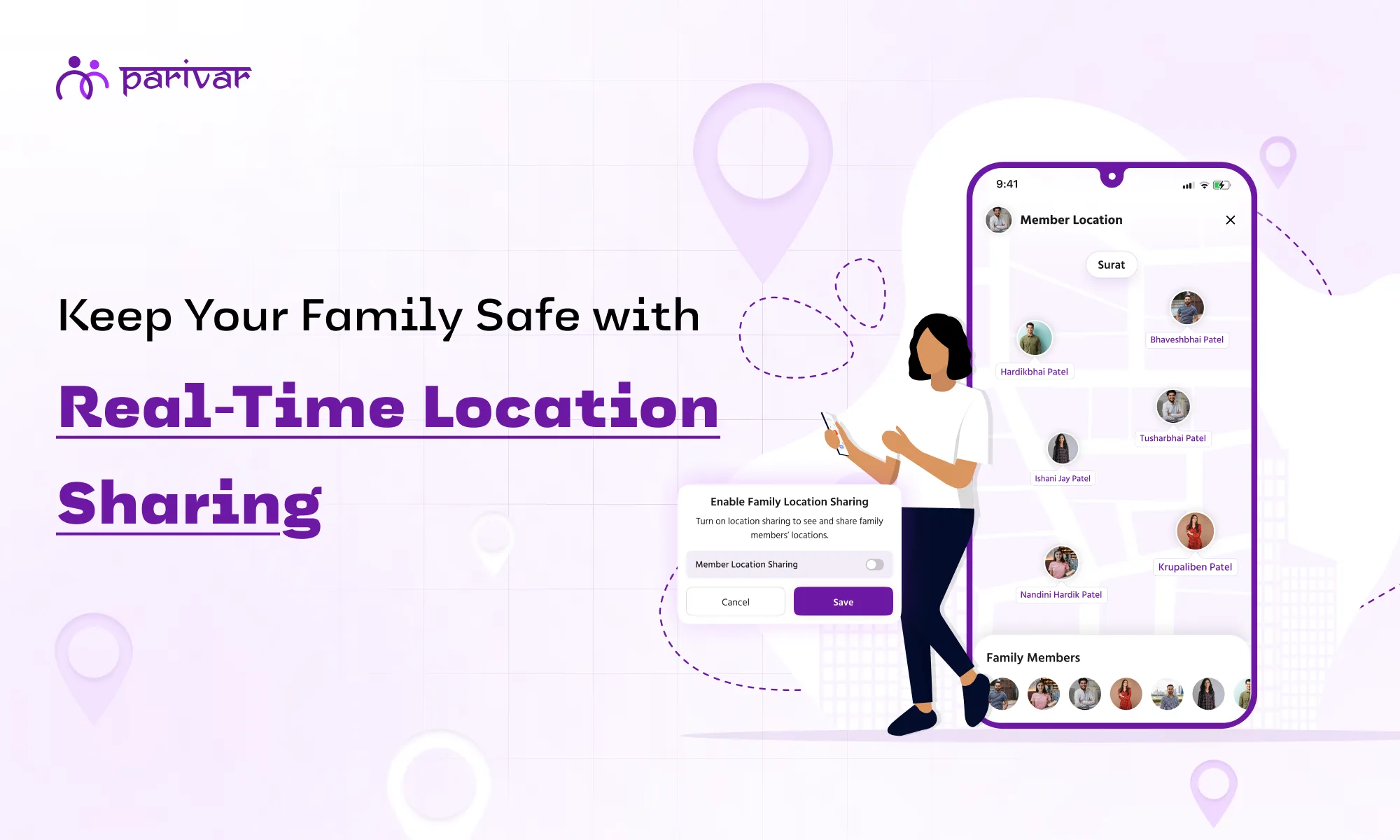
Imagine sending your child off to school and wondering if they reached safely, or picking up an elder from a crowded market and worrying if they are on the right bus. These small moments of worry are part of everyday life but they don’t have to be. With the Parivar app, families can stay connected and informed in a way that feels natural, safe, and reassuring. How Parivar’s Family Member Location Sharing Works Parivar’s Family Member Location Sharing is designed to be simple, secure, and respectful of privacy: Invite and Join: Only family members you invite can join your private circle. Permission-Based Sharing: Each member decides if they want to share their location. Real-Time Updates: Once permission is given, the app updates their location every 10 seconds. Private and Secure: Location data stays within your family circle, no one else can see it. Parivar app ensures families stay connected without feeling watched. Download the App Download the app today on iOS or Android and start sharing locations safely and easily with your family. Why Location Sharing Helps Your Family  1. Know Your Loved Ones Are Safe The biggest benefit of location sharing is peace of mind. Parents can see if kids have reached school or activities safely, and adult family members can check in during emergencies. Real-time updates make it easy to respond quickly when needed. 2. Build Trust, Lessen Worry Location sharing isn’t about tracking every move, it’s about being there when it matters. Families can respect each other’s space while knowing everyone is safe, reducing unnecessary worry and fostering trust naturally. 3. Help When It Matters Most Life is unpredictable. If someone gets lost, delayed, or needs help, real-time location sharing allows family members to act immediately. It’s a small tool that can make a big difference in urgent situations. 4. Simpler Coordination Location sharing makes planning easier. Everyone can see where others are, reducing the need for constant calls or messages and helping the day run more smoothly. Keep Your Family Close, Even When Apart Families don’t need to worry constantly, they just need a way to stay connected safely. With Parivar app, location sharing becomes a helpful, natural part of family life. Everyone knows where their loved ones are, and everyone feels a little safer and more connected without compromising privacy.

  • Kanishka Panchal
birthday-wishes-for-communtiy

Never Miss a Birthday: How Parivar’s Wish Feature Strengthens Your Family Bonds

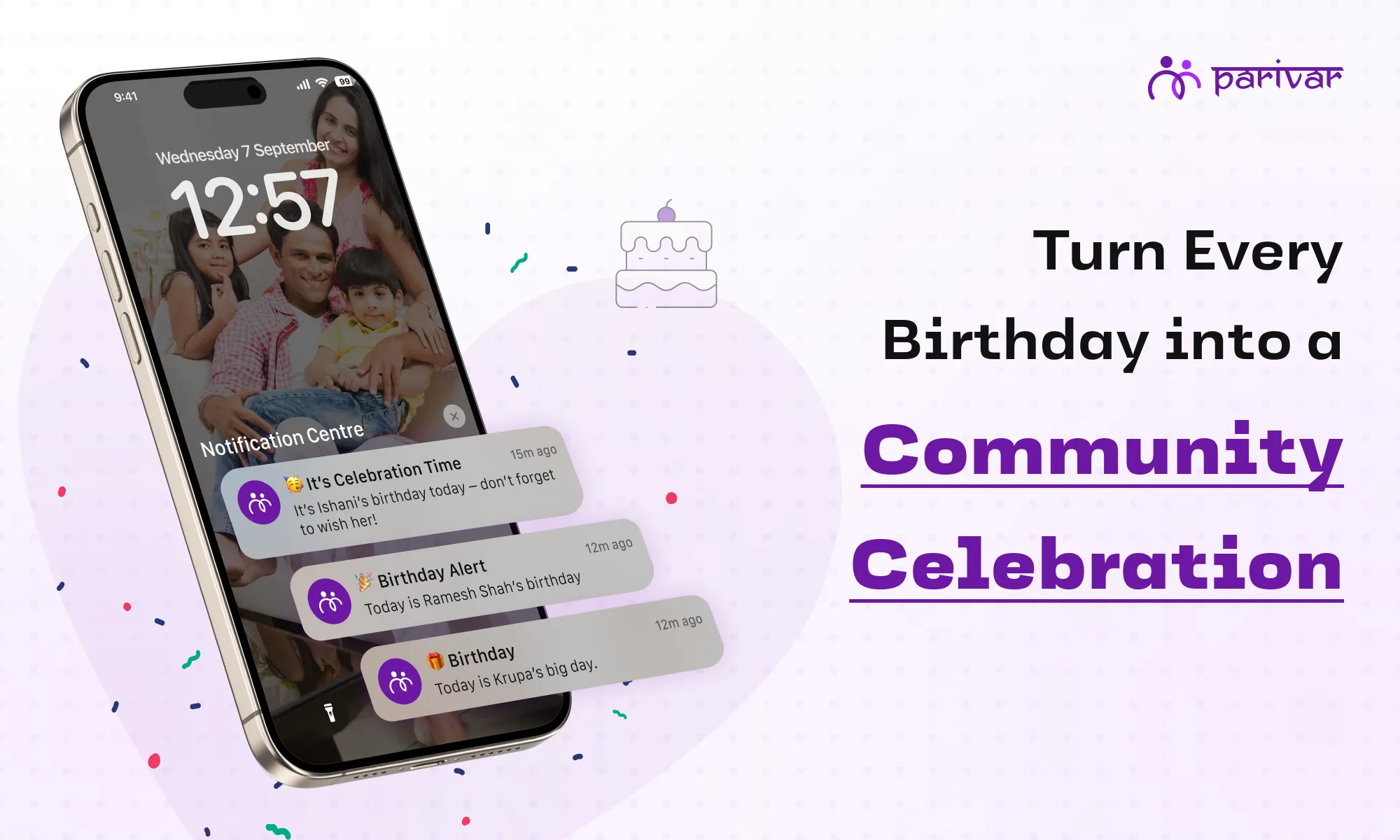
Nothing brings people together quite like shared joy. A birthday is more than a date; it's a golden opportunity to say, "I see you, you matter, and I'm glad you're in my life." But in the hustle and bustle of modern life, these special days can slip by unnoticed. That’s where Parivar comes in. With Parivar’s Wish feature, sending a heartfelt birthday greeting is effortless. It’s designed to help your family and community stay connected in the most meaningful way possible: by consistently celebrating each other. Why Celebrating Birthdays Builds Stronger Communities A birthday wish is a small gesture with a significant impact. Within a family or close-knit group, acknowledging someone's birthday does more than just make them smile. It fosters a genuine sense of warmth, trust, and belonging. A simple, thoughtful message tells a person they are valued and remembered. It reinforces their place in the circle and encourages them to stay engaged. Parivar’s Wish feature removes the biggest hurdle that is forgetting the date to ensure no family member ever feels overlooked on their special day. How the Wish Feature Creates Shared Moments of Joy The true magic of the Wish feature is its ability to turn a personal milestone into a collective experience. Here’s how it works: The feature automatically syncs with your Parivar family tree and sends you a gentle notification before a member's birthday. With just a tap, you can send a pre-written greeting or craft your own. When one person posts a wish, it creates a ripple effect. Imagine this: a notification pops up: "It's Grandma's birthday!" You’re the first to post a warm message with a favorite photo. Within hours, aunts, uncles, and cousins from across the country have added their own memories and well-wishes, transforming her day into a virtual family reunion right inside the app. This is especially powerful for families spread across different cities or countries. The Wish feature bridges the distance, creating a digital space where everyone can gather to share joy and feel included. Cultivating a Rhythm of Connection Life is busy, but connection shouldn't be a casualty. The Wish feature solves this with timely reminders, helping you establish a rhythm of acknowledgment within your family. Over time, this consistent engagement builds stronger bonds. People begin to check the app not just for reminders, but to see the greetings and photos others have posted. It’s not just about marking a date; it’s about creating small, reliable moments of connection that, stitch by stitch, strengthen the fabric of your relationships. How to Make Your Birthday Wishes Unforgettable Ready to make the most of this feature? Go beyond a simple "Happy Birthday!" and create a moment that truly stands out. Personalize Your Message: A few specific words like, "Hope you have a great day, Raj Uncle! Thinking of that time we went trekking…” can make all the difference. Attach a Photo or Memory: A blast-from-the-past picture or a recent happy snapshot adds a layer of warmth and personal connection that text alone can’t achieve. Be the Spark: Don’t wait for others. Your single wish can inspire a chain reaction of responses, making the celebration feel bigger and more joyful for the recipient. Celebrate Consistently: Your regular participation helps build a powerful culture of care and acknowledgment where every member feels seen. Build Closer Connections, One Wish at a Time In the end, birthdays are small moments that hold a big promise: the promise of connection, love, and community. With Parivar’s Wish feature, fulfilling that promise is simple, quick, and deeply meaningful. Ready to strengthen your family bonds? Open Parivar now, check the Wish feature for upcoming birthdays, and be the one to start the celebration. It only takes a moment, but the connection you foster will last far longer. Download now on iOS and Android!

  • Kanishka Panchal
community-vs-committee

Online Committee vs Online Community: Understanding the Difference with Parivar App

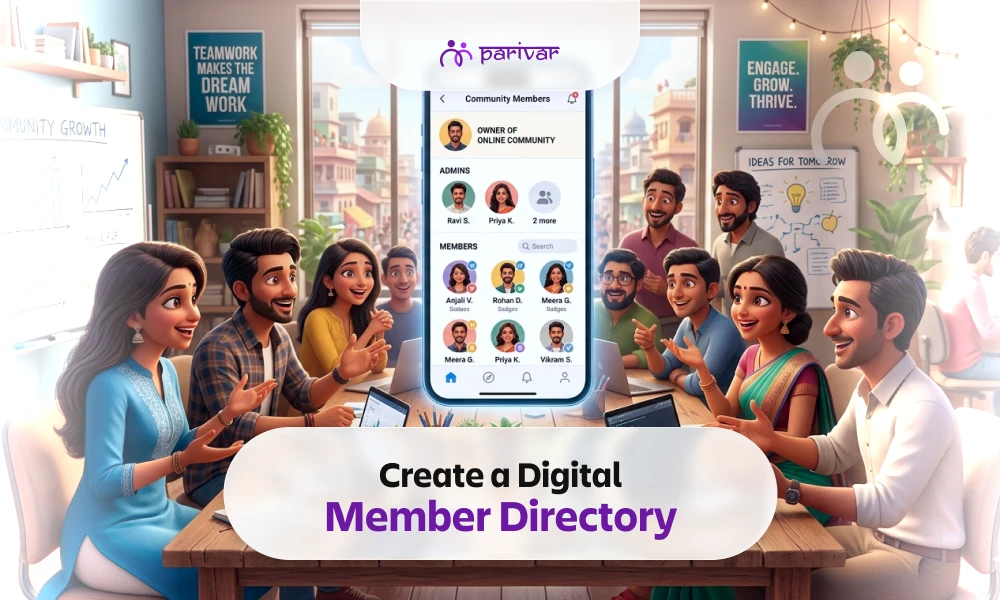
Today, platforms that connect people are everywhere. Yet, not all connections are the same. Two concepts often used in place of each other are communities and committees. Though they sound similar, they serve different needs and functions. Knowing the difference helps people use platforms better, keep members involved, and manage tools easily. Parivar App makes this difference clear by offering features for both Communities and Committees. Let’s explore what they mean, how they differ, and why both are crucial. What is an Online Community An online community is a group where people come together because they share something in common. Communities often grow around shared ties whether that’s a neighborhood, family, alumni circle, shared interests, common goals, or a sense of identity. Key Characteristics of an Online Community Anyone can usually join or request to join. It’s about staying connected, sharing updates, posting ideas, or simply engaging with others. Focuses on engagement, belonging, discussions, mutual help. Roles are lighter, there’s usually an admin to guide things, but members are free to participate as they like. Parivar’s Version of a Community Allows Member Directory, Business Directory, Events, Polls, Meetings, Albums, Discussion, more.  Admin/Owner who moderates the community and shapes the space.  Users can create a community themselves, invite others, accept requests, request to join an existing community, share things. What is an Online Committee A committee is more structured and focused. It’s a smaller group formed to handle responsibilities for the larger community including management, decision‐making, organizing, maintaining order, resolving issues, planning events, overseeing implementations.  Key Characteristics of an Online Committee Members usually have defined roles and clear responsibilities (such as owner, admin, or members with specific duties). Committees focus on planning, problem-solving, and making decisions. The focus is on execution, getting tasks done, not on general discussion Members carry greater responsibility and accountability. Committee Feature in Parivar In Parivar, a committee is a group formed to handle the administrative and management tasks of a community. Typical responsibilities include monitoring issues, planning events, conducting audits, and suggesting actions. Members may join voluntarily or be added by the admin or owner. The admin or owner manages membership, meetings, and other administrative actions. Committees streamline event planning, issue management, and overall community functioning. Once formed, members can hold meetings, plan activities, and coordinate tasks directly. Community vs Committee: The Key Differences Here are the main difference points between community and committee, including how Parivar’s features reflect them: table { font-family: hindivadodara, sans-serif; border-collapse: collapse; width: 100%; } td, th { border: 2px solid #dddddd; text-align: left; padding: 8px; } Aspect Community Committee Purpose Connect, share, belong Plan, organize, manage Membership Open or by request Selected or invited Structure Flexible, led by an admin Formal, with defined roles Activities Sharing posts, discussions, polls, events Meetings, planning, resolving issues Accountability Voluntary participation Responsibility to act and deliver Why Both Features Are Needed A community keeps people connected and involved. A committee ensures that ideas turn into actions. Together, they balance participation with responsibility. For example, in Parivar: A community may discuss celebrating Navratri. A committee then plans the event, manages resources, and coordinates the details. How Parivar App Brings It Together Parivar App allows users to build both: Communities for open connection and sharing. Committees for organized planning and decision-making. This way, people don’t just talk, they also act, with clarity on who does what. Bringing It All Together with Parivar A community gives people a place to connect, while a committee keeps things organized and moving. Without a committee, a community may lack direction, and without a community, a committee has no purpose. As discussed in our article on the role of committees in community building, committees play a pivotal role in keeping the community together through highs and lows, thus building lasting relationships. Parivar App brings both together: a space to belong, share, and connect (Community), along with the tools to organize, manage, and lead (Committee). If you’re already part of Parivar, think about whether you want to simply be a member, or also take on a role in guiding and shaping your community through a committee. 📲 Download the Parivar App today on iOS and Android to experience it yourself.

  • Kanishka Panchal
parivar-app-request-feature

Make Every Request Easy with the Parivar App and Support Your Community

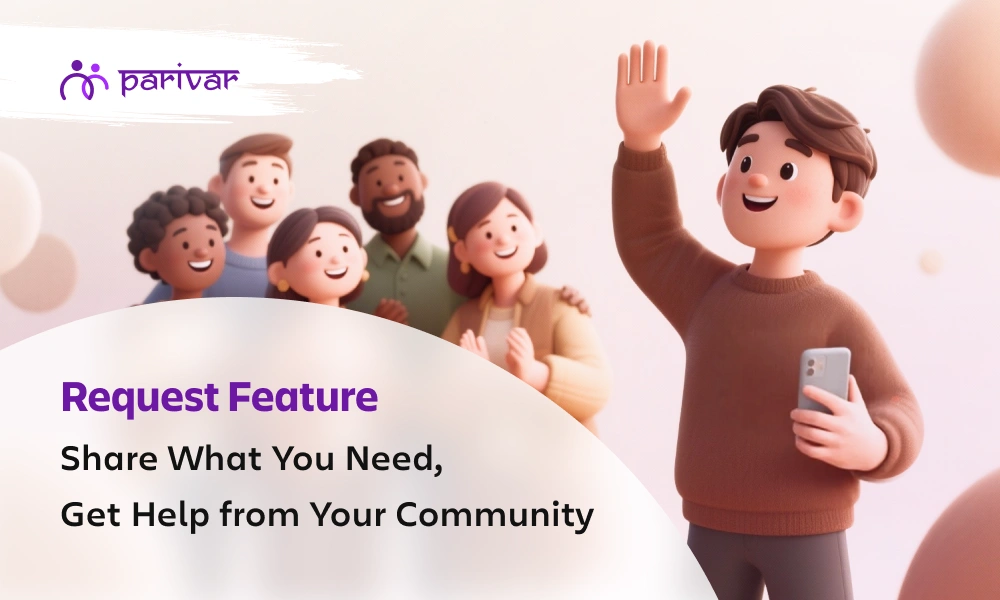
In every family or community, there are moments when we need to ask for something. It could be as small as sharing a photo from a function, or as important as finding a career opportunity or a matrimonial match. Usually, these requests happen through scattered phone calls, endless chaotic chats, or messages that often get lost in the noise. The Parivar App solves this problem with a simple yet powerful feature: Requests. It’s a space where you can post what you need, in an organized way, and be sure that the right people in your community will see it. What Kind of Requests Can You Make? The feature is flexible and covers many everyday needs: 1. Event Related Requests  Organizing a cultural function, religious festival, or a community event? Instead of chasing volunteers one by one, simply post a request for help whether it’s for arranging food, managing music, or setting up decorations. Suppose your community is celebrating Navratri and you need people to help with decoration or dandiya passes. Instead of messaging everyone separately, just post a request. People who are free can quickly volunteer. 2. Matrimonial Requests Finding a life partner is easier when the community is involved. With this feature, families can post matrimonial requests safely within their network. If a family is looking for a suitable match for their daughter or son, they can create a matrimonial request with basic details. For example: “Looking for a groom for our daughter, 27 years old, teacher by profession.” 3. Financial or Support Requests Life sometimes brings challenges. When there’s a need for financial help, blood donation, or emotional support, members can post requests and receive timely assistance from those who care. Imagine someone’s relative needs blood urgently. A request like “Need O+ blood donor at City Hospital by tomorrow” can reach the right people instantly. Similarly, if a friend of yours is going through hardship, they can request financial help. 4. Resource Sharing Requests Have extra chairs for an event, books for students, or even equipment lying unused? Request or share resources without hesitation, keeping things within the trusted circle of your community. Students preparing for exams might post: “Looking for Class 12 Science guidebooks”. Another member who has them can respond and share. Or, someone organizing a small gathering can request extra chairs, tables, or sound systems. 5. Album or Media Requests We all know how hard it is to gather event photos from everyone. With a simple request, you can collect albums and media from community members in one place. After a wedding, instead of chasing multiple people for photos, a family can simply post: “Please share wedding photos of the Sharma family function.” Members can upload and contribute easily. 6. Educational or Career Requests Need guidance for higher studies, coaching classes, or career advice? The request feature helps students and professionals connect with mentors within the community. A college student might request: “Guidance needed for MBA entrance preparation”, and a senior in the community who has already cleared it can offer tips or coaching support. 7. Job Requests Looking for a new role or want to share an opening at your company? Job requests ensure opportunities stay within the community before going outside. A member could post: “Opening for an accountant in our firm, 2+ years experience required.” Others can apply directly or refer people. Likewise, someone looking for a job can request leads. 8. App-Specific Requests If you ever need help understanding a feature on the Parivar App, you can make a direct request for support here as well. For example, if someone isn’t sure how to update their family album on the app, they can post a request: “Need help in uploading photos to our community album.” How Does the Request Feature Work and How to Create a Request? The Request feature is designed to be simple for anyone to use. Here’s how it works: Add a Title: Write a short and clear headline for your request, like “Volunteers needed for Ganesh Utsav” or “Looking for Maths tutor.” Set End Date & Time: Every request has a deadline. This helps others know how urgent it is and by when they should respond. Choose the Request Type: Select the right category such as event, job, matrimonial, resource sharing, or others. This makes it easier for people to identify what you need. Write a Description: Give a few details so members understand your request better. For example: “We need 5 volunteers for decoration on 10th Sept, 5 PM onwards.” Add Contact Number: Share how you’d like to be contacted (call or WhatsApp). This way, responses reach you directly. Enter Address (if needed): If your request is location-based, like a blood donation at a hospital or volunteers at a venue, you can add the address. Once you post, everyone in your community using the Parivar App can view it. They can respond immediately, making the whole process smooth and transparent. Why Is This Feature Important? These days, everyone is juggling busy schedules, and it’s easy for important messages to get lost. The Request feature makes sure that doesn’t happen. Everything stays in one place, simple to follow and easy to respond to. One request, many eyes: Instead of repeating yourself to different people, you post once and everyone in your community can see it. Nothing slips through: Whether it’s about a job opening, a matrimonial proposal, or an upcoming event, your request stays visible until its end date. Safe and private: All requests remain within your trusted family or community circle. Support made easy: When people clearly know what’s needed, they’re more likely to step in and help. In short, this feature takes the everyday back-and-forth out of the process and makes asking for help or sharing opportunities simple and stress-free. Join the Parivar App and Support Your Community Think about how many times you’ve wished there was a better way to manage community needs without jumping between phone calls, endless messages, or miscommunication. The Parivar App makes it simple. It’s not just another app. It’s your community space online, where you can ask, share, and support each other. Whether you’re planning a big event, searching for guidance, or just need help with a small task, the Request Feature ensures your voice is heard. Join Parivar App today and experience how one small feature can make a big difference in staying connected and supported. 📲 Available on iOS and Android

  • Kanishka Panchal
daily-quotes-power-of-words-daily-wisdom-in-life

The Power of Words: Why Daily Wisdom Matters in Modern Life

We’ve all had those moments when a single quote changes our mood completely. Maybe it reminded you to stay calm, gave you hope, or pushed you to keep going. Words are powerful, they shape our thoughts and guide how we feel and act. In today’s busy world, where stress and distractions are constant, reading a simple quote each day can make a big difference. That’s why daily wisdom matters more than ever. How Daily Wisdom Shapes the Mind Positive affirmations and uplifting messages can change the way we think. When we’re reminded of wise or inspiring thoughts every day, our brain slowly learns to focus more on positivity and resilience. Think about it: starting your morning with stressful news leaves you drained, but beginning with a thoughtful quote that reminds you to slow down or believe in yourself sets a healthier tone. That’s why daily wisdom works better than rare bursts of motivation. Just like exercise keeps the body fit, small doses of inspiring words keep the mind strong. Modern Life Challenges That Make Daily Wisdom Crucial Life today is busier than ever. We’re surrounded by emails, social media, news, and endless notifications. While technology connects us, it also overwhelms us. Many of us struggle with: Information overload: We consume more content in a day than our grandparents did in weeks. Stress and uncertainty: Work pressures, personal challenges, and global events weigh on us daily. Decision stress: From small choices like what to eat to big life decisions, our minds are constantly active. This is where daily quotes help. Just one thoughtful line can bring calm, clarity, and perspective. It reminds us that even in a noisy world, peace is always possible. The Ripple Effect of a Daily Quote The impact of a single quote often goes beyond the person reading it. Imagine starting your morning with the line: “Gratitude turns what we have into enough.” That thought stays with you helping you feel more thankful, smile more, and maybe even share it with family or colleagues. That’s the ripple effect. A short line can shift your mood, influence your behavior, and even strengthen your relationships. Throughout history, leaders and teachers have used words to inspire change. On a personal level, we all carry certain lines like advice from a parent, a teacher, or even a random quote that stayed with us. By practicing daily wisdom, you grow personally and spread positivity, creating a chain of inspiration. Making Wisdom a Daily Habit Daily wisdom is about small, consistent steps that bring meaning to your routine. Here are some simple ways to make it a habit: Start your morning with a quote: Instead of reaching for emails or social media, read a line of wisdom first. Journal around it: Write down what the quote means to you and how you can apply it in your day. Share it with loved ones: A quick message or family group post can spark meaningful conversations. Reflect before bed: End the day by thinking about how a quote’s message showed up in your life. Apps like Parivar make daily wisdom easy. The Daily Quotes feature delivers curated quotes on themes like wisdom, success, spirituality, and relationships. The inspiration comes to you, ready to uplift your day. Each fresh quote is a small daily ritual that can lift your mood, strengthen bonds, and support your personal growth. Let Words Lead Your Way Words of wisdom act like gentle pauses. They keep us grounded, hopeful, and clear. Daily quotes may seem small, but over time they fill the mind with positivity and peace. They bring strength in struggles, joy in low moments, and clarity when we feel lost. Let words guide you, one quote at a time. With the Parivar App’s Daily Quotes feature, you get fresh inspiration every day on themes that truly matter from wisdom and success to family and spirituality. Make wisdom part of your daily life. Next time you reach for your phone, don’t just scroll through social feeds or notifications. Instead, choose words that uplift and inspire because the right words shape not only our thoughts, but our lives. 📲 Download the App on Android & iOS, and Start Your Journey With Daily Wisdom.

  • Kanishka Panchal

ABOUT

Parivar - Bringing all community members together at your fingertips, the community engagement app will let you connect with your community conveniently.