Parivar-bg-design

Matrimonial

How Parivar envisions community matchmaking?

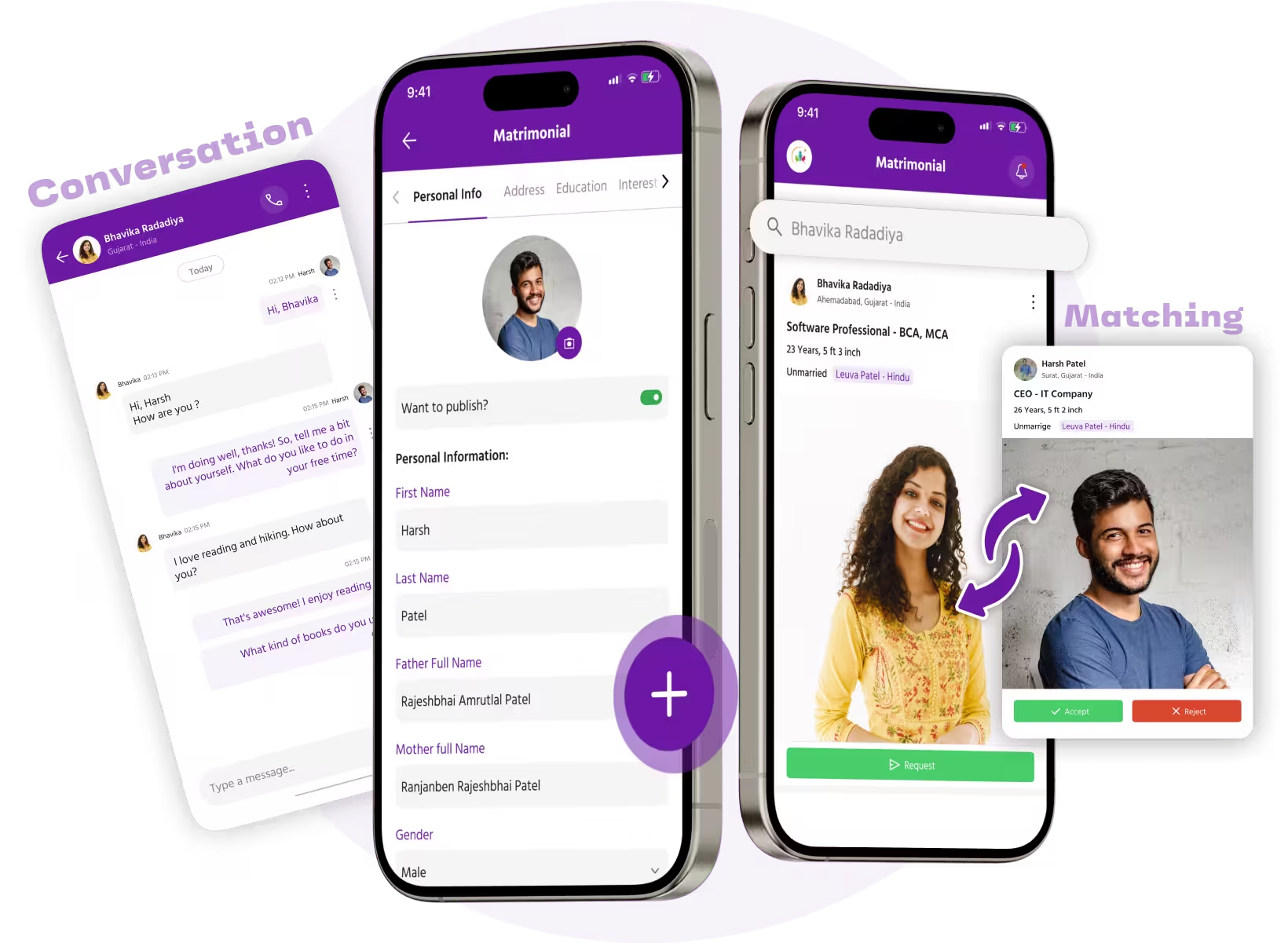
The Matrimonial feature is exclusively designed for those with their Marital Status – ‘Single’. We’re helping out bachelors and spinsters in the community find their partner for life. Of course, any individuals seeking companionship can utilize this feature for searching, interacting, and connecting with their potential life partners based on the interests and community values they share mutually.

Let us highlight, that we support the integrity of the community and so ensure men connect with women and vice-versa for better matchmaking. 

What better way to find a life partner who is already a cherished part of your community!?! It’s exciting how singles find it convenient to search for their perfect match without even joining a dedicated matrimonial app or connecting to a matchmaker.

Exciting Matrimonial Features

Parivar’s Matrimonial feature is surely beyond your expectations. Here is what the app takes you through…

Profile

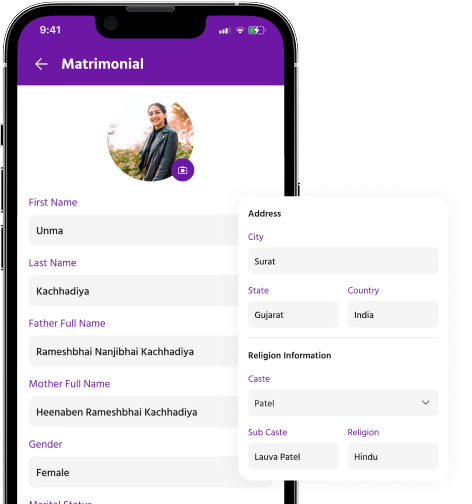
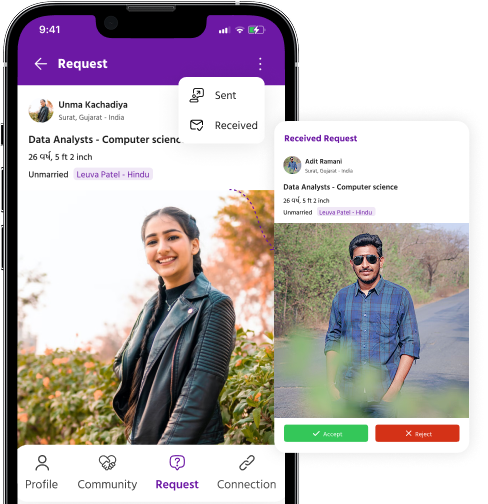
Create your profile by filling in all the required details on-screen. Make sure you highlight your interests clearly as it reflects your personality for anyone viewing your profile. Ensure it is engaging and makes a statement.

Advanced Search

Filter your searches to find a partner that matches your preferences and shares community values with you. We allow you to search for partners in a hassle-free way.

Secure Communication

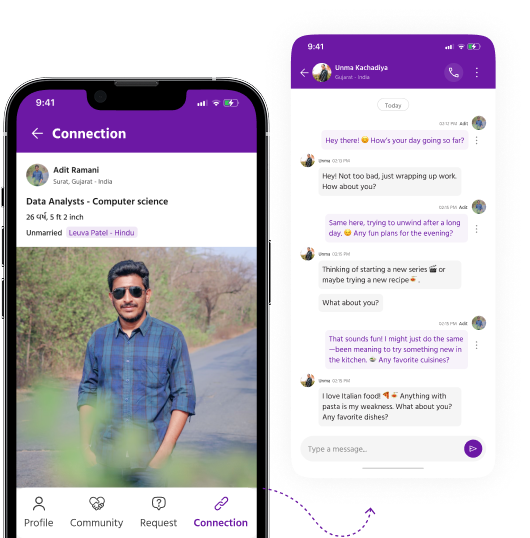
While your exposure as a match-seeking individual increases, you’ll likely be concerned about the security of interactions. Parivar App secures your interactions with individuals open for companionship.

Community-centric Matches

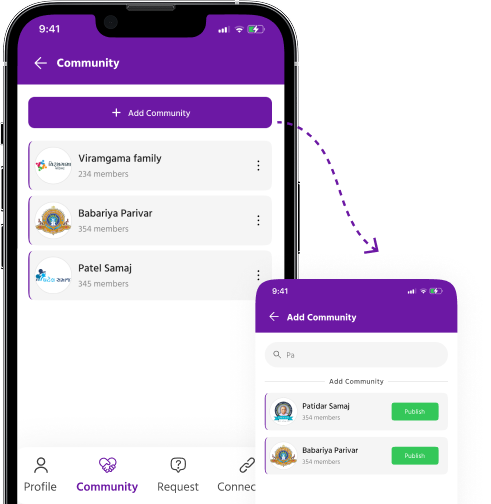
If finding a partner from your community and society is your priority, this app will help you find a match accordingly. You can view profiles uploaded by anyone in your community seeking a life partner.

Privacy Control

Ensuring full protection of your privacy, the Parivar App allows you to control who can see your profile or reach out to you. Feel free to hide it from specific community members without letting them know!

Personalized Suggestions

Once you register successfully with the matrimonial profile, the app will show suggestions as per the profile and preferences. This allows singles to browse like-minded profiles effortlessly.

Step-by-Step Guide

Step 1: Open Matrimonial from Profile Section
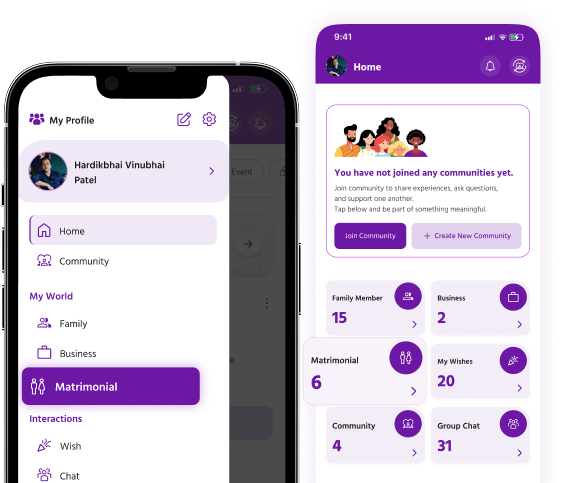
Parivar-matrimonial-step-1

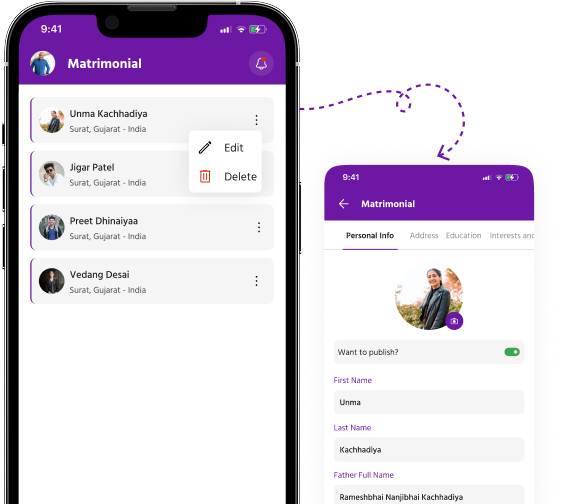
Step 2: View and Add Matrimonial Data
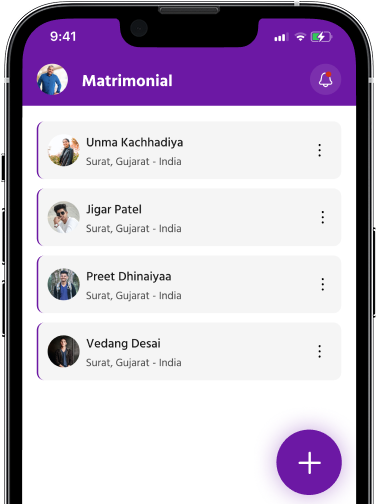
Parivar-matrimonial-step-2

Step 3: Add New Matrimonial Profile

Parivar-matrimonial-step-3

Step 4: Edit User Details

Parivar-matrimonial-step-4

Step 5: Access Matrimonial Details Section - Profile
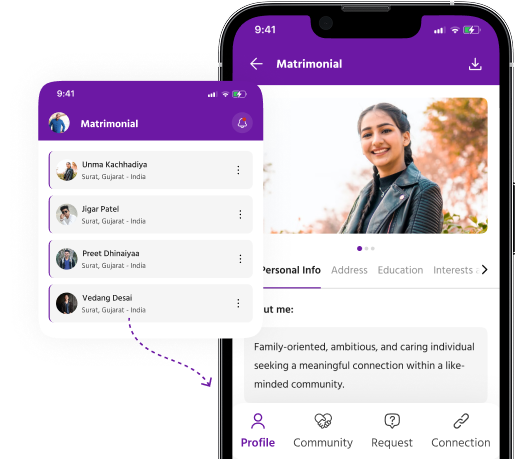
Parivar-matrimonial-step-5

Community

Parivar-matrimonial-step-6

Requests

Parivar-matrimonial-step-7

Connection

Parivar-matrimonial-step-8

Gratitude & Kindness

Let us be grateful to people who make us happy; they are the charming gardeners who make our souls blossom

- Marcel Proust