Parivar-bg-design
parivar-app-request-feature

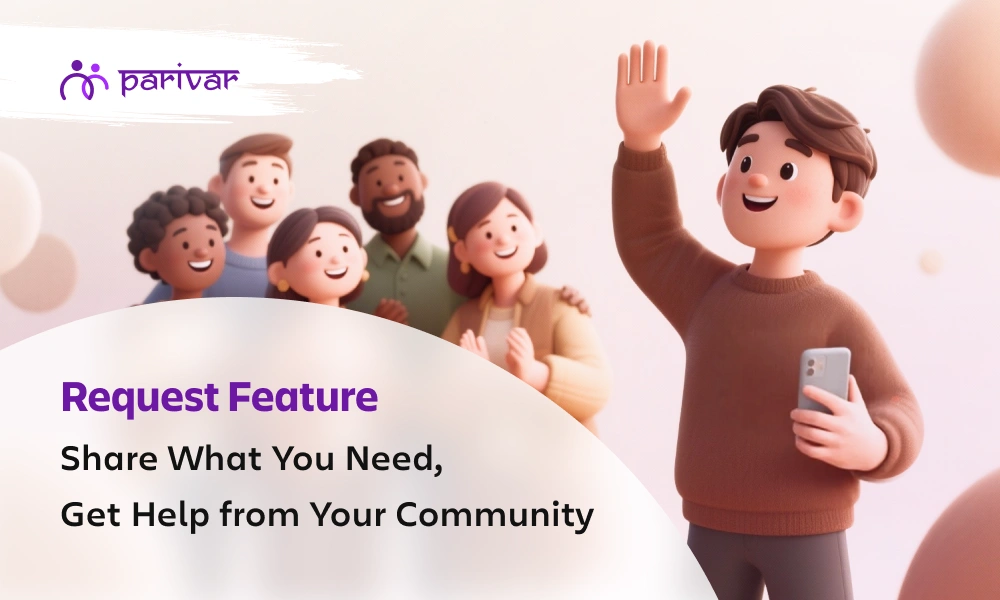
Make Every Request Easy with the Parivar App and Support Your Community

  • Default Author Image

    Kanishka Panchal

  • September 10, 2025 7 min read

TABLE OF CONTENTS

    • 1. Event Related Requests 
    • 2. Matrimonial Requests
    • 3. Financial or Support Requests
    • 4. Resource Sharing Requests
    • 5. Album or Media Requests
    • 6. Educational or Career Requests
    • 7. Job Requests
    • 8. App-Specific Requests
    • 📲 Available on iOS and Android

Introduction

In every family or community, there are moments when we need to ask for something. It could be as small as sharing a photo from a function, or as important as finding a career opportunity or a matrimonial match. Usually, these requests happen through scattered phone calls, endless chaotic chats, or messages that often get lost in the noise.

The Parivar App solves this problem with a simple yet powerful feature: Requests. It’s a space where you can post what you need, in an organized way, and be sure that the right people in your community will see it.

What Kind of Requests Can You Make?

The feature is flexible and covers many everyday needs:

1. Event Related Requests 

  • Organizing a cultural function, religious festival, or a community event? Instead of chasing volunteers one by one, simply post a request for help whether it’s for arranging food, managing music, or setting up decorations.
  • Suppose your community is celebrating Navratri and you need people to help with decoration or dandiya passes. Instead of messaging everyone separately, just post a request. People who are free can quickly volunteer.

2. Matrimonial Requests

  • Finding a life partner is easier when the community is involved. With this feature, families can post matrimonial requests safely within their network.
  • If a family is looking for a suitable match for their daughter or son, they can create a matrimonial request with basic details. For example: “Looking for a groom for our daughter, 27 years old, teacher by profession.”

3. Financial or Support Requests

  • Life sometimes brings challenges. When there’s a need for financial help, blood donation, or emotional support, members can post requests and receive timely assistance from those who care.
  • Imagine someone’s relative needs blood urgently. A request like “Need O+ blood donor at City Hospital by tomorrow” can reach the right people instantly. Similarly, if a friend of yours is going through hardship, they can request financial help.

4. Resource Sharing Requests

  • Have extra chairs for an event, books for students, or even equipment lying unused? Request or share resources without hesitation, keeping things within the trusted circle of your community.
  • Students preparing for exams might post: “Looking for Class 12 Science guidebooks”. Another member who has them can respond and share. Or, someone organizing a small gathering can request extra chairs, tables, or sound systems.

5. Album or Media Requests

  • We all know how hard it is to gather event photos from everyone. With a simple request, you can collect albums and media from community members in one place.
  • After a wedding, instead of chasing multiple people for photos, a family can simply post: “Please share wedding photos of the Sharma family function.” Members can upload and contribute easily.

6. Educational or Career Requests

  • Need guidance for higher studies, coaching classes, or career advice? The request feature helps students and professionals connect with mentors within the community.
  • A college student might request: “Guidance needed for MBA entrance preparation”, and a senior in the community who has already cleared it can offer tips or coaching support.

7. Job Requests

  • Looking for a new role or want to share an opening at your company? Job requests ensure opportunities stay within the community before going outside.
  • A member could post: “Opening for an accountant in our firm, 2+ years experience required.” Others can apply directly or refer people. Likewise, someone looking for a job can request leads.

8. App-Specific Requests

  • If you ever need help understanding a feature on the Parivar App, you can make a direct request for support here as well.
  • For example, if someone isn’t sure how to update their family album on the app, they can post a request: “Need help in uploading photos to our community album.”

How Does the Request Feature Work and How to Create a Request?

The Request feature is designed to be simple for anyone to use. Here’s how it works:

  • Add a Title: Write a short and clear headline for your request, like “Volunteers needed for Ganesh Utsav” or “Looking for Maths tutor.”
  • Set End Date & Time: Every request has a deadline. This helps others know how urgent it is and by when they should respond.
  • Choose the Request Type: Select the right category such as event, job, matrimonial, resource sharing, or others. This makes it easier for people to identify what you need.
  • Write a Description: Give a few details so members understand your request better. For example: “We need 5 volunteers for decoration on 10th Sept, 5 PM onwards.”
  • Add Contact Number: Share how you’d like to be contacted (call or WhatsApp). This way, responses reach you directly.
  • Enter Address (if needed): If your request is location-based, like a blood donation at a hospital or volunteers at a venue, you can add the address.

Once you post, everyone in your community using the Parivar App can view it. They can respond immediately, making the whole process smooth and transparent.

Why Is This Feature Important?

These days, everyone is juggling busy schedules, and it’s easy for important messages to get lost. The Request feature makes sure that doesn’t happen. Everything stays in one place, simple to follow and easy to respond to.

  • One request, many eyes: Instead of repeating yourself to different people, you post once and everyone in your community can see it.
  • Nothing slips through: Whether it’s about a job opening, a matrimonial proposal, or an upcoming event, your request stays visible until its end date.
  • Safe and private: All requests remain within your trusted family or community circle.
  • Support made easy: When people clearly know what’s needed, they’re more likely to step in and help.

In short, this feature takes the everyday back-and-forth out of the process and makes asking for help or sharing opportunities simple and stress-free.

Join the Parivar App and Support Your Community

Think about how many times you’ve wished there was a better way to manage community needs without jumping between phone calls, endless messages, or miscommunication. The Parivar App makes it simple.

It’s not just another app. It’s your community space online, where you can ask, share, and support each other. Whether you’re planning a big event, searching for guidance, or just need help with a small task, the Request Feature ensures your voice is heard.

Join Parivar App today and experience how one small feature can make a big difference in staying connected and supported.

📲 Available on iOS and Android


TABLE OF CONTENTS

    • 1. Event Related Requests 
    • 2. Matrimonial Requests
    • 3. Financial or Support Requests
    • 4. Resource Sharing Requests
    • 5. Album or Media Requests
    • 6. Educational or Career Requests
    • 7. Job Requests
    • 8. App-Specific Requests
    • 📲 Available on iOS and Android

ABOUT

Parivar - Bringing all community members together at your fingertips, the community engagement app will let you connect with your community conveniently.

Frequently Asked Questions

What is the Request Feature in the Parivar App?

The Request Feature allows you to post different types of needs like event help, matrimonial, jobs, education, or support so that your community members can see and respond easily.

Only members of your community group within the app can view your requests. This ensures privacy and a trusted environment.

Yes, you can edit details like the description, end date, or contact information. If the request is no longer needed, you can delete it anytime.

No. Adding an address is optional. You only need to include it if your request is location-specific, for example, a venue for an event or a hospital for a blood donation.

Members often use it for event volunteering, matrimonial matches, job opportunities, resource sharing, and collecting photos from community functions.

Recent Blogs

View all
community-platforms-vs-messaging-groups

Messaging Groups vs Community Platforms: Finding Real Connection Online

Every day, we open apps filled with messages. Family groups, college groups, office groups…notifications never really stop. We’re talking more than ever, yet many of us feel more distant than ever. You may have noticed this yourself. You see the "good morning" messages, you react to a few photos, and you send a quick reply. But do you ever have a real conversation? Important thoughts and feelings often get swept away in a flood of forwards and one-line responses. Everyone is present, but no one truly feels connected. This raises a simple but important question: Can a simple messaging group really hold a community together, or do we need a different kind of space? Messaging groups are great for quick updates, but community platforms are better for building deeper, long-term connections where every conversation matters. What are Messaging Groups? Messaging groups, like those on WhatsApp or Telegram, are built for quick, real-time communication. They’re great for: Telling the family you’re running late Coordinating who’s bringing what to the picnic Sharing a quick laugh with old friends They’re instant, familiar, and perfect for casual, short-term chats. But if we’re honest, they weren't designed to nurture deep relationships. Where Messaging Groups Lack At first, a new messaging group feels lively and fun. But over time, the limitations become hard to ignore: 1. Conversations Get Lost An important personal update or a thoughtful question can disappear quickly in a constant stream of replies, forwards, memes, and reactions. 2. Too Much Noise, Too Little Meaning The constant ping of messages, most of which aren't for you, becomes overwhelming. Many people just mute the group and check out entirely. 3. Limited Participation In most groups, a handful of people do all the talking. Everyone else becomes a silent observer, watching from the sidelines. 4. No Sense of Structure Everything including planning, support, jokes, serious talk happens in a single, endless scroll. There’s no way to separate topics or find anything later. 5. Weak Emotional Connection You might know what time someone caught their flight, but you rarely get a sense of how they’re really doing. The emotional connection stays shallow. Over time, the group chat remains active, but the feeling of community quietly fades away. What are Community Platforms? Community platforms like Parivar are built with a different purpose. They aren’t just about sending messages back and forth. They are built to help people: Share experiences Support each other Build bonds that last Instead of a single chat stream, they offer different spaces where conversations can grow and stay meaningful over time. What Makes a Community Platform Feel Different? 1. Conversations Have a Place Discussions are organized by topic. A question about a family recipe doesn’t get lost in a thread about weekend plans. It stays put, ready for the next person who needs it. 2. People Have an Identity People have profiles. You see a face, a name, a bit about them. It transforms interactions from a random phone number into a connection with a real person. 3. Participation Feels Natural Everyone can find their voice. It feels safer and more natural for quieter members to share a thought or ask a question when the space isn't moving frantically. 4. Focus on Belonging It gives a sense of belonging in communities. The whole environment encourages people to listen, share thoughtfully, and respond with care, not just with a quick tap on a screen. 5. Designed for Long-Term Engagement A good community platform doesn't go silent and die after a few days of no messages. It becomes a place people return to, where conversations evolve and deepen over time. Messaging Groups vs Community Platforms Let’s look at the difference more clearly: table { font-family: hindivadodara, sans-serif; border-collapse: collapse; width: 100%; } td, th { border: 1px solid #dddddd; text-align: left; padding: 8px; } Aspect Messaging Groups Community Platforms Purpose Quick communication, instant updates Building relationships Structure Single chat stream Organized discussions Engagement Short-term Long-term Experience Often cluttered and noisy Calmer and more focused Connection Surface-level Deeper and meaningful When Messaging Groups are the Right Tool Let’s be clear: messaging groups aren't bad. They are the perfect tool for certain cases. They are ideal when: The group is small (like 5-6 close friends). Communication is urgent or time-sensitive. The goal is short-term, like planning a single event or a weekend trip. When speed is all that matters, a simple chat is the way to go. When You Need the Depth of a Community Platform But when your goals are bigger, a community platform becomes a much better fit. You'll want one when: Your group is growing, or you hope it will. People want to share thoughts, feelings, and experiences, not just logistical updates. You’re hoping to build something that lasts, not just a temporary space. Mutual support, genuine connection, and working together are important. Think about: Families spread across cities who want to stay emotionally close, sharing photos and memories in a way that doesn't get lost. Neighborhood groups organizing local events or supporting each other. Support circles where people need a safe, thoughtful space to share. Hobby clubs where members want to go beyond "nice photo!" and have real discussions. Why Our Need for Community is Changing It’s a strange feeling to be so constantly "connected" and yet feel so unheard. Messaging alone hasn't solved our need for belonging. What so many of us are quietly looking for is: A space where we can express ourselves without being rushed. A place where our words aren't immediately buried. A genuine sense of being part of something that matters. This shift from quick communication to genuine, lasting connection is exactly why thoughtfully designed community management applications are becoming so important. A Simple Way to Picture It Think about a busy family group chat. A cousin shares that they’re going through a tough time. A couple of people send heart emojis and quick "hope you're ok" messages. Then, within an hour, the topic is gone, washed away by a video of a cat and someone asking what’s for dinner. Now, picture a different kind of space. That same cousin shares their feelings in a dedicated, supportive corner of a family community. People respond with more than just a reaction. They share their own experiences. They ask how they can help. Someone else joins the conversation the next day, and the message is still there, still relevant, ready for them to offer their support. The conversation isn’t lost; it becomes a source of strength. That is the difference between a chat and a community. How Parivar Helps People Feel Closer This is exactly where a different kind of space begins to matter. Most platforms today are built either for quick messaging or broad social sharing, but very few are designed for close-knit, meaningful interaction. If you’ve ever felt that traditional platforms don’t quite support real connection, it’s worth exploring why Parivar works better than typical social media apps for families and communities. Parivar is built around a simple idea: people don’t just want to talk, they want to feel connected. It’s a space designed to bring families, communities, and close-knit groups closer by making sure: Conversations don’t disappear People feel comfortable and safe having discussions Communities grow naturally over time Instead of focusing on constant activity, it focuses on what truly matters: relationships, understanding, and a sense of belonging. So, Which One Works Better? Messaging Groups or Community Apps Messaging groups are for staying in touch. Community platforms are for staying connected. And sometimes, that difference is everything. If your only goal is to share quick updates, a messaging group is perfectly fine. But if your goal is to build something more meaningful, a place where people truly listen, share from the heart, and support one another, then a space built for community offers a much richer and more rewarding path. If you're ready to experience what real connection feels like, you can download the Parivar app today.  Available for Free on: iOS  Android Register on Parivar and start building a space where your family or community can truly come together.

  • Kanishka Panchal
community-support-mental-wellbeing

The Role of Community Support in Mental Health & Well-Being

Everyone goes through moments when life feels heavy. Work pressures, personal struggles, uncertainty about the future, or simply the pace of modern life can take a toll on how we feel. During such times, what often helps the most is not advice or solutions, but people - someone who listens, understands, and stands beside us. In moments like these, the presence of a supportive community makes all the difference. It offers more than just interaction. It creates a space where people can share experiences, find encouragement, and feel less alone.  Whether it is a neighborhood group, a shared-interest circle, or an online platform, communities have the ability to support emotional well-being in quiet but meaningful ways. Why Mental Well-Being Needs Social Connection Human beings are naturally social. From childhood to adulthood, our sense of comfort and stability is often shaped by the relationships around us. Having a reliable network makes challenges easier to manage. Small gestures often carry more weight than we realize. For example: A simple conversation after a difficult day A message checking in on someone A friend acknowledging how you feel These moments remind people that they are seen and that their emotions matter. Without that connection, even ordinary problems can feel heavier. A stressful day might start to feel like personal failure. A small setback might seem larger than it is simply because there is no one nearby to offer perspective. Communities help fill this gap by providing connection, understanding, and similar experiences. The Comfort of Belonging in a Supportive Community One of the most meaningful things a community offers is the feeling of belonging. Belonging means being accepted as you are, not for the role you play or the image you present, but for who you genuinely are. In a healthy community: Your presence is valued Your voice is heard Your experiences are respected When people feel this kind of acceptance, they are more likely to open up and build genuine relationships. Over time, this sense of belonging in communities creates emotional security. Instead of facing difficulties alone, people know they have others who care. Shared Experiences Create Understanding in a Community Many struggles feel isolating simply because people believe they are the only ones going through them. Communities often change that perception. When someone shares their experience whether it is stress at work, self-doubt after failure, or the loneliness of moving to a new city, it allows others to recognize similar feelings in themselves. For example: A new parent may discover that exhaustion and uncertainty are common experiences. Someone changing careers may find others navigating the same fears. A person recovering from failure may hear stories of resilience from others. These shared experiences create understanding without judgment. People do not always need solutions. Sometimes they simply need to know that someone else truly understands what they are feeling. Support During Difficult Moments Life brings challenges for everyone, including: Personal loss Health concerns Career setbacks Emotional struggles During these times, community support becomes especially valuable. Support can take different forms: Practical help with everyday tasks A thoughtful message checking in Someone willing to listen without offering immediate advice Even small acts of care can have a powerful effect. Knowing that someone notices and genuinely cares can provide comfort during difficult moments. Encouragement That Builds Confidence Communities also help people move forward. When individuals share progress, goals, or personal efforts, encouragement from others can strengthen their confidence. Support from peers often feels meaningful because it comes from people who understand the journey. Communities often support progress by: Celebrating small achievements Encouraging consistency and effort Offering reassurance during setbacks For instance, someone trying to build healthier habits might feel discouraged by slow progress. But when their community recognizes their effort, it can renew motivation. Over time, this support helps people build resilience and self-belief. The Role of Online Communities in Mental Well-Being Communities today are not limited by geography. Community management apps allow people from different places to connect around shared interests, experiences, or values. For many individuals, these communities provide support that may not exist locally. Online communities offer benefits such as: Access to diverse perspectives Easier communication between members Dedicated space for safe discussions Opportunities for members to stay connected even when they are far apart Platforms like the Parivar App make it easier for communities to stay connected in a more organized and meaningful way.  However, the strength of any community, online or offline, ultimately comes from the people within it. Respectful communication and responsible community moderation play an important role in keeping these spaces welcoming. What Makes a Community Supportive Not every group automatically becomes a supportive community. Certain qualities help create an environment where people feel comfortable and valued. Respect is essential. When people communicate with kindness and patience, it builds trust among members. Even during disagreements, a respectful tone preserves relationships. Openness also matters. Communities where people feel safe expressing their thoughts tend to develop deeper connections. Participation strengthens the group. When members engage with one another rather than simply observing, relationships grow stronger. Finally, care and empathy help maintain a healthy environment where everyone feels supported. It is also important to recognize that not every group is healthy. Some spaces may feel judgmental or exclusive. Finding the right community sometimes takes time and exploration. Long-Term Benefits of Community Support Belonging to a supportive community can influence mental well-being in lasting ways. People who feel connected to others often experience: Lower levels of stress Greater emotional resilience More confidence in expressing themselves A stronger sense of belonging Most importantly, community support reminds people that they do not have to face life's challenges alone. Why are Communities More Important Than Ever Modern lifestyles sometimes limit opportunities for deeper connection. Busy schedules, digital communication, and changing social patterns can leave people feeling disconnected. Communities help rebuild those connections. They create spaces where people can slow down, speak honestly, and develop relationships based on mutual understanding. In many ways, communities restore something fundamental, the human need to feel connected to others. Supportive Communities Strengthen Mental Health & Well-Being Mental well-being is influenced by many factors, but meaningful relationships remain one of the most powerful sources of support. Supportive communities remind individuals that their struggles are understood and that their presence matters. Through conversations, shared stories, and simple acts of care, communities help people feel supported and emotionally stronger. And sometimes, knowing that someone is there to listen is exactly what makes all the difference.

  • Kanishka Panchal
build-community-identity

How to Build a Strong Community Identity

A group of people does not automatically become a community. What turns a collection of individuals into something meaningful is identity. Community identity is what helps people say, “This is our place” - your family, your close friends, perhaps a religious group or a sports team. There is a shared understanding and a sense of belonging.  It gives clarity about why the community exists, what it stands for, and how members are expected to interact with one another. When identity is clear, participation feels natural. When it is unclear, confusion and disengagement slowly follow. We explain what community identity means and how you can build one in a practical and thoughtful way, whether your community meets in person or uses a digital platform like Parivar App to connect members. What is Community Identity? Community identity is the shared understanding of: Why the community exists - its fundamental reason for being What values guide it - the principles that shape decisions How members treat each other - the expected behaviors and interactions What makes it different - its unique character compared to other groups It is not just a logo, a tagline, or a mission statement pinned to a wall. Real identity is reflected in daily actions, decisions, events, conversations, and even how disagreements are handled. Here is a simple test: When someone new joins your community, how long does it take them to understand how things work and what the community believes in? If the answer is "quickly and naturally," that is a sign of strong identity. If new members remain confused for weeks or months, identity needs work. Importance of Having a Community Identity A clear identity helps in many ways: It Creates Belonging: People feel more comfortable when they know what a group stands for. Shared purpose brings people closer. It Reduces Confusion: When values and goals are defined, decisions become easier. Members understand the direction. It Builds Stability: Communities with strong identity do not lose direction easily. Even when leadership changes, the core remains steady. It Encourages Participation: When members feel aligned with the purpose, they are more likely to contribute. Signs Your Community May Lack a Clear Identity How do you know if your community needs to work on identity? Look for these signs: Members often ask, “What exactly are we trying to achieve here?” Events feel disconnected from each other, like isolated activities rather than part of a larger story Conflicts arise repeatedly over basic decisions Participation is low or inconsistent New members struggle to understand how things work Long-time members describe the community differently, suggesting no shared understanding exists Decisions feel arbitrary because no clear principles guide them These are not failures. They are indicators that clarity is needed. The good news is that identity can be built intentionally, even in established communities that have drifted. Core Elements of a Strong Community Identity Building identity does not require complicated planning or expensive consultants. It requires clarity about a few fundamental elements and consistency in applying them. 1. A Clear Purpose Ask simple questions: Why was this community formed? What problem does it solve? What value does it bring to members? The purpose should be short and easy to understand. If it takes too long to explain, it may need refining. Weak: "We want to grow together." Strong: "Connecting first-generation immigrant parents to share resources, advice, and friendship." 2. Shared Values Values guide behavior. They influence how members interact and how decisions are made. For example: Respect in discussions Transparency in financial matters Equal participation Accountability in responsibilities Values should not remain written statements. They should be visible in everyday actions. 3. A Defined Culture Every community has a culture, whether planned or not. Consider: Are meetings formal or relaxed? Is communication structured or open? Are traditions important? There is no right or wrong style. What matters is consistency. 4. Visual and Communication Style While identity is deeper than visuals, presentation still matters. A consistent logo or symbol Clear communication tone Organized announcements This helps members feel that the community is structured and dependable. 5. Traditions and Shared Moments Annual events, celebrations, volunteer drives, or recognition ceremonies help strengthen identity. Over time, these moments become part of the community’s story. Step-by-Step Guide to Building a Strong Community Identity Here is a simple approach that any community can follow. Step 1: Define the Purpose Clearly Gather core members or leaders and discuss: What are we trying to build? What do members expect from us? What do we want to achieve in the next few years? Write it down in simple language. Avoid complicated statements. Step 2: Involve Members in the Process Identity should not be decided by a small group alone. You can: Conduct short surveys Organize open discussions Invite suggestions When members contribute, they feel ownership. Step 3: Document and Share It Once purpose and values are clear: Publish a short mission statement Share community guidelines Create a welcome note for new members This ensures everyone receives the same message. Step 4: Align Actions with Identity If transparency is a value, share updates regularly. If inclusiveness is important, make sure everyone gets equal opportunity to participate. Identity must match behavior. Otherwise, it loses meaning. Step 5: Reinforce It Regularly Identity should not be mentioned once and forgotten. Repeat the purpose during meetings Highlight member contributions Celebrate achievements Share stories that reflect your values Repetition strengthens clarity. Role of Leadership in Shaping Community Identity Leaders play a central role in shaping and maintaining identity. Members observe leadership closely. If leaders: Model values consistently Communicate purpose regularly Make decisions aligned with identity Address misalignment quickly The culture becomes stronger. If leaders act differently from stated values, identity weakens quickly. Leadership consistency matters more than speeches. Common Mistakes to Avoid Being Too Generic: "Building a better community" is too broad. Be specific. Copying Other Communities: Adapt ideas to your context. Identity must feel authentic. Ignoring Feedback: If members feel unheard, they disconnect. Changing Direction Too Often: Frequent shifts create uncertainty. Stability builds confidence. How Community Identity Grows Over Time Identity is not built in one meeting. It develops through repeated actions. Over time, members begin to say: “This is how we do things here.” “This is what we stand for.” That is when identity becomes strong. It shows participation, cooperation, and mutual respect. Measuring the Strength of Your Community Identity You can observe: Member retention Event participation Volunteer involvement Constructive discussions Feedback tone New member experience If members speak positively about the community, participate regularly and invite others to join, identity is working. Making Your Community Identity Stronger A strong community identity does not require complex systems. It requires clarity, consistency, regular communication, leadership and involvement. When members understand the purpose, share common values, and see those values reflected in action, they feel connected. And when people feel connected, communities become stronger, not just in numbers, but in relationships. Building identity takes time. But once established, it becomes the foundation on which everything else grows. To experience these benefits firsthand, you can download the Parivar app on iOS or Android and start building a stronger, more connected community today.

  • Kanishka Panchal