Parivar-bg-design

Friends

The Friends feature makes it easy to build and maintain meaningful connections within your family or community circle. Whether you want to stay in touch with relatives, build friend groups within your samaj, or have private conversations, this feature enables smooth interaction through friend requests, group creation, chats, and real-time notifications.

Once connected, you can view limited profile information of your friends and engage through personal or chats keeping conversations personal, secure, and always within reach.

Key Highlights of the ‘Friends’ Feature

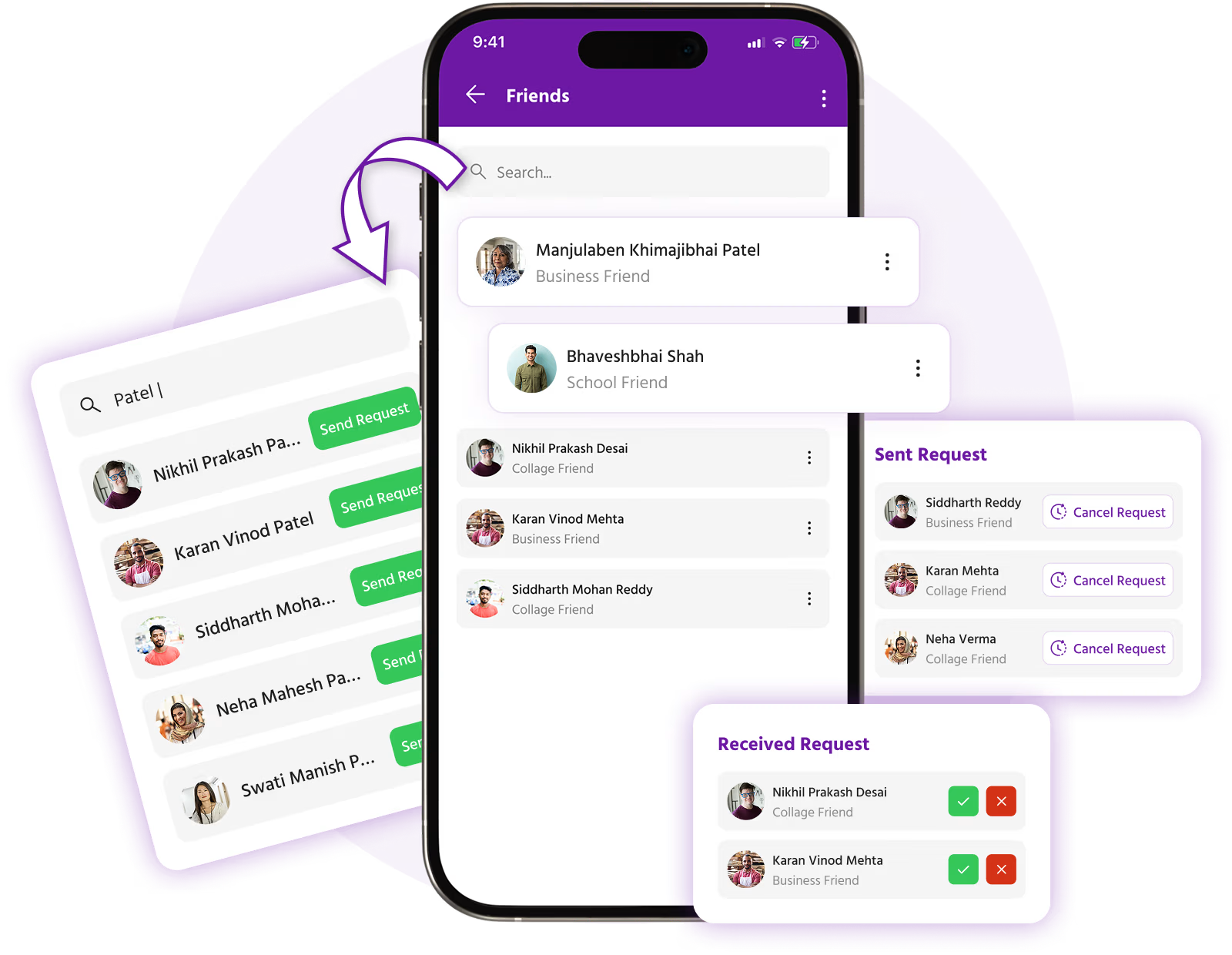
Send & Accept Friend Requests

Easily connect with other members by sending and accepting friend requests from their profiles.

Build Your Friend List

See all your accepted connections in one place with options to view profile, start chat, or add to a group.

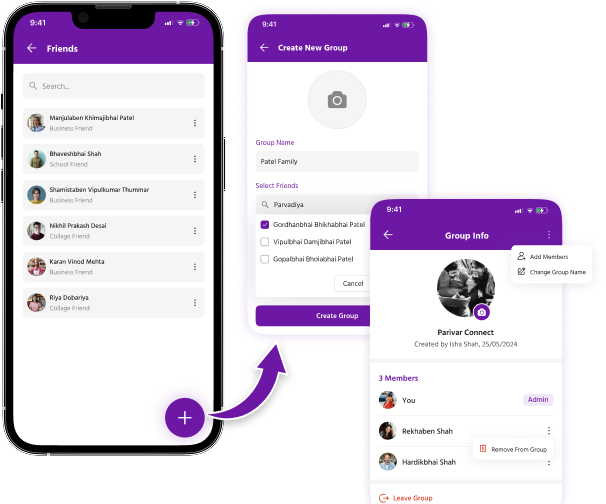
Create Private Friend Groups

Organize your friends into custom groups, perfect for cousins, close family circles, or school friends.

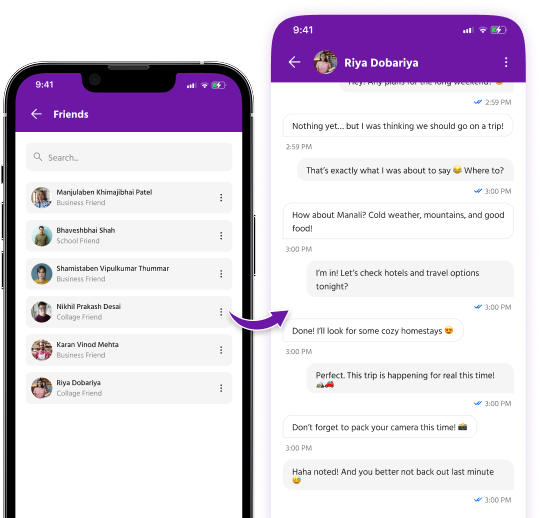
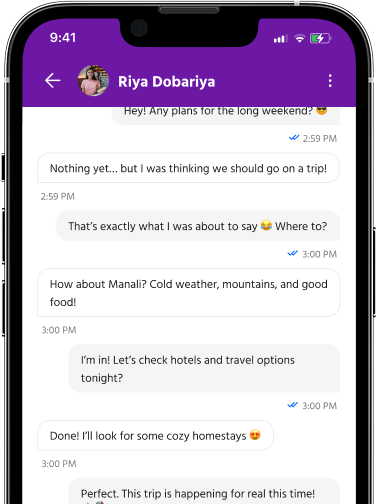
1:1 and Chat

Enjoy real-time messaging with individual friends or entire groups, complete with sender info and timestamps.

Smart Notifications

Get instantly notified when you receive a friend request, are added to a group, or get a new message.

View Limited Profile Info

Once connected, you can see basic profile details like name, mobile number, and shared business (if added).

Privacy-First Interactions

Friendship is mutual. No one can view your personal details or message you unless you accept their request.

Mobile-Friendly Interface

All features work smoothly across devices with an intuitive UI for easy navigation.

How the Friends Feature Works

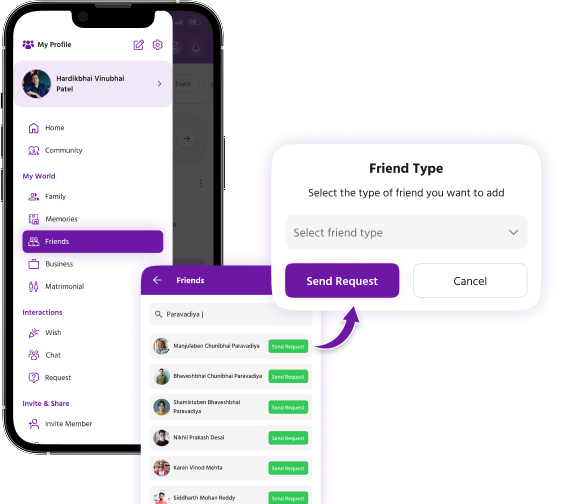
Send a Friend Request

Visit someone’s profile and tap “Send Request”

Select the type of friend (e.g., Business Friend, School Friend, etc.)

The other person will receive a notification

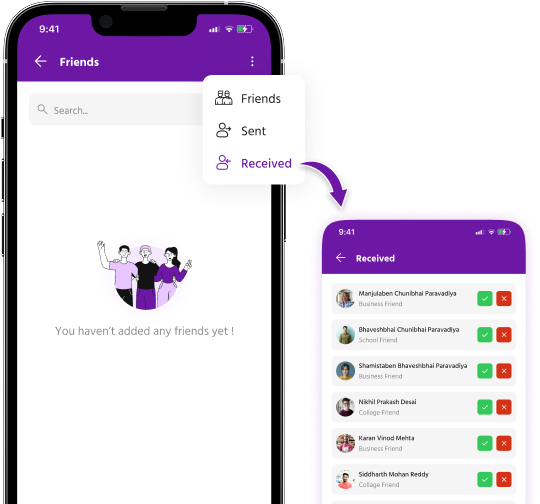
Manage Friend Requests

Go to the “Friend Requests” section

View sent and received requests

Accept or reject received requests with a tap

Get Connected

Once accepted, both users appear in each other’s Friend List

Chat feature is activated

You’ll both receive a notification confirming the connection

Start Chatting

Go to My Friends and tap on a friend to start a 1:1 chat

Create Friend Groups for chats, name the group, add members

Messages show sender info and time for clarity

Create and Manage Friend Groups

Tap “Create Group”

Select friends from your list

Set a group name and start chatting instantly

Add or remove members anytime

Step-by-Step Guide

Step 1: Send a Friend Request

Parivar-friend-step-1

Step 2: Manage Friend Requests

Parivar-friend-step-2

Step 3: Get Connected

Parivar-friend-step-3

Step 4: Start Chatting

Parivar-friend-step-4

Step 5: Create Friend Groups

Parivar-friend-step-5

Relationships

The most important thing in the world is family and love.

- John Wooden

Explore Our
More Features