Parivar-bg-design

Memories

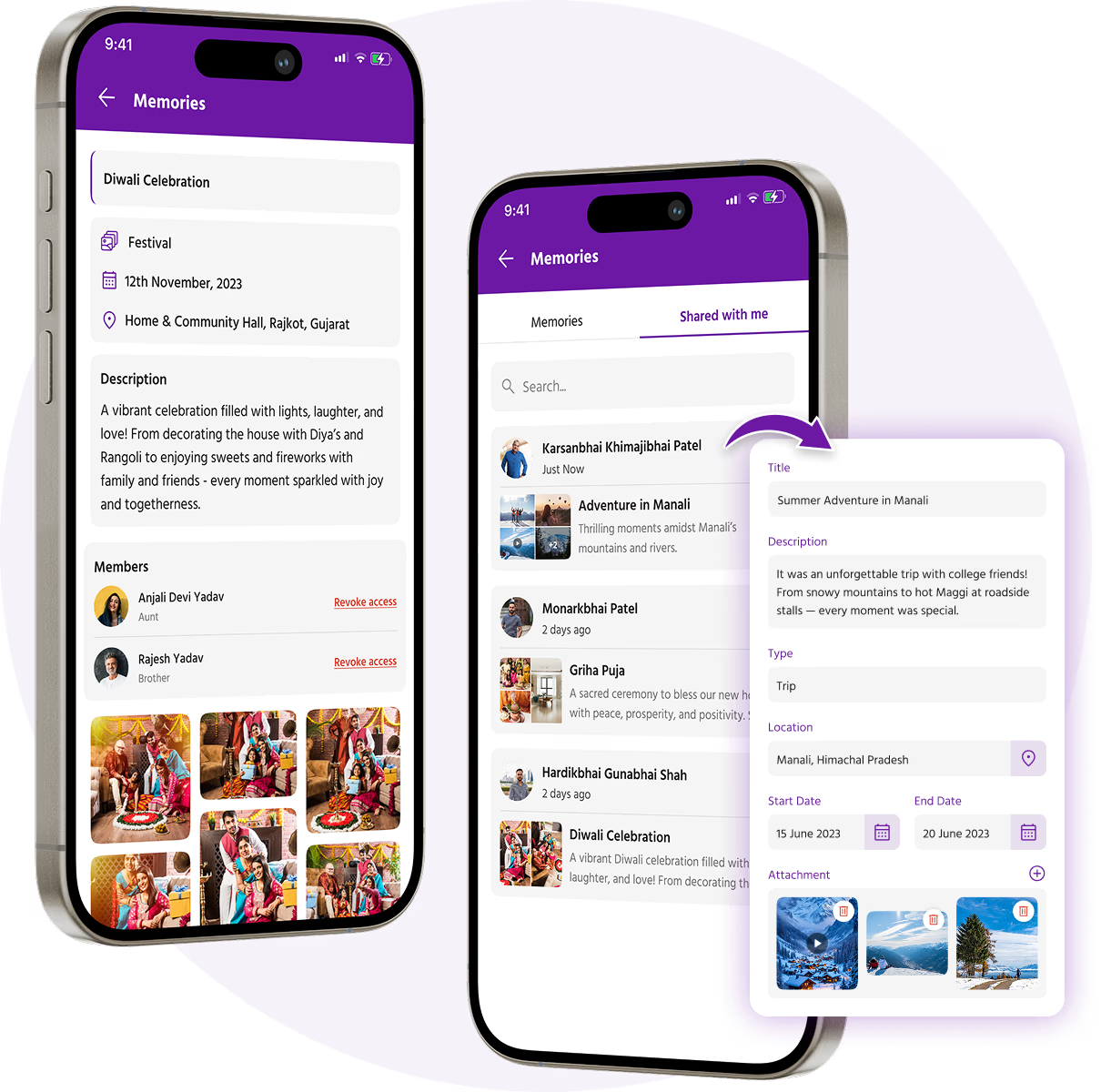
Family Memories is a heartfelt feature in the Parivar App designed to help families preserve their most cherished moments like a birthday celebration, a wedding, a festival, or everyday family life, members can now upload photos and videos to keep these memories alive for generations.

This feature allows you to organize your memories into albums, add meaningful details like location and date, and share them easily with loved ones. With support for both short reels and full-length videos, Memories makes it easy to document life’s small joys and big milestones alike.

Top Features & Benefits of ‘Memories’ Feature

Upload All Types of Memories

From precious family photos to short celebration clips and full-length videos of events, you can upload and store all kinds of media formats, including JPG, PNG, and MP4.

Add Personal Details to Every Memory

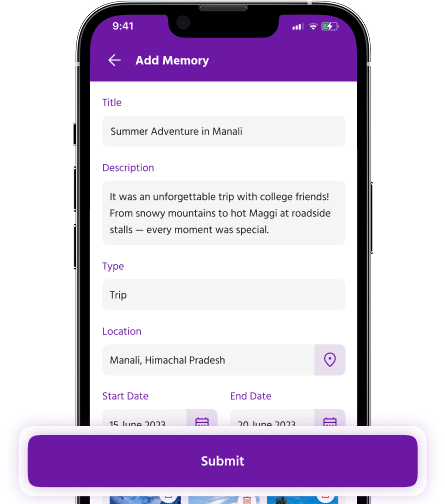
Enhance each upload with a meaningful title, location, and date & time, helping you remember not just the moment, but the full story behind it.

Organized Albums for Every Occasion

Create themed albums like weddings, festivals, vacations, or reunions with cover photos and descriptions, so your memories are always easy to find and beautifully presented.

Clean, Gallery-Style Viewing

Experience your memories in a visual, easy-to-browse gallery format designed for both mobile and tablet screens making every visit to your gallery feel like flipping through a family photo book.

Smart Sharing Options

Share individual memories or entire albums via secure, unique links. You can keep albums private, share within the Parivar app, or even send to non-app users.

Control Download Permissions

You have full control. Download your own media anytime, and choose whether others can download what you share.

Safe and Private

Only you can edit or delete your uploads. Your family memories stay in your control, always.

Why You’ll Enjoy Using Memories

Save special moments in one place

Keep memories organized by event or theme

Relive old moments anytime, anywhere

Share joy with family near and far

Easy for all ages to use

Spark conversations and nostalgia

Accessible across mobile and tablet devices

Celebrate your legacy, together

Bonus Actions

Edit or delete your memory anytime

Uploads whenever needed

How to Use the Memories Feature

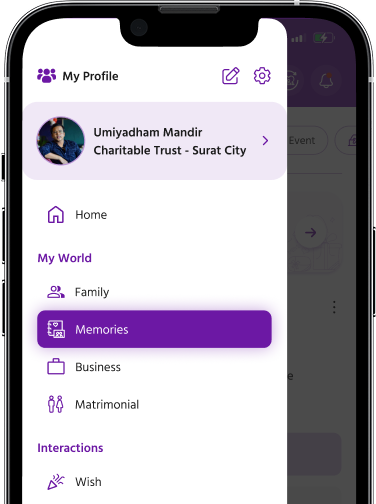
Step 1 : Tap on the Memories tab from your homepage or main menu.

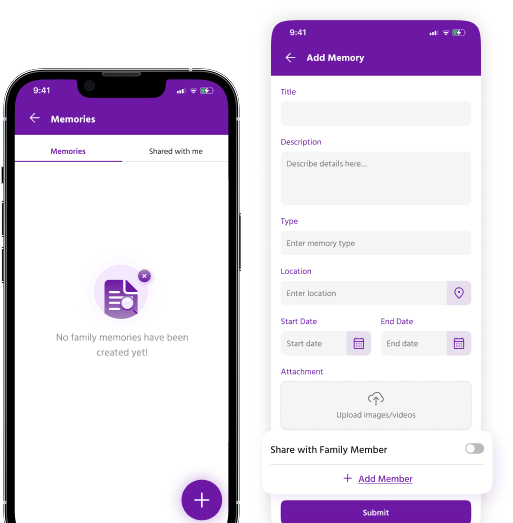
Step 2 : Tap on “Add Memory” and choose to upload a photo, short video, or full-length video.

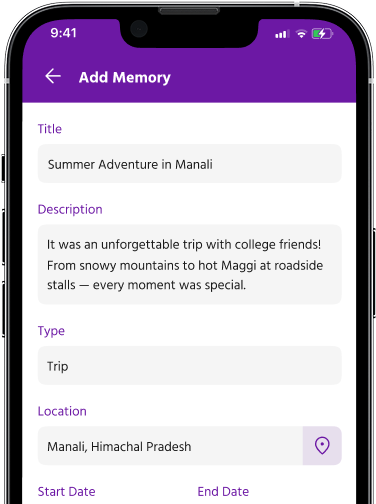
Step 3 : Fill in the Details by adding a Title (required), Location (optional), and Date & Time (select manually).

Step 4 : Assign to an Album (Optional). You can either add the memory to an existing album or create a new one with a name, description, and cover photo.

Step 5 : Review your media and details. Once everything looks good, tap Submit.

Step-by-Step Guide

Step 1: Access the Memories Section

Parivar-memory-step-1

Step 2: Add a Memory

Parivar-memory-step-2

Step 3: Fill in the Details

Parivar-memory-step-3

Step 4: Review and Submit

Parivar-memory-step-4

Relationships

The most important thing in the world is family and love.

- John Wooden

Explore Our
More Features