Parivar-bg-design
how-to-create-community-events

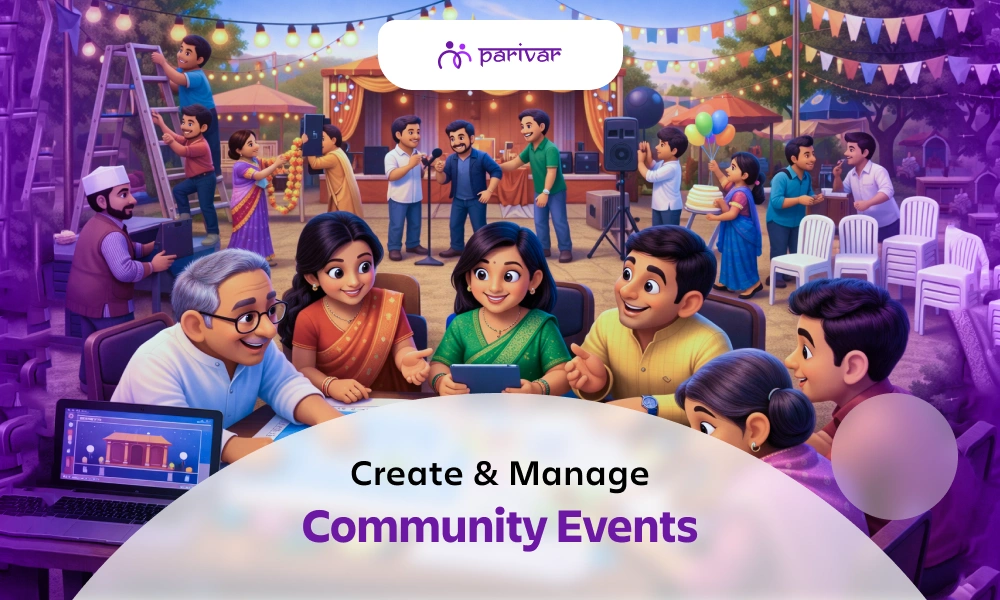
How to Create and Run a Successful Event on Parivar

  • Kanishka Panchal

  • February 02, 2026 7 min read

TABLE OF CONTENTS

    • Plan, Organize, & Track with Ease
    • Share Events with Full Visibility
    • Manage & Communicate Effortlessly
    • Designed for Community Involvement
    • Step 1: Go to the Events Section
    • Step 2: Manage Your Existing Events
    • Step 3: Create a New Event
    • Step 4: Event Visibility and Approval
    • Write a Clear & Catchy Title
    • Write a "Can't-Miss" Description
    • Encourage Early Interaction
    • Share Visuals & Updates

Introduction

Events are the heart of any community. They bring people together, celebrate life’s moments, and strengthen connections. Whether it’s a family gathering, a local festival, or a small meet-up, the Parivar App makes event planning and managing easy. Here’s a step-by-step guide to creating successful events that everyone in your community can enjoy.

Why Events Matter in a Community

A community grows stronger when its members come together. Events help us:

  • Celebrate Milestones & Festivals: Mark important occasions, from birthdays and anniversaries to cultural and religious festivals, creating shared joy and tradition.
  • Share Experiences & Memories: Turn everyday moments into lasting memories by gathering for meals, game nights, outings, or simple conversations.
  • Connect With Neighbors & Family: Bridge the gap between busy schedules and different generations. Events provide a natural reason to reach out and strengthen bonds.
  • Build a Sense of Belonging: Foster a feeling of "home" and mutual support. Regular gatherings remind everyone that they are part of a caring network.

With Parivar, organizing these meaningful events doesn’t have to be complicated. The app keeps everything simple, organized, and accessible to everyone in your community.

What the Parivar Events Feature Offers

Parivar’s Event feature is your all-in-one tool for community gathering, transforming it into a powerful community event app. It lets you:

Plan, Organize, & Track with Ease

Create events in minutes, manage guest lists, and see all upcoming community activities in one main screen.

Share Events with Full Visibility

Create events that every community member can see with admin approval to maintain order and organization.

Manage & Communicate Effortlessly

Edit details, delete canceled plans, or filter events by date. Send reminders and updates to keep everyone informed.

Designed for Community Involvement

From creation to recap, the feature is built to encourage participation, making event management simple while keeping the whole community engaged and connected.

Step-by-Step Guide to Creating an Event

Step 1: Go to the Events Section

Open your Community Profile and click on the side menu icon. Then select Event. You’ll see all the events created by your community members and yourself.

Step 2: Manage Your Existing Events

Here, you can:

  • See all community events in one place
  • Delete events you created if plans change
  • Filter events to quickly find the ones you want

This makes it easy to stay on top of what’s happening in your community.

Step 3: Create a New Event

To host your own event:

  • Click on the Plus (+) button on the right-hand side.
  • A form will appear. Fill in details like title, date, time, location, and description.
  • Submit the form, and your event is created!

Step 4: Event Visibility and Approval

Depending on your role:

  • Community Owner/Admin: Your event appears automatically in the community list.
  • User: Your event will be visible to everyone after admin approval.

This ensures events are well-organized and visible to the right people.

Best Practices for Event Success

Turn a simple plan into a must-attend gathering by following these tips:

Write a Clear & Catchy Title

Your event title is the first thing people see. Make it descriptive and engaging to build excitement.

  • Instead of: "Meeting"
  • Try: "Sunshine Apartments Annual Meeting: Pool Renovation Vote & Summer BBQ Plan"

Write a "Can't-Miss" Description

Use the description field for all essential details. A clear agenda sets expectations and increases attendance.

  • What to include: The purpose/agenda, what to bring (e.g., a dish for potluck), parking instructions, dress code, and how to find the group at a public venue.

Encourage Early Interaction

Build buzz before the event by asking questions or encouraging comments in the event announcement.

  • Try posting: "What's your favorite summer dish to share? Let us know in the comments!" or "Any agenda items for the meeting? Add them below."

Share Visuals & Updates

A picture is worth a thousand RSVPs. Share photos of the venue, past events, or a fun graphic to generate interest.

  • Before: Share a photo of the decorated community hall.
  • During/After: Post a few highlights or a thank-you note to keep the excitement going and show members what they missed, encouraging future participation.

Even these small touches can make a significant difference in turning a routine announcement into a vibrant community gathering.

After the Event

The community experience doesn’t end when the event does. On Parivar:

  • Members can create albums and share photos and videos from the event.
  • Post a thank-you note or highlights to keep the conversation going.
  • Collect feedback or comments to improve future events.

This helps the community feel involved and keeps memories alive.

Wrap-Up: Make Every Event Count

Events are more than just dates on a calendar; they’re opportunities to connect, celebrate, and grow together. With the Parivar App, event planning and managing becomes effortless.

Get started with your next community event today.

Download the Parivar app on iOS and Android and bring your community together in one place.


TABLE OF CONTENTS

    • Plan, Organize, & Track with Ease
    • Share Events with Full Visibility
    • Manage & Communicate Effortlessly
    • Designed for Community Involvement
    • Step 1: Go to the Events Section
    • Step 2: Manage Your Existing Events
    • Step 3: Create a New Event
    • Step 4: Event Visibility and Approval
    • Write a Clear & Catchy Title
    • Write a "Can't-Miss" Description
    • Encourage Early Interaction
    • Share Visuals & Updates

ABOUT

Parivar - Bringing all community members together at your fingertips, the community engagement app will let you connect with your community conveniently.

Frequently Asked Questions

How do I create a community event on the Parivar App?

To create a community event on Parivar, open your Community Profile, go to the Events section, and tap the Plus (+) button. Fill in the event details such as title, date, time, and location, then submit. Your event will be listed after approval, depending on your role.

Any community member can create an event on the Parivar App. Events created by Community Owners or Admins are visible immediately, while events created by users require admin approval before appearing in the community event list.

Yes. If you created the event, you can delete it or manage it anytime from the Events section. Parivar also allows community owners to filter and organize events easily.

Event approval depends on your role in the community. Community Owners and Admins can publish events directly. Events created by regular users are reviewed and approved by an admin to keep community events organized and relevant.

To create a successful community event, use a clear title, write a detailed description, share updates or images, and encourage members to comment or respond. Engaging with members before and after the event helps increase participation.

After the event, community members can share photos, videos, and comments. You can also post a thank-you message or highlights to keep the community engaged and make future events even better.

Recent Blogs

View all
how-to-create-member-directory-for-community

How to Create and Manage a Member Directory for Your Community

Ask the secretary of any samaj or housing society how they manage their member list, and you will likely hear one of three answers: a WhatsApp group, a notebook, or an Excel sheet that nobody has updated in years. These systems work, until they don't.  The moment a family moves cities, a new member joins, or the person who maintained the list steps down, things fall apart.  Important contacts go missing New members feel like strangers And the next committee starts from scratch A digital member directory solves this problem. Not because it is more sophisticated, but because it is shared. The whole community maintains it together, and it stays accurate without depending on one person. This blog explains what a good member directory looks like, what it should include, and how to set one up and keep it updated. What is a Community Member Directory? A member directory is a centralized, searchable record of everyone in your community: their name, contact details, location, profession, and family information, all accessible in one place to authorized members. It is like a living phonebook for your community that members can search, update, and rely on. Communities that benefit from having one include: Samaj and jati organizations Resident Welfare Associations (RWAs) Housing societies and apartment complexes Alumni groups and professional networks Cultural and religious organizations If your community has more than 30–40 members, a proper directory saves more time than you expect. If you are just getting started, explore the complete registration and login guide to help you set up your community on Parivar. Why Your Community Needs a Digital Member Directory Most communities realize they need a directory only after something goes wrong. During emergencies, the right contact is hard to find A member falls ill during an event. The nearest doctor from the samaj lives nearby, but nobody can find their number because it is buried inside a WhatsApp chat. New members struggle to feel connected When people join a community but cannot see who else is part of it, they often stay silent. A searchable directory helps them discover familiar names, shared roots, and common connections and increase community member engagement. You cannot find the right person when you need them Every community has doctors, lawyers, teachers, accountants, and business owners. Without a directory, that knowledge stays hidden. With one, help is only a quick search away. Members can also grow their business through community connections when the right people are easy to find. The admin becomes the only source of information When member information exists only on one person’s phone or in their memory, the entire community depends on them. If they leave, the knowledge leaves too. Organizing local meetups becomes difficult Planning offline meetups is far easier when you can filter members by city instantly instead of sending messages and waiting for replies. A directory also makes it much easier to organize community activities and follow through on them. What Information Should a Member Profile Include? In Parivar, each member profile goes beyond basic contact details and helps members genuinely connect with one another. A member profile can include: Full name and profile photo Mobile number, email, and address Village and maternal details Cast and community information Education details Profession or business information Linked family tree Digital ID card tied to the member profile This makes the directory much more than a contact list. It becomes a meaningful record of who people are, where they come from, and how they connect within the community. How to Create a Digital Member Directory Using Parivar Here is how to set up a member directory using Parivar, from start to finish. Step 1 → Create your community on Parivar Download the Parivar app and create your community. Add: Community name Description Invite-only access settings This ensures only approved members can join and appear in the directory. Step 2 → Invite members Invite members through: Phone numbers Shareable invite links You can invite multiple members at once instead of adding them individually. Step 3 → Profiles appear automatically As soon as a member joins the community, their profile is added to the directory automatically. No manual data entry required. Step 4 → Let members complete their own profiles This is where many admins make life harder for themselves. Instead of collecting and entering everyone’s information manually, let members update their own profiles. People know their own details best, and it keeps the directory more accurate over time. A simple reminder message inside the community is usually enough to encourage profile completion. Step 5 → Assign roles and permissions Parivar allows community owners to assign different roles and permissions. For example: Event management Discussion moderation Member approvals Directory management This gives the right people the right level of access without giving everyone full admin control. Step 6 → Members can explore the directory Once profiles are completed, members can view each other’s: Family tree Profession Contact details Education Village information Digital ID card The directory becomes an active community resource rather than just a list of names. How to Keep Member Directory Updated Most directories become outdated because one person is responsible for maintaining them. A better system is shared maintenance. Here is how Parivar helps keep the directory current: Members update their own profiles If someone changes cities, professions, or phone numbers, they can update the information themselves. New members appear automatically As soon as someone joins the community, they are added to the directory immediately. Roles and permissions can evolve Community owners can update responsibilities as members take on or step away from committee roles. Admins can remove inactive members If someone leaves the housing society or community, their profile can be removed or deactivated easily. Send periodic reminders Once or twice a year, ask members to review and update their profile information. Most people will do it if prompted directly. A directory that members actively participate in maintaining stays accurate far longer than one managed by a single admin. Managing Privacy: Members Control What They Share Privacy in communities is one of the biggest concerns before creating a digital directory. Parivar handles this simply: every member controls their own visibility settings. Members can decide: Which details are visible Which details remain private Who within the community can view specific information For example: A member may choose to share their profession but hide their phone number Someone else may make their address visible only to community admins Additional privacy safeguards include: Communities are invite-only No public-facing member directory exists Only community members can access profiles Community owners can manage roles and permissions securely This balance: visible within the community, controlled by individuals, hidden from outsiders, makes members more comfortable sharing useful information. And the more complete the profiles become, the more valuable the directory becomes for everyone. Member Directory: Turning a Group Into a Community A community that knows itself stays connected. When members can: Find each other easily Support each other’s businesses Help during emergencies Welcome newcomers by name …a group of people becomes a real community. A member directory is not just an administrative tool. It is the answer to a simple question every member asks sooner or later: “Who else is here, and how do I reach them?” In Parivar, the directory builds itself: Members join Profiles appear automatically Information grows richer over time Every person controls what they share If your community is still relying on social media groups and outdated Excel sheets, switching to a digital member directory takes less than an afternoon. Download the Parivar App, create your community, and start building a connected community from day one. Available on Google Play Store and App Store.

  • Kanishka Panchal
how-to-engage-youth-in-samaj-community

How to Keep Children and Teenagers Connected to Their Samaj

There’s a quiet but common scene playing out in many Indian households today. A parent wonders why their child avoids the annual samaj milan. A teenager scrolls through their phone during community meetings. A younger child struggles to recognize relatives they’ve met multiple times. It’s easy to label this as disinterest or worse, disrespect. But in most cases, it’s neither. Children and teenagers aren’t disconnected from their samaj because they don’t care. They’re disconnected because they haven’t been shown where they fit. And that’s a problem communities can solve. Why Young Generations Are Drifting Away from the Samaj For older generations, connection to the samaj happened naturally. You grew up around it. Your parents were involved. Events felt social, not obligatory. Today’s younger generation lives in a very different world. They juggle multiple identities across school, friends, sports, and online communities. The samaj becomes just one of many spaces, often demanding attention without offering relevance. What’s Causing the Disconnect? They’re observers, not participants: Events are planned for them, not with them. Content doesn’t resonate: Committee discussions and financial updates don’t engage a 14-year-old. They’re rarely asked what they want: Assumptions replace actual conversations. There’s no digital presence: If the samaj lives only in WhatsApp groups and annual events, it misses where youth actually are. Learn why community platforms work better than messaging groups for building real engagement. What True Connection with the Samaj Looks Like Connection isn’t about attendance. It’s about identity. A young person feels connected when they think: “This community is part of who I am.” That feeling comes from three things: 1. Being Known Not just by family name, but by interests, personality, and individuality. 2. Being Useful Not symbolic roles, but real responsibility and ownership like designing the event banner, managing registrations, or hosting a segment of a program. 3. Being Proud Seeing their achievements (in studies, sport, arts, or work) valued by the community. A strong sense of belonging in communities starts with feeling genuinely seen. How to Reconnect Youth with the Samaj (Practical Steps That Work) 1. Give Real Responsibility  There’s a big difference between assigning tasks and offering ownership. Young people don't want to be assigned tasks. They want to be trusted with responsibility. ❌ “Help arrange chairs.” ✅ “Manage social media coverage for the event.” A teenager who runs the event photography, manages the community's digital album, or anchors a segment of the annual gathering will talk about that experience for years, engage deeply and return willingly. A teenager who helped stack chairs won't come back next time. Understanding the types of people in a community group can help you identify which young members are ready for leadership roles and which need a gentler entry point. 2. Create Youth-Driven Events Stop trying to make adult events “youth-friendly.” Instead, design entirely separate or co-led events that speak to young interests. Career talks by young professionals from the samaj (engineers, designers, business owners) Sports days or gaming tournaments (evenings work best) Talent showcases (music, dance, stand-up, public speaking) Startup or idea pitch sessions (judged by community elders for fun) These events give youth something to look forward to and encourage organic interaction across generations, without the pressure of formal samaj meetings. A good community event planning approach makes the difference between events youth attend once and ones they keep coming back to. You can also look at how to organize community activities that are structured enough to run smoothly but flexible enough to feel fun. 3. Celebrate Their Achievements Communities often celebrate tradition and elders, but forget to spotlight youth. Start recognizing their achievements: Academic results College admissions Sports wins Creative achievements How to do it: A 5-minute youth achievement segment during samaj events A monthly broadcast or Instagram story featuring one young person A physical or digital “wall of fame” Public acknowledgment builds pride and belonging. 4. Turn Family History into a Living Experience Connection deepens when identity becomes personal. When children understand: Where their family comes from How they’re connected to others Their place in the larger story Create a “family tree night” where each child maps their own branch. Tools like the Parivar app make this visual and interactive. Children can tap, explore, and see their name inside the larger community story. Pair this with the Memories feature to attach old photos, stories, and milestones to the family timeline, something children genuinely find fascinating. 5. Ask and Act on Their Input Nothing builds loyalty faster than being heard and seeing change happen. Run a poll after every event (Google Forms or Polls on Parivar) Have one real 15-minute conversation with a small youth group before planning next year’s calendar Implement at least one youth-suggested idea every year and publicly thank them for it When a teenager sees their idea (e.g., “night cricket match” or “board game evening”) actually happen, they stop being a visitor and become a stakeholder. For Parents: Your Attitude Shapes Their Connection A child’s relationship with the samaj often mirrors their parents’. If parents treat community involvement as a burden, children absorb that attitude. If parents speak positively about it, share stories and connections, and show genuine interest, children arrive curious, not resistant. What you can do at home: Talk about one positive samaj memory at dinner (“I saw Uncle Raj help someone today”) Avoid complaining about committee politics in front of children Ask your child: “What would make samaj events fun for you?” You don't have to manufacture enthusiasm. But being intentional about how you talk about the community at home matters more than most parents realize. What Not to Do (Common Mistakes That Backfire) table { font-family: hindivadodara, sans-serif; border-collapse: collapse; width: 100%; } td, th { border: 1px solid #dddddd; text-align: left; padding: 8px; } Instead of this Try this Forcing attendance without explanation Explaining why the community matters to them Giving only ceremonial roles (flower greeting, lamp lighting) Offering real ownership (tech, design, hosting) Criticizing youth for being on their phones Designing engaging segments that compete for attention Expecting loyalty without listening Running a single youth poll and acting on it Communities that struggle with member engagement often find that youth disengagement is the earliest warning sign and the easiest to address before it spreads to the broader community. Building a Samaj That Lasts for Generations You can’t force connection. But you can make it natural, meaningful, and worth choosing. The communities that last aren’t the ones that demand participation. They’re the ones that: Notice young members Give them real roles Make them feel they belong early on That's how you build community identity that survives not just one generation, but several. And it's what separates a samaj that's thriving from one that's slowly hollowing out. The digital samaj isn't a replacement for physical community, it's the infrastructure that keeps it alive between gatherings, and the space where younger generations already feel at home. Create a Samaj Where Every Generation Feels They Belong If you’re looking to create a more inclusive, engaging, and structured community experience, tools like the Parivar app can help you: Manage events with youth-friendly interfaces Highlight achievements publicly Build family trees that children can explore Engage members digitally where they already spend time Available on Android and iOS

  • Kanishka Panchal
trustworthy-community-app

What Makes a Community App Trustworthy?

When you join a community app, you're not just downloading software. You're trusting it with your family's details, your neighbours' contact numbers, your children's photos, and sometimes even your home address. That's a lot to hand over to an app you found online. Yet most people don't think twice before signing up. They assume the app is safe, well-intentioned, and the data is private. Sometimes that's true. Sometimes it isn't. So what actually makes a community app trustworthy? Here are the things worth checking before you bring your entire community onto any platform. Key Factors That Define a Trustworthy Community App Before you trust a platform with your community's data and interactions, evaluate these essentials closely. 1. Clear About Data Collection Trustworthy apps don’t hide anything. They clearly tell you: What data is being collected Why it’s being collected Where it’s stored Who can access it This transparency should be visible before you dig into a long privacy policy. Watch for these red flag phrases: "Data may be shared with partners" (Who are they?) "We may update this policy at any time" (No notice?) "Limited third-party access" (Limited by what?) If the language feels confusing or intentionally vague, treat it as a warning sign. The best platforms follow a simple principle: Collect only what's necessary and nothing more. // Read more: The Importance of Privacy and Security in Community Apps 2. Your Data Isn’t the Product Free apps often monetize through ads or by selling user data. That trade-off might be acceptable on large social media platforms. It’s far more concerning in a community setting. Community apps often hold: Residential addresses Event details Internal conversations Family photos This isn’t data that should feed advertising algorithms or be shared with third parties. Before committing, ask: Does the app show ads? Does it mention advertiser partnerships? Can you pay for an ad-free, privacy-protected version? If the answer is yes, think carefully about what you’re sharing and who ultimately benefits. This is one of the key reasons Parivar is built differently from social media apps. 3. Admins Have Real Control (Not Just a Title) A safe community needs empowered administrators. That means: Invite-only access Role-based permissions Ability to remove members Control over who sees what Tools to manage and delete content Two-factor authentication for admin accounts Without these, admins are symbolic, not functional. Trustworthy platforms also make roles transparent. Members should always know: Who manages the community Who has access to their data There should be no hidden roles or invisible oversight. 4. Moderation Is Structured, Not Reactive Even the most well-intentioned communities face issues. What matters is how they’re handled. A reliable community app provides: Reporting and flagging tools Clear moderation workflows Fast response mechanisms (e.g., a post is hidden after 3 member reports, not after a week of email back-and-forth) It shouldn’t rely entirely on members to resolve conflicts. And it shouldn’t centralize all power with an invisible support team either. The balance is key: community-led moderation, backed by platform support when needed. 5. Membership is Controlled, Not Discoverable by Strangers On most social media platforms, communities are semi-public by default. A trustworthy community app prioritizes controlled access: Invite-only entry Approval-based onboarding Verification where necessary There should never be a scenario where someone joins simply by searching the right keyword. This is especially critical for: Family groups Residential communities Groups with elderly members or children Safe spaces for community discussions start with controlling who gets in the door. 6. You Can Leave as Easily as You Joined A trustworthy app doesn't trap you. Before signing up, check: Is there a clear Delete Account option? Does deleting your account erase all your data from their servers? Can you export your data (messages, photos, contacts) before leaving? If leaving feels harder than joining, that's a red flag. 7. Security Basics Aren't Optional Trust requires more than promises. Look for these non-negotiable features: table { font-family: hindivadodara, sans-serif; border-collapse: collapse; width: 100%; } td, th { border: 1px solid #dddddd; text-align: left; padding: 8px; } Feature Importance End-to-end encryption Only members can read messages, not the platform, not hackers Two-factor authentication (2FA) Prevents account takeover even if passwords leak Regular security audits Third-party verification of safety claims Data backup with user control Prevents loss during updates or outages If an app doesn't offer these or won't confirm them publicly, proceed with extreme caution. 8. Reliability Builds Confidence Over Time Trust isn’t just about security, it’s about consistency. An app that: Crashes during important events Loses data after updates Changes features without warning …quickly loses credibility. A dependable platform: Works consistently Communicates updates clearly Offers responsive support People won’t share important information on a platform they can’t rely on. 9. The People Behind the App Are Visible Would you trust a service without knowing who runs it? Yet many communities do exactly that with apps. A trustworthy platform is backed by: A clearly identifiable company Public contact details Transparent communication channels For communities in India, there’s an added layer: data jurisdiction. If data is stored overseas, it may fall under different legal frameworks, making accountability harder. Choosing a platform that stores data locally gives communities an additional layer of legal protection and clarity under Indian law. This matters especially for NRI families staying connected across borders. 10. Real Communities Use It and Stay Trust leaves a trail. Look for: Active communities Long-term usage Independent reviews (not just testimonials on the app's own website) Pro tip: Ask existing community admins directly, "How long have you used this? What's gone wrong? How did the support handle it?" An app people abandon quickly is a signal worth paying attention to. Platforms where communities grow and stay indicate reliability and trust earned over time. See why families choose Parivar and what the best community app features actually look like in practice. Community Trust is Earned, Not Claimed No feature list or marketing campaign can replace consistent, honest behavior. The most successful community platforms: Respect user privacy Empower administrators Operate transparently Deliver reliability over time Let you leave with your data intact Parivar App is built with these trust principles at its core.  Before choosing a platform, take a step back and ask the right questions. Because ultimately, the real question is: Does this app see your community as people to serve or data to leverage? The answer will tell you everything that matters.

  • Kanishka Panchal