Download from
Play Store
TABLE OF CONTENTS
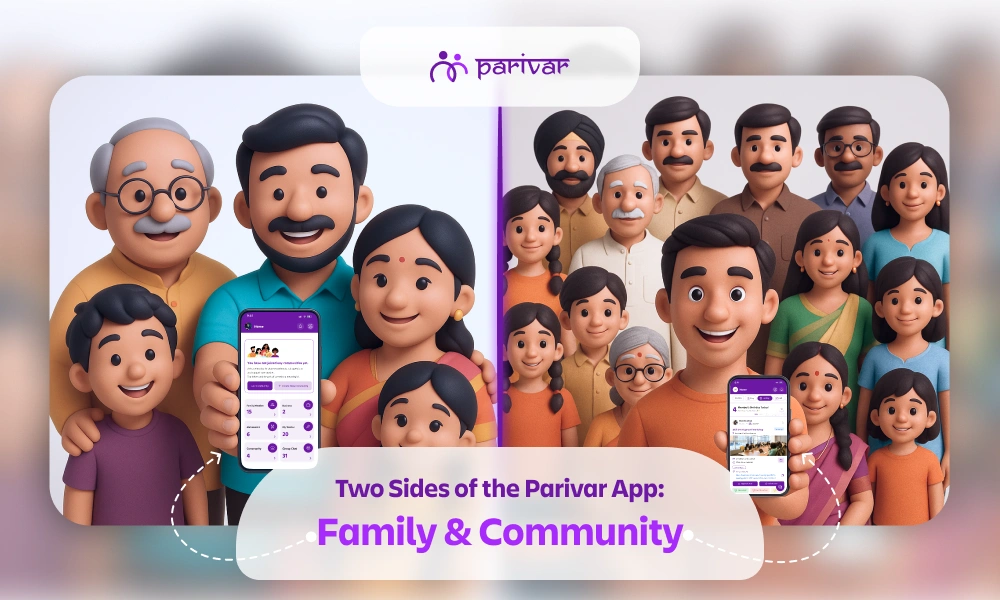
The Parivar App is more than just a social application; it’s a platform designed to help you stay connected with both your family and your wider community.
This structure is defined by two core spaces: ‘My Profile’ and ‘Community’. This powerful separation is key to the app's success:
Many users think about the difference between these two sections and the specific features available in each. In this guide, we break down both sides of the Parivar App, detailing the tools that help you connect, organize, and thrive within your network.
Let's explore the comprehensive features within each section, starting with ‘My Profile’.
The ‘My Profile’ section is your personal, dedicated space focused on preserving your family history, strengthening immediate relationships, and managing your personal and familial milestones. It is the digital anchor for your closest connections.
Here are the key features available on the ‘My Profile’ side of the Parivar App.
The core feature for connecting generations. You can create your very own family tree, easily add, remove, or invite members, and connect with relatives and cousins globally.
A secure platform for finding a life partner within trusted community circles. You can create and upload a matrimonial profile that is visible exclusively to trusted members within your community, removing the need for external apps.
Your personal archive for cherished family moments. Upload photos, short reels, or long videos, organize them into private albums, and easily share them with your family to keep memories alive and accessible.
A dedicated feature for celebrating milestones. Easily send and receive warm wishes exclusively for birthdays, ensuring no family member’s special day goes unnoticed.
Enables private, real-time communication across Parivar. You can send friend requests to individuals, manage your personal connections, and start one-to-one or group chats.
Chats are private and connection-based, meaning you can message:
This setup ensures your conversations are always private, controlled, and distinctly separate from public community discussions.
A source of inspiration and positivity, offering curated quotes across themes like wisdom, growth, and spirituality to spark meaningful conversations and add rhythm to your day.
The Community section focuses on collective engagement, shared resources, and running community activities for the larger group. This is where members collaborate, exchange information, and participate in events that benefit everyone.
The gateway to connection. You can start a new community or send a request to join an existing one. Once approved, you gain exposure to new connections and community-wide resources.
Easily organize and manage community gatherings, encouraging members to participate and helping to bring your community closer in the real world from professional meetings to social gatherings and exhibitions.
A dedicated job portal for the community. Post vacancies, share resumes, and hire budding talent directly from within your trusted network, providing opportunities for members.
Hubs for sharing ideas and insights. Use the Discussion feature for community conversation and share thoughts on traditions, careers, and more, and explore or contribute to the Blog feature with posts written by community members.
Makes decision-making easy. Create and publish polls to quickly gather opinions and input from the community on important or even small decisions.
Makes sharing event details easy and efficient. You can openly share public event invites with all community members instantly, eliminating the need for physical invites or individual messages.
A private, shared media gallery specifically for the community. Any photos, videos, or media uploaded by individual members are visible here, creating a collective visual record of community life and events.
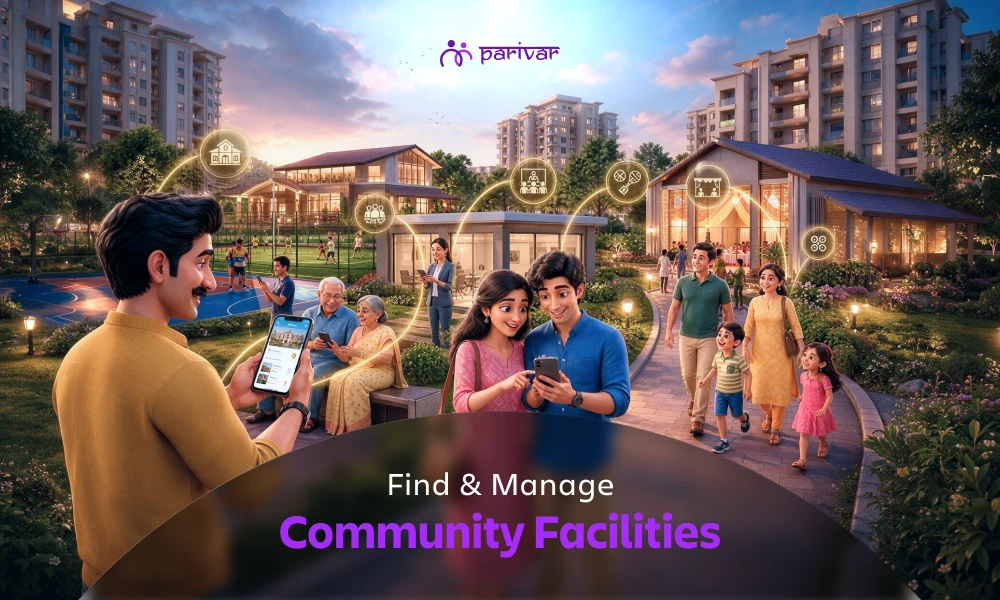
Allows members to seek or offer support. Use the Request feature to ask for help (e.g., blood donation or charitable causes). The Facility feature lets admins list and members book shared resources like venue rentals.
Facilitates internal governance for administrators. This feature is limited to committee members only, allowing them to view who is part of the committee, with the admin retaining the right to manage membership.
A celebratory space to recognize success. Community members can upload and share achievements, awards, and rewards, allowing everyone to offer congratulations and spread joy.
Essential for a healthy platform. Use Report to flag any inappropriate content (matrimonial, jobs, blogs). Feedback is where you can share suggestions to help the platform continuously improve.
This clear separation between the intimate ('My Profile') and the expansive ('Community') ensures your experience is always organized, relevant, and meaningful.
The Parivar App empowers you to nurture close family bonds while actively contributing to your larger community.
Download the Parivar App today and experience the perfect balance of family bonding and community collaboration like never before!
TABLE OF CONTENTS
ABOUT

Parivar - Bringing all community members together at your fingertips, the community engagement app will let you connect with your community conveniently.
SUBSCRIBE TO OUR NEWSLETTER
Growing a community is not just about attracting new members, it's about helping them become active participants. Many community apps lose members within the first 48 hours. The reason is rarely the platform itself. More often, new members join, see unfamiliar features, feel overwhelmed, and leave without taking a single action. A structured onboarding process changes that. It helps members understand the community, engage with others, and build habits that keep them coming back. If you are new to Parivar, getting started is simple, and once you are in, this guide will walk you through a seven-step onboarding framework to turn new joiners into active, engaged members. Why Onboarding Matters More Than Registration Getting someone to join your community is only the first step. A member who never updates their profile, attends an event, joins a discussion, or interacts with others contributes little to the community experience. Over time, large numbers of inactive members can make even a thriving community feel quiet and disconnected. Effective onboarding helps: Increase member participation from day one Build trust and familiarity between members Improve retention and reduce early drop-offs Create a stronger sense of belonging Often, the difference between a highly engaged community and an inactive one comes down to the quality of its onboarding experience. Member Onboarding Strategies for Community Growth and Engagement Step 1: Send a Warm Welcome Message The first interaction sets the tone for everything that follows. Instead of sending a generic "Welcome to the group" message, make it personal. Include the member's name, briefly explain the purpose of the community, and suggest a few simple actions they can take immediately. A good welcome message should answer: What is this community about? Why should I stay? What should I do next? Keep it short and friendly. The goal is to make the member feel noticed, not automated. Tip: Pin a welcome announcement so every new member sees it as soon as they join. Step 2: Encourage Profile Completion A complete profile helps members connect more easily with one another. When profiles lack photos or basic information, it becomes harder for other members to start conversations or build relationships. Incomplete profiles can also reduce trust within the community. Encourage new members to add: Profile photo Profession or occupation City or location Family information (if relevant to your community) Explain the benefits clearly. In Parivar, completing a profile unlocks features such as: Member Directory access Family Tree visibility Digital Member ID cards These features help new members feel connected and included from the beginning. Tip: Show examples of completed profiles. People are more likely to finish a task when they can see what success looks like. Step 3: Introduce Them to the Community Joining an established community can feel intimidating. Most new members are entering a space where existing members already know each other. A simple introduction can remove that initial discomfort. Consider: Posting a welcome introduction on their behalf Tagging them in a community announcement Creating a dedicated "New Members" discussion thread Encouraging existing members to greet newcomers When members receive responses and recognition early, they are far more likely to return and participate again. Why It Works People stay where they feel seen. Even a few welcoming comments can create an immediate sense of belonging. Step 4: Show Them Where Everything Is Never assume members will discover features on their own. Most people spend only a few minutes exploring an app before deciding whether it is worth their attention. If they cannot quickly understand how the community works, they may never return. Provide a simple "Start Here" guide that highlights: Upcoming events Member directory creation Community discussions Business directory or marketplace Photo galleries and media sharing Focus on the essentials. Giving too much information at once often leads to confusion. Tip: Create a permanent "Start Here" discussion post that every new member can access whenever they need help. Step 5: Give Them One Simple Action to Complete Engagement starts with small wins. Instead of asking members to do something significant, encourage one quick action that takes less than a minute. Examples include: Voting in a poll Responding to an event Commenting on a discussion Wishing another member on their birthday Uploading a profile picture The objective is not the action itself. It is creating the first interaction. Once someone participates even once, they are much more likely to return and engage again. Remember The first action is always the hardest. Make it easy. Step 6: Assign a Community Buddy Some members need human support more than digital instructions. This is especially true for: Elderly members First-time smartphone users Less tech-savvy individuals Pair new members with an existing active member who can: Answer questions Explain features Introduce them to others Encourage participation Whenever possible, match people based on: Location Profession Interests Age group Shared experiences help relationships form naturally and reduce the burden on administrators. Tip: A buddy system often increases engagement while strengthening community bonds at the same time. Step 7: Follow Up During the First Week The most common reason members leave is simple: they never fully connected. Unfortunately, this usually happens quietly. A short follow-up message after five to seven days can significantly improve retention. For example: Hi [Name], we hope you've had a chance to explore the community. Is there anything we can help you with? You can also: Remind them to complete their profile Suggest upcoming events Recommend active discussions Encourage them to introduce themselves Tip: Monitor member activity during the first 30 days. Anyone who has not posted, voted, commented, or RSVP'd during that period may need additional encouragement. Common Onboarding Mistakes to Avoid Treating onboarding as a one-time event. Good onboarding is a week-long process, not a single message. 1. Giving Too Much Information at Once New members do not need to learn everything on day one. Spread onboarding activities over the first week. 2. Sending Generic Welcome Messages Personalized welcomes create stronger connections than mass announcements. Learn more about effective community communication. 3. Skipping Follow-Ups Many communities focus on the first message and forget everything after it. Retention happens through consistent engagement. 4. Assuming Everyone is Tech-Savvy Not all members are comfortable navigating apps. Offer assistance before they ask for it. 5. Treating Onboarding as a One-Time Task Successful onboarding is a process, not an event. A Simple New Member Onboarding Timeline table { font-family: hindivadodara, sans-serif; border-collapse: collapse; width: 100%; } td, th { border: 1px solid #dddddd; text-align: left; padding: 8px; } Time Action Day 1 Send welcome message Day 1 Encourage profile completion Day 2 Introduce member publicly Day 3 Share "Start Here" guide Day 4 Encourage first interaction Day 5-7 Assign buddy and follow up Day 14 Check engagement and reconnect if needed Day 30 Review participation and retention Building an Active Community Through Better Member Onboarding Strong communities are built through meaningful member experiences, not simply by increasing member counts. The most successful communities make every new member feel welcomed, guided, and valued from the beginning. They provide clear direction, encourage participation, and stay engaged during those critical first few weeks. By following this seven-step onboarding process, community admins can improve member engagement, strengthen relationships, and increase long-term retention. With features like member profiles, directories, discussions, events, polls, and digital ID cards, Parivar helps administrators create a smooth onboarding journey that turns new joiners into active community members. Ready to build a more engaged community? Download Parivar on Android or iOS and start onboarding members the right way.
Ask the secretary of any samaj or housing society how they manage their member list, and you will likely hear one of three answers: a WhatsApp group, a notebook, or an Excel sheet that nobody has updated in years. These systems work, until they don't. The moment a family moves cities, a new member joins, or the person who maintained the list steps down, things fall apart. Important contacts go missing New members feel like strangers And the next committee starts from scratch A digital member directory solves this problem. Not because it is more sophisticated, but because it is shared. The whole community maintains it together, and it stays accurate without depending on one person. This blog explains what a good member directory looks like, what it should include, and how to set one up and keep it updated. What is a Community Member Directory? A member directory is a centralized, searchable record of everyone in your community: their name, contact details, location, profession, and family information, all accessible in one place to authorized members. It is like a living phonebook for your community that members can search, update, and rely on. Communities that benefit from having one include: Samaj and jati organizations Resident Welfare Associations (RWAs) Housing societies and apartment complexes Alumni groups and professional networks Cultural and religious organizations If your community has more than 30–40 members, a proper directory saves more time than you expect. If you are just getting started, explore the complete registration and login guide to help you set up your community on Parivar. Why Your Community Needs a Digital Member Directory Most communities realize they need a directory only after something goes wrong. During emergencies, the right contact is hard to find A member falls ill during an event. The nearest doctor from the samaj lives nearby, but nobody can find their number because it is buried inside a WhatsApp chat. New members struggle to feel connected When people join a community but cannot see who else is part of it, they often stay silent. A searchable directory helps them discover familiar names, shared roots, and common connections and increase community member engagement. You cannot find the right person when you need them Every community has doctors, lawyers, teachers, accountants, and business owners. Without a directory, that knowledge stays hidden. With one, help is only a quick search away. Members can also grow their business through community connections when the right people are easy to find. The admin becomes the only source of information When member information exists only on one person’s phone or in their memory, the entire community depends on them. If they leave, the knowledge leaves too. Organizing local meetups becomes difficult Planning offline meetups is far easier when you can filter members by city instantly instead of sending messages and waiting for replies. A directory also makes it much easier to organize community activities and follow through on them. What Information Should a Member Profile Include? In Parivar, each member profile goes beyond basic contact details and helps members genuinely connect with one another. A member profile can include: Full name and profile photo Mobile number, email, and address Village and maternal details Cast and community information Education details Profession or business information Linked family tree Digital ID card tied to the member profile This makes the directory much more than a contact list. It becomes a meaningful record of who people are, where they come from, and how they connect within the community. How to Create a Digital Member Directory Using Parivar Here is how to set up a member directory using Parivar, from start to finish. Step 1 → Create your community on Parivar Download the Parivar app and create your community. Add: Community name Description Invite-only access settings This ensures only approved members can join and appear in the directory. Step 2 → Invite members Invite members through: Phone numbers Shareable invite links You can invite multiple members at once instead of adding them individually. Step 3 → Profiles appear automatically As soon as a member joins the community, their profile is added to the directory automatically. No manual data entry required. Step 4 → Let members complete their own profiles This is where many admins make life harder for themselves. Instead of collecting and entering everyone’s information manually, let members update their own profiles. People know their own details best, and it keeps the directory more accurate over time. A simple reminder message inside the community is usually enough to encourage profile completion. Step 5 → Assign roles and permissions Parivar allows community owners to assign different roles and permissions. For example: Event management Discussion moderation Member approvals Directory management This gives the right people the right level of access without giving everyone full admin control. Step 6 → Members can explore the directory Once profiles are completed, members can view each other’s: Family tree Profession Contact details Education Village information Digital ID card The directory becomes an active community resource rather than just a list of names. How to Keep Member Directory Updated Most directories become outdated because one person is responsible for maintaining them. A better system is shared maintenance. Here is how Parivar helps keep the directory current: Members update their own profiles If someone changes cities, professions, or phone numbers, they can update the information themselves. New members appear automatically As soon as someone joins the community, they are added to the directory immediately. Roles and permissions can evolve Community owners can update responsibilities as members take on or step away from committee roles. Admins can remove inactive members If someone leaves the housing society or community, their profile can be removed or deactivated easily. Send periodic reminders Once or twice a year, ask members to review and update their profile information. Most people will do it if prompted directly. A directory that members actively participate in maintaining stays accurate far longer than one managed by a single admin. Managing Privacy: Members Control What They Share Privacy in communities is one of the biggest concerns before creating a digital directory. Parivar handles this simply: every member controls their own visibility settings. Members can decide: Which details are visible Which details remain private Who within the community can view specific information For example: A member may choose to share their profession but hide their phone number Someone else may make their address visible only to community admins Additional privacy safeguards include: Communities are invite-only No public-facing member directory exists Only community members can access profiles Community owners can manage roles and permissions securely This balance: visible within the community, controlled by individuals, hidden from outsiders, makes members more comfortable sharing useful information. And the more complete the profiles become, the more valuable the directory becomes for everyone. Member Directory: Turning a Group Into a Community A community that knows itself stays connected. When members can: Find each other easily Support each other’s businesses Help during emergencies Welcome newcomers by name …a group of people becomes a real community. A member directory is not just an administrative tool. It is the answer to a simple question every member asks sooner or later: “Who else is here, and how do I reach them?” In Parivar, the directory builds itself: Members join Profiles appear automatically Information grows richer over time Every person controls what they share If your community is still relying on social media groups and outdated Excel sheets, switching to a digital member directory takes less than an afternoon. Download the Parivar App, create your community, and start building a connected community from day one. Available on Google Play Store and App Store.
There’s a quiet but common scene playing out in many Indian households today. A parent wonders why their child avoids the annual samaj milan. A teenager scrolls through their phone during community meetings. A younger child struggles to recognize relatives they’ve met multiple times. It’s easy to label this as disinterest or worse, disrespect. But in most cases, it’s neither. Children and teenagers aren’t disconnected from their samaj because they don’t care. They’re disconnected because they haven’t been shown where they fit. And that’s a problem communities can solve. Why Young Generations Are Drifting Away from the Samaj For older generations, connection to the samaj happened naturally. You grew up around it. Your parents were involved. Events felt social, not obligatory. Today’s younger generation lives in a very different world. They juggle multiple identities across school, friends, sports, and online communities. The samaj becomes just one of many spaces, often demanding attention without offering relevance. What’s Causing the Disconnect? They’re observers, not participants: Events are planned for them, not with them. Content doesn’t resonate: Committee discussions and financial updates don’t engage a 14-year-old. They’re rarely asked what they want: Assumptions replace actual conversations. There’s no digital presence: If the samaj lives only in WhatsApp groups and annual events, it misses where youth actually are. Learn why community platforms work better than messaging groups for building real engagement. What True Connection with the Samaj Looks Like Connection isn’t about attendance. It’s about identity. A young person feels connected when they think: “This community is part of who I am.” That feeling comes from three things: 1. Being Known Not just by family name, but by interests, personality, and individuality. 2. Being Useful Not symbolic roles, but real responsibility and ownership like designing the event banner, managing registrations, or hosting a segment of a program. 3. Being Proud Seeing their achievements (in studies, sport, arts, or work) valued by the community. A strong sense of belonging in communities starts with feeling genuinely seen. How to Reconnect Youth with the Samaj (Practical Steps That Work) 1. Give Real Responsibility There’s a big difference between assigning tasks and offering ownership. Young people don't want to be assigned tasks. They want to be trusted with responsibility. ❌ “Help arrange chairs.” ✅ “Manage social media coverage for the event.” A teenager who runs the event photography, manages the community's digital album, or anchors a segment of the annual gathering will talk about that experience for years, engage deeply and return willingly. A teenager who helped stack chairs won't come back next time. Understanding the types of people in a community group can help you identify which young members are ready for leadership roles and which need a gentler entry point. 2. Create Youth-Driven Events Stop trying to make adult events “youth-friendly.” Instead, design entirely separate or co-led events that speak to young interests. Career talks by young professionals from the samaj (engineers, designers, business owners) Sports days or gaming tournaments (evenings work best) Talent showcases (music, dance, stand-up, public speaking) Startup or idea pitch sessions (judged by community elders for fun) These events give youth something to look forward to and encourage organic interaction across generations, without the pressure of formal samaj meetings. A good community event planning approach makes the difference between events youth attend once and ones they keep coming back to. You can also look at how to organize community activities that are structured enough to run smoothly but flexible enough to feel fun. 3. Celebrate Their Achievements Communities often celebrate tradition and elders, but forget to spotlight youth. Start recognizing their achievements: Academic results College admissions Sports wins Creative achievements How to do it: A 5-minute youth achievement segment during samaj events A monthly broadcast or Instagram story featuring one young person A physical or digital “wall of fame” Public acknowledgment builds pride and belonging. 4. Turn Family History into a Living Experience Connection deepens when identity becomes personal. When children understand: Where their family comes from How they’re connected to others Their place in the larger story Create a “family tree night” where each child maps their own branch. Tools like the Parivar app make this visual and interactive. Children can tap, explore, and see their name inside the larger community story. Pair this with the Memories feature to attach old photos, stories, and milestones to the family timeline, something children genuinely find fascinating. 5. Ask and Act on Their Input Nothing builds loyalty faster than being heard and seeing change happen. Run a poll after every event (Google Forms or Polls on Parivar) Have one real 15-minute conversation with a small youth group before planning next year’s calendar Implement at least one youth-suggested idea every year and publicly thank them for it When a teenager sees their idea (e.g., “night cricket match” or “board game evening”) actually happen, they stop being a visitor and become a stakeholder. For Parents: Your Attitude Shapes Their Connection A child’s relationship with the samaj often mirrors their parents’. If parents treat community involvement as a burden, children absorb that attitude. If parents speak positively about it, share stories and connections, and show genuine interest, children arrive curious, not resistant. What you can do at home: Talk about one positive samaj memory at dinner (“I saw Uncle Raj help someone today”) Avoid complaining about committee politics in front of children Ask your child: “What would make samaj events fun for you?” You don't have to manufacture enthusiasm. But being intentional about how you talk about the community at home matters more than most parents realize. What Not to Do (Common Mistakes That Backfire) table { font-family: hindivadodara, sans-serif; border-collapse: collapse; width: 100%; } td, th { border: 1px solid #dddddd; text-align: left; padding: 8px; } Instead of this Try this Forcing attendance without explanation Explaining why the community matters to them Giving only ceremonial roles (flower greeting, lamp lighting) Offering real ownership (tech, design, hosting) Criticizing youth for being on their phones Designing engaging segments that compete for attention Expecting loyalty without listening Running a single youth poll and acting on it Communities that struggle with member engagement often find that youth disengagement is the earliest warning sign and the easiest to address before it spreads to the broader community. Building a Samaj That Lasts for Generations You can’t force connection. But you can make it natural, meaningful, and worth choosing. The communities that last aren’t the ones that demand participation. They’re the ones that: Notice young members Give them real roles Make them feel they belong early on That's how you build community identity that survives not just one generation, but several. And it's what separates a samaj that's thriving from one that's slowly hollowing out. The digital samaj isn't a replacement for physical community, it's the infrastructure that keeps it alive between gatherings, and the space where younger generations already feel at home. Create a Samaj Where Every Generation Feels They Belong If you’re looking to create a more inclusive, engaging, and structured community experience, tools like the Parivar app can help you: Manage events with youth-friendly interfaces Highlight achievements publicly Build family trees that children can explore Engage members digitally where they already spend time Available on Android and iOS