Download from
Play Store
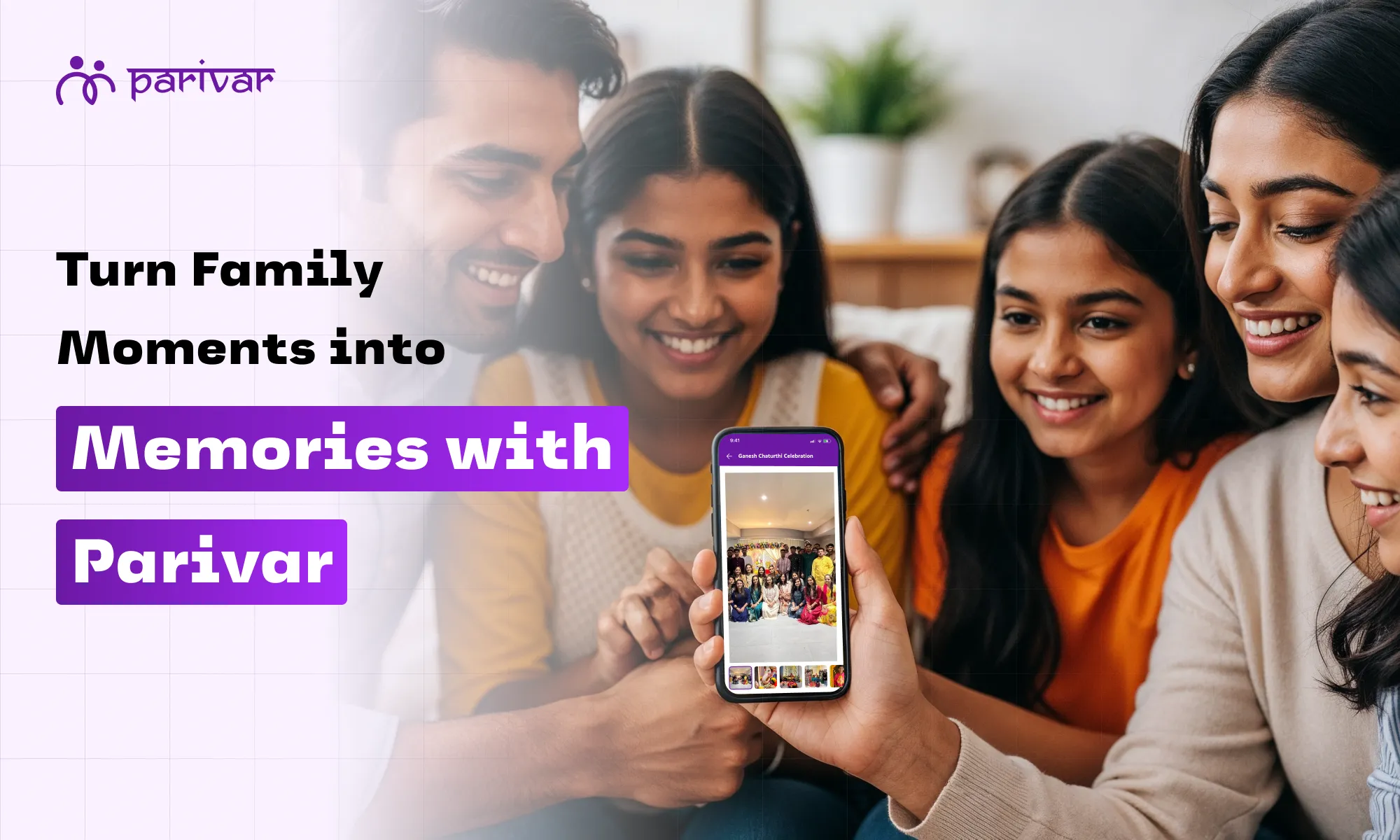
Every family has moments that deserve to be remembered: birthdays, weddings, festivals, holidays, or even the little everyday joys that make life special. But most of the time, these memories get scattered across different phones, apps, and storage spaces, making them harder to find and enjoy later. The Parivar App solves this beautifully with its Memories feature, a simple and secure way to store, organize, and relive your happiest moments in one place. Whether it’s photos, short videos, or long clips, you can keep everything safe and easily share them with your loved ones. Here’s a quick step-by-step guide to help you start using Memories on Parivar App. How to Cherish and Preserve Your Family Memories Memories are the foundation of every family story. With Parivar App, you can capture them in photos and videos, save them in albums, and keep them alive for years to come. Step 1: Tap on the Memories Tab Start by opening the Memories tab from your homepage or main menu. Think of this as your family’s digital gallery, a safe space where every special moment can be stored and enjoyed together. Step 2: Add a New Memory Tap on “Add Memory” and choose what you’d like to upload: A photo for those candid captures, A short video for quick highlights, or A full-length video for big events like weddings, birthdays, or vacations. No matter how big or small, every moment can find its place here. Choose the format that best captures your memory. Step 3: Fill in the Details Make your memory even more meaningful by adding a few details: Title (Required): Give your memory a name so it’s easy to find later like “Diwali 2025” or “Grandpa’s Birthday”. Location (Optional): Mark where the memory took place, which helps you relive not just the moment but also the place. Date & Time (Manual): Select when the event happened. This makes it simple to view your memories in the right order, just like flipping through a family timeline. Step 4: Assign to an Album (Optional) If you’d like to group memories together, albums make it effortless. You can: Add your memory to an existing album (like “Family Trip to Rajasthan” or “Wedding Functions”). Or create a new album with a custom name, description, and cover photo. Albums turn a collection of moments into a story, making it easier for your family to revisit an entire occasion in one go. Step 5: Review & Submit Double-check your photo or video, details, and album selection. Once everything looks good, just tap Submit. Your memory is now saved and ready to be enjoyed anytime. Before saving, quickly review your photo or video and the details you added. Once everything looks good, tap Submit. That’s it, your memory is now safely stored in the Parivar App, ready to be cherished and shared whenever you want. Why Use Memories on Parivar App? Here’s why the memories feature is worth using: 1. All-in-One Place for Every Moment No more scrolling endlessly through gallery apps or hunting in multiple drives. With Memories, all your family photos and videos live in one single space, neatly stored and always accessible. 2. Private & Secure Unlike social media where memories are public or prone to getting lost, the Parivar App ensures your family’s memories remain private and secure. You control who sees them, keeping your cherished moments safe within your circle. 3. Easy Sharing with Loved Ones Distance doesn’t matter when it comes to family. Whether relatives live in another city or abroad, you can instantly share memories with them through the app. It’s like reliving the same festival or family event together, even when apart. 4. Organized Albums for Every Occasion From weddings and birthdays to vacations and small everyday joys, you can create albums that tell a complete story. 5. A Living Digital Treasure Chest Over the years, your memories grow into a rich collection of family history and a digital heritage that future generations can revisit. Memories don’t just fade with time; they live on through Parivar. 6. Safer than Sharing on Other Social Platforms Many families use WhatsApp and other platforms to share photos and videos, but it comes with issues: Compression: Such platforms reduce photo and video quality. Parivar keeps them original and high-quality. Disorganized: Memories get buried in endless chats and forwarded groups. In Parivar, they’re neatly organized in albums. Privacy Risks: These platforms share files across multiple devices and chats, sometimes without full control. Parivar is designed only for families and communities, meaning your memories don’t get leaked, forwarded, or lost in random groups. Permanent Storage: On WhatsApp, old files can get deleted or lost if you switch phones. Parivar safely stores them in your account, always retrievable. In short, Parivar is like your family vault, while WhatsApp is just a messaging tool. Create Your Digital Treasure Chest with Parivar Every smile, every celebration, every little moment matters and with the Memories feature on Parivar App, you can make sure they’re never lost. From organizing photos and videos to creating albums that tell your family’s story, Parivar makes it simple to cherish, preserve, and relive memories across generations. Don’t let your special moments get scattered or forgotten. Start building your family’s digital treasure chest today. Download the Parivar App now and keep your memories alive, safe, and always within reach. 📲 Available on iOS and Android
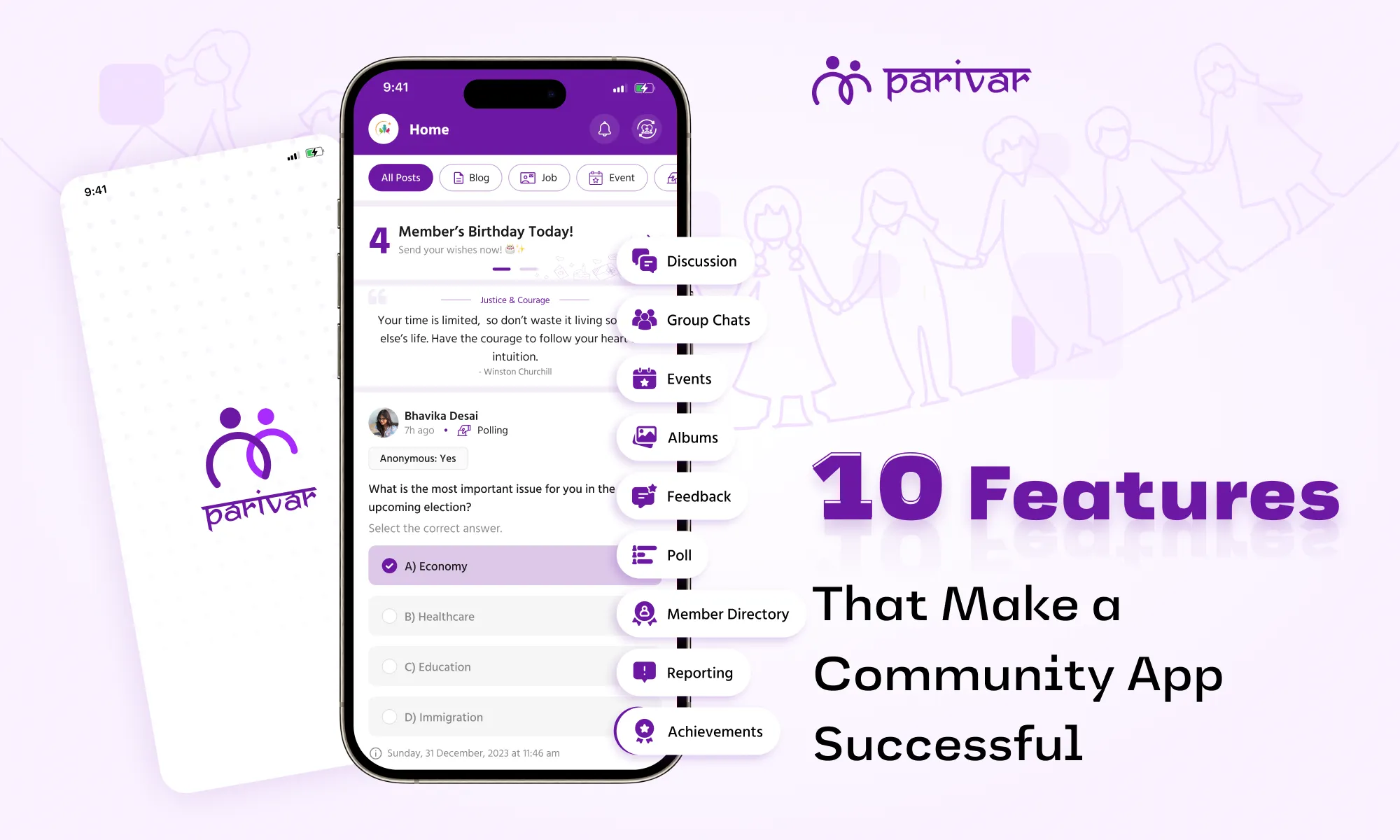
Building a strong online community isn’t just about bringing people together, it’s about keeping them connected, engaged, and empowered. To make that happen, you need the right features and tools. A community management app acts as your central hub, streamlining communication, events, resources, and member engagement in one place. But here’s the catch: not every app delivers what your community truly needs. If you want to choose the best community management app, it’s essential to look for features that go beyond the basics, tools that members will actually use and that make your job as a community manager easier. In this blog, we’ll break down the must-have features of a community management app that can help you grow, engage, and manage your online community like a pro. Features That Make a Community Management App Truly Effective 1. Intuitive, User-Friendly Interface A great community app should be easy to navigate for both admins and members. If people struggle to find discussions, events, or resources, engagement drops. Key Features: Simple onboarding: Quick sign-up and easy first steps Clean, mobile-friendly design: Works smoothly on phones and tablets Custom branding: Match colors, logos, and themes to your community Search functionality: Helps members find posts, files, and people fast Example: A fitness community can brand their app with workout-themed visuals, making members feel part of an exclusive group. 2. Secure and Organized Communication Messy, disorganized chats lead to frustration. A structured system keeps discussions on-topic, spam-free, and engaging. Key Features: Dedicated discussion channels (by topic, interest, or event) Direct messaging (private 1:1 or group chats) Moderation tools (flagging, deleting spam, banning users) End-to-end encryption (for sensitive conversations) Reaction emojis & threaded replies (to keep conversations tidy) 3. Event Hosting & Registration Events, whether virtual or in-person, are key to keeping members engaged. A built-in event calendar simplifies planning and attendance. Key Features: Easy event creation (with descriptions, dates, and reminders) RSVP tracking (to gauge interest and send reminders) Integration with video platforms like Zoom or Google Meet (for seamless virtual events) Post-event feedback (to improve future meetups) 4. Announcement & Broadcast Tools Important updates shouldn’t get lost in daily chatter. A dedicated announcement system ensures everyone stays informed. Key Features: Priority pinned posts (for rules, updates, or urgent news) Push notifications & email alerts (to reach offline members) Targeted announcements (send to specific member groups) 5. Resource Library & File Sharing Communities share guides, templates, photos, videos, and more. A centralized hub prevents files from getting lost in chats. Key Features: Upload multiple formats (PDFs, videos, images, docs) Searchable library (organized by category or tags) Access controls (restrict sensitive files to certain members) 6. Feedback & Polling Features A community works best when members have a voice in decisions. Polls help you understand preferences, get quick feedback, and make members feel valued. Key Features: One-click polls (for instant feedback) Anonymous voting (for honest opinions) Real-time results (to track trends immediately) 7. Member Profiles & Directories Knowing who’s who in your community makes networking easier. A member directory helps people network effectively leading to better engagement. Key Features: Custom profiles (bios, skills, social links) Search filters (find members by expertise, location, etc.) Privacy settings (control what info is public) 8. Gamification & Rewards A little fun goes a long way in keeping members active. People love recognition! Badges, points, and leaderboards encourage participation. Key Features: Achievement badges (for posting, attending events, referrals) Points system (reward activity like comments or logins) Exclusive perks (early access, VIP status for top members) 9. Analytics & Insights You can’t improve what you don’t measure. Data helps you improve engagement and spot trends before they become problems. Key Features: Member activity reports (who’s most active, who’s disengaged) Engagement metrics (popular posts, peak activity times) Retention tracking (new vs. returning members) 10. Multi-Admin & Moderator Controls Managing a growing community alone is tough. Role-based permissions let you delegate tasks safely. Key Features: Assign roles (admins, moderators, content creators) Automated moderation (AI spam filters, keyword blocks, content reporting) Task assignments (split workload among team members) Make the Most of Community Apps with the Best Features The best online community management apps are the ones that combine simplicity, security, and engagement features in one place. They help you focus less on admin work and more on what truly matters: growing and connecting with your members. Parivar app is built with all these features, making it the ideal platform for any kind of online community whether professional, social, creative, or educational. If you’re ready to take your community to the next level, download the Parivar app today and give your community the home it deserves. It is built for communities of all sizes and types, and brings everything you need under one digital roof. 📲 Available on Android and iOS
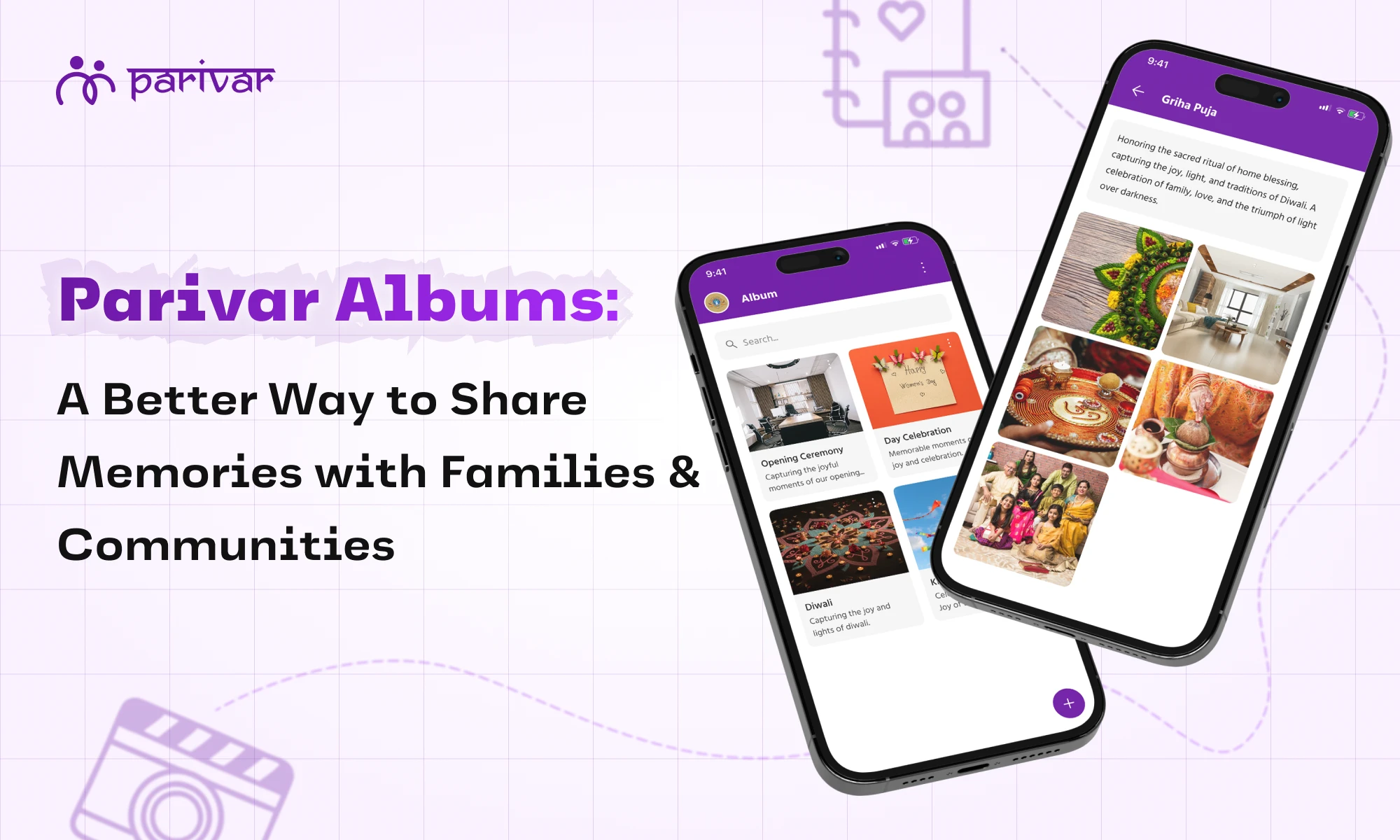
In every community, there are moments that deserve to be remembered forever such as weddings, reunions, festivals, poojas, community gatherings, and the everyday smiles in between. But with the pace with which our lives are moving, many of these memories end up lost in cluttered WhatsApp chats or buried deep in camera rolls. That’s where Parivar Albums are the most helpful. Designed with families and communities in mind, the Parivar app offers a private, organized, and meaningful way to preserve and revisit your most precious moments, all in one place. Why Photo Memories Matter More Than Ever Photos are not just images. They are memories, emotions, and connections to the people, events, and traditions that shape our community. A photo of respected elders during last year’s Diwali pooja in the community hall A candid shot from the neighborhood or alumni reunion, filled with laughter and old stories The first celebration of a newborn or a community member’s achievement, shared across the group These are the moments that strengthen our bonds. But without a dedicated space, they often get scattered, lost, or worse, accidentally deleted or shared beyond the intended circle. Why Communities Love Parivar’s Private Photo Albums 1. A Private & Safe Space for Your Moments Unlike social media or open chat groups, Parivar Albums are built with privacy and trust at their core. Only verified members of your community or group can access your albums. Here’s what that means for your community: No outsiders viewing your shared moments No ad tracking or data misuse No spam, forwards, or irrelevant posts Full control over who can view, and upload photos Peace of mind knowing your memories stay within your trusted circle It’s like your very own digital community photo archive, secure, organized, and always accessible. 2. Celebrate Cultural Traditions Digitally Parivar helps preserve not just photos, but culture, heritage, and tradition. Whether you're part of a local samaj, temple group, alumni circle, or regional community, you can create albums for: Festivals like Holi, Diwali, Eid, Pongal, Onam, Gurpurab, Christmas Milestones like weddings, anniversaries, birthdays, engagements Events like samaj gatherings, satsangs, jalsa, blood donation drives, and youth meets Religious functions like poojas, mundans, naamkarans, and yagnas Even members living abroad can feel a sense of belonging, creating a virtual bridge to their roots. 3. Organized Albums = Stress-Free Memories No more digging through long chat threads or old drives to find a photo. With Parivar Albums, your community can: Create separate albums for each event or occasion Add captions, notes, or background stories to each photo Use it as a collective memory journal for your group Find photos instantly without scrolling endlessly It’s memory keeping made simple, accessible, and community-driven. 4. Connect Across Distances Many communities today are spread across cities and continents. Parivar makes it seamless to stay connected and share memories instantly, no matter the distance. Share event photos, updates, or clips with community members abroad Let elders revisit past functions and celebrations at their own pace Help youth stay in touch with cultural roots through shared memories Create a sense of unity, even when you can't physically meet No more media forwards, lost links, or scattered galleries, just one shared space. 5. Easy for All Ages to Use Parivar Albums are designed for simplicity, so everyone in your community can participate. User-friendly for seniors and non-tech users No cloud setup or third-party storage needed Easily upload directly from the phone gallery Clean interface with no clutter or confusion From elders to youth, everyone can contribute, relive, and preserve community memories together. Top Features of Parivar Albums Parivar gives every member the ability to create and manage photo albums with complete control and flexibility. Whether you're curating personal memories or sharing moments with your entire community group, samaj, or cultural circle, the Albums feature is designed to keep things simple, secure, and organized. Here’s what you can do with Parivar Albums: Create unlimited albums: Group your memories by event, theme, or group activity, without any restrictions. Add or remove photos anytime: Keep albums updated as your community’s story evolves. Control privacy on your terms: Choose whether albums are visible only to you, to selected community circles, or to your entire group. You decide who sees what. Build a Personal Album: Capture your own cultural experiences, travel, or milestones in one safe, private place. Set up a Community Album: Create shared albums for festivals, temple events, samaj functions, charity drives, sports meets, or other group activities. View public albums from your community: Stay inspired by browsing albums shared by others in your community (if made public), and celebrate together. With Parivar, you're not just storing photos, you're preserving a collective heritage, building a digital archive that strengthens your community’s identity and connections. Build Your Community’s Digital Album with Parivar In a world where moments often vanish in cluttered chats or forgotten drives, Parivar Albums act as a digital time capsule for your community. They help preserve shared histories, strengthen cultural bonds, and connect generations through collective memories. Whether it’s a local celebration, a cultural event, or a community initiative, these albums ensure that the stories that matter most are always remembered. Start Preserving Your Community’s Memories Today Download the Parivar app and create your first private community album. It’s free, secure, and designed especially for community groups, samajs, and cultural circles like yours. 👉 Available on Android & iOS
In any community, whether it’s a small family group or a large online network, feeling safe and respected is essential. With more people connecting through apps and digital spaces, it becomes even more important to have ways to handle problems when they come up. One of the simplest but most powerful tools for this is reporting. In this blog, we’ll explain why reporting features matter in community-based platforms, how they work, and how they help everyone enjoy a safer and more positive space. Why Reporting Matters in Digital Communities Every community has its own rules and values. But no matter how clear or well-meaning the group is, issues like disrespect, misinformation, spam, or harassment can still appear. Reporting helps users take action when they come across something that doesn’t belong in the community. Instead of ignoring the problem or leaving the platform, reporting gives people a way to speak up. It’s about protecting the space for everyone, not just yourself. What Is Reporting Feature? Reporting is a feature in most community management apps that allows users to flag posts, comments, messages, or even users that break the rules or make others uncomfortable. When someone reports something, the platform team or admin gets notified and can review the issue. This doesn’t always mean immediate punishment. Often, it's a way to understand what’s happening and take the right steps whether that’s warning a user, removing a post, or blocking harmful content. How Reporting Builds Trust in a Community Here’s how having a clear and simple reporting process helps strengthen your community: 1. Encourages Safe Conversations People are more likely to share openly when they know there’s a system in place to handle inappropriate behavior. Reporting creates a layer of safety that helps members feel more comfortable. 2. Gives Control to the Community Admins can’t be everywhere all the time. With reporting tools, community members help keep the space clean and respectful by alerting others to problems. It becomes a shared responsibility. 3. Reduces Conflicts Early Many problems grow bigger when ignored. Quick reporting helps spot issues early and sort them out before they become serious. 4. Supports Fairness When there’s a proper reporting process, decisions aren't based on personal bias. They’re based on clear actions and evidence, which helps build fairness and trust. What Should Be Reported? Not everything needs to be reported, but here are some common reasons why people report content or behavior: Offensive or harmful language Spam or fake promotions Sharing of false or misleading information Harassment or bullying Inappropriate or unsafe content Violations of group or platform rules Encourage members to report only when it’s needed, not for personal disagreements, but when something truly crosses the line. How Parivar Supports Community Safety At Parivar, we believe that families and communities grow stronger and feel more connected when there’s kindness, respect, and a way to raise concerns. That’s why our app includes simple reporting tools that let members report content or users with just a few taps. Community admins review every report seriously and privately. Every report looks at the facts and aims to make decisions that support a safe and balanced environment for everyone. Tips for Encouraging Responsible Reporting If you're an admin or community leader using Parivar, here’s how you can help: Set clear community rules so members know what’s okay and what’s not Remind people about the reporting feature and how it works Follow up on serious reports and let people know action has been taken (if appropriate) Avoid over-policing. Let natural conversations flow, but step in when needed Let’s Build Respectful and Safe Spaces Together No community is perfect, but with the right tools and mindset, it can be a safe and welcoming place. Reporting isn’t about pointing fingers, it’s about caring enough to protect your space and the people in it. We are committed to giving families and communities the features they need to grow, connect, and feel supported. Reporting is just one piece of that, but it’s an important one. If you're part of a Parivar community, or leading one, take a moment to explore the reporting tools. They’re there to help you protect what matters most - ‘your people’. Experience a better way to stay connected, safe, and supported with Parivar. table { font-family: hindivadodara, sans-serif; border-collapse: collapse; width: 100%; } td, th { border: 1px solid #dddddd; text-align: left; padding: 8px; } tr:nth-child(even) { background-color: #dddddd; } Download the App Now! Android iOS
"Celebrate your wins loudly and proudly. In doing so, you don't just raise yourself up, you lift your entire community."Success is infectious. Whether it's a grand life-altering experience or small personal milestones, achievements must be celebrated. But here's the thing: what if we told you that celebrating those wins publicly and collectively can make a stronger and more united community?At Parivar, we think that each success story has the potential to encourage, connect, and empower. Let's discover how sharing your success can deepen your relationship with your community and enhance your personal development in the process.Why Sharing Achievements with Community is ImportantSome might say that sharing your success is an act of arrogance, but it’s not. It is a gesture of encouragement. If we share what we've put effort into, then it makes it comfortable for others to do the same.Here's what happens when you celebrate your win with your community:Increases Confidence: Being seen boosts self-esteem and motivation.Motivates Others: Your win may be the inspiration someone else needs to start their journey.Encourages Connection: People get to know more about who you are and what you believe in.Develops a Culture of Celebration: You join a community that celebrates each other.Reinforces Identity: Publicly and proudly, sharing wins gives form to your story. A Story from the Parivar CommunityPriya Patel, a 26-year-old techie based in Ahmedabad, earned her Data Science certificate after months of shifting between work and learning. She wasn't sure if she should post it publicly, so she eventually shared her certificate on the Parivar App via the Achievements feature.And to her surprise, she received words of support, pleas for advice, and even some job offers from individuals who were impressed with her experience. One post opened doors she didn't even know existed, and connected her with others who had similar aspirations."I never thought that sharing one accomplishment would take me to mentoring and career development. Parivar provided me with that platform." - Priya PatelTalk About Your Accomplishments for Good ReasonsRegardless of whether you are a student, working individual, homemaker, or retiree, every achievement counts. Don't be afraid to brag about your progress to your community.Here's why you should talk about your successes:Motivates the next generationGenerates positivityAssists others in realizing your skillsBrings you into contact with mentors and peersCaptures your personal growth over timeOne success story told today can inspire another person to work hard tomorrow.Parivar App’s Achievement Feature to Share SuccessesWe've designed a special Achievements Section on the Parivar app to make it easy and convenient for you to display your victories with pride.This is what you can do:Add as many achievements as you want to your profileShare the story of your successUpload certificates, awards, or picturesSelect public or private sharingSpotlight them in your Parivar feed to inspire your communityNo matter if it's taking a course, awarding yourself an award, launching a business, or volunteering, record it, commemorate it, and let your path light up.How to Share Your Achievements in the Parivar App1. Open the Parivar AppOpen the Parivar app on your mobile device. Make sure you're logged into your account.2. Go to Your ProfileTap on the profile icon at the bottom navigation bar. This will take you to your personal space, where all your contributions and activities are tracked.3. Tap on the 'Achievements' tabIn your profile, you’ll see a dedicated section labelled ‘Achievements’. Tap on it to enter the space where your accomplishments can shine.4. Add a New AchievementClick the “+ Add Achievement” button. A form will appear where you can input all the details about your achievement.Here’s what you’ll be able to fill out:Title of your achievement (e.g., “Completed Data Science Course”)Story or description of how you achieved it (what motivated you, what you learned, your challenges, etc.)Tags or labels that categorize achievement (education, sports, volunteering, career, etc.)Upload supporting documents like certificates, awards, images, or videosLocation or organization (optional but helpful if your achievement is associated with an institution)5. Choose Your Privacy SettingsBefore sharing, select who can view your achievement:Public: Anyone in the Parivar community can view, support, and commentFamily Only: Only people in your family circle within Parivar can see itPrivate: Just for you, like a digital diary of your milestones6. Share It with Your CommunityTap the ‘Post’ button. Your achievement will be added to your profile and, based on your privacy setting, shown in the Parivar community feed to inspire others.It only takes a minute or two to record your effort, but the positive ripple effect that it creates lasts much longer.Tips for Sharing Achievements EffectivelyBe genuine: Tell your story in your own words. It's okay to be proud.Add visuals: A picture of your certificate, trophy, or event makes it feel more real.Respond to comments: If someone congratulates or asks a question, reply! It builds connections.Keep updating: You can always come back and add more achievements, big or small.Let's Cheer Each Other OnEach time one of our community members does something, we all get stronger. We learn from their experience, are energized by their journey, and feel glad to be part of a success-oriented culture.So go ahead, be your cheerleader and cheer for others as well.Celebrate every little victory. You never know who's looking and getting motivated.Time to share your success story?Download the Parivar App, go to your profile, and post your first achievement today. Let's create a community that celebrates achievements together.📱 Available on Google Play Store and App Store.
Good conversations bring people closer. Whether it’s a family group, a neighborhood community, or a cultural network, open and honest communication helps everyone feel more connected. That’s exactly what the Discussion feature on Parivar is made for. It gives your community a space where everyone can talk freely, share thoughts, and be heard, without judgment or fear. Let’s explore why open conversations matter, how Parivar enables them, and how your community can benefit from it. Why Open Conversations Matter in a Community Every community, be it family, social, cultural, or professional, prospers on communication. But open conversations go beyond small talk. They create room for: Sharing perspectives without fear of judgment Discussing issues that matter to the group Finding solutions together through mutual understanding Building stronger emotional bonds within the community Supporting mental well-being through expression and empathy When people feel heard and respected, they’re more likely to stay connected and contribute positively to the community. What Do We Mean by a “Safe Conversational Space”? A safe conversation space is one where people can speak honestly without fear of backlash, trolling, discrimination, being mocked, induslyed or ignored. It encourages: Mutual respect for everyone’s voice Non-toxic interactions (no hate, personal attacks, or shaming) Clear guidelines to maintain civility Community moderation tools to handle inappropriate content Privacy controls so members feel secure Creating this kind of environment is about setting the right tone, values, and norms within the platform. In short, a safe space helps people feel comfortable being themselves. How Parivar’s Discussion Feature Supports Open Conversations The Discussion feature in Parivar is made to support open and respectful talks. Here’s how it works: 1. Easy to Start a Topic Anyone in the group (depending on the settings) can start a discussion on things that matter like planning an event, solving a community issue, or just sharing opinions. 2. Threaded Conversations Members can create and participate in discussions around topics that matter, whether it’s cultural events, current issues, family matters, or community announcements. Each topic is neatly organized, making it easy to follow and contribute meaningfully. 3. Role-Based Participation Admins can control who can post, who can reply, and who can view specific threads, ensuring conversations stay relevant and appropriate. This helps when the topic is private or only for a few people. 4. Community Moderation Tools Admins and moderators can report or remove harmful content that is rude, offensive, or off-topic, remind members of the rules, and maintain a healthy dialogue. This keeps negativity out and positivity in, maintaining clean and respectful conversations. 5. Private or Public Threads Depending on the sensitivity of the topic, discussions can be public for the whole community or private for selected members or groups. 6. Notifications for Engagement Members are notified when someone replies or tags them, so the discussion remains active, and everyone stays engaged, and feel included. Categories You Can Use to Start Discussions To keep things organized and relevant, Parivar allows you to create discussions in a wide range of categories. This ensures that community members can easily navigate and participate in topics that matter to them. Some popular categories include: Agriculture: Farming tips, crop updates, sustainable practices Business: Startup ideas, local business promotion, market discussions Education: School/college updates, scholarship info, learning resources Finance: Budgeting advice, saving tips, financial planning General: Casual chats, introductions, announcements Health: Wellness tips, medical discussions, mental health support Jobs: Job openings, career guidance, skill development Lifestyle: Food, travel, relationships, hobbies Sports: Match discussions, team support, local tournaments Stock Market: Investment ideas, market trends, financial literacy This variety ensures there's a space for everyone, no matter what they want to talk about. How Communities Use Discussion Feature for Meaningful and Healthy Conversations Here are a few real examples of how people are using the Discussion feature: Families: Discuss upcoming family events or resolve misunderstandings in a respectful space. Cultural Communities: Share perspectives on traditions, festivals, and values Housing Societies: Talk about maintenance issues, neighborhood updates, or community decisions Religious Groups: Reflect on spiritual topics or organize collective initiatives Support Groups: Talking about personal experiences and helping one another Community Leaders: Collecting feedback or ideas before making decisions Social Networks: Hold debates, plan get-togethers, or offer support during personal milestones The feature is versatile and works beautifully for both small and large communities. Tips to Encourage Healthy Conversations on Parivar To make the most of the Discussion feature, here are some best practices: Write clearly and kindly Set clear ground rules (e.g., no hate speech, respect everyone’s views) Listen to what others are saying Assign moderators who can guide the conversation when needed Start with engaging questions to spark thoughtful replies Acknowledge diverse opinions, you don’t always have to agree to have a good conversation Encourage quieter members to participate by tagging them or asking for their input A little kindness goes a long way. Start Meaningful Conversations with Parivar Open conversations are the heart of strong communities. But they need the right environment to flourish. With Parivar, you can create that space where people feel safe, respected, and connected. If your group is already using Parivar, give the Discussion feature a try. And if you’re new here, it’s a great reason to get started. Download the Parivar app now. 📱 Available on Google Play Store and App Store.
In every Indian household, the concept of “Kutumb”, our extended family is cherished deeply. Whether spread across cities or continents, staying connected with our family roots remains a strong cultural priority. The Parivar App was built around this core idea, helping families reconnect, record their legacies, and strengthen their bonds digitally. One of the foundational features of the app is the ability to invite family members and build your digital kutumb. In this blog, we'll walk you through how to do that step-by-step and share best practices for making the most of this feature. What is a Digital Kutumb? A digital kutumb is a virtual representation of your family, structured like a family tree. Each member is connected through clearly defined relationships - father, mother, siblings, children, cousins, and so on. This makes it easier to: Know who’s who in the extended family Preserve heritage and legacy Celebrate milestones together Stay updated with family events and news With Parivar, you can now bring this traditional structure to the digital world. Step-by-Step: How to Invite Family Members Parivar has made it incredibly simple to start building your family tree by inviting members. Here's how: Sending Family Member Invitation Request 1. Log In and Open Your Profile After downloading and logging into the app, navigate to the ‘My Profile’ section from the dashboard. This is your central control hub for personal details and managing family connections. 2. Create a Family Member's Profile Go to ‘Family Members’ within your profile. Tap on ‘Add Member’. Fill in essential details such as: Full name Relation (e.g., father, sister, uncle) Date of birth Phone number or email (if you wish to invite them directly) Upload their photo if available (optional but helpful) Add profession and educational qualifications (optional) This step ensures that every member has their place in your digital family tree. 3. Send an Invitation Once the profile is created, select that member from your family list. Tap on the ‘Invite’ button. An invitation is sent via app notification or email (if contact details are provided). They’ll receive a message asking them to join your family tree on Parivar. 4. Wait for Acceptance Once the family member accepts your invite, their profile becomes active within your family structure. You’ll get a confirmation notification when they join. From this point, both of you are connected in the app with a defined relationship. Approve Family Member Request (Other Side) Open Family Member Listing Section - The receiving member opens their Family Member listing. Click the 3-dot Menu (⋮) - On the Received Requests tab, click the 3-dot menu next to the incoming request. Approve the Request - Select "Approve" from the options. Add Member to Both Sides - After approval, the request sender sees the approved family member in their list, and the request receiver also sees the sender added to their family member list. Invite Beyond Family: Build Communities While the app centers around families, it also allows you to build custom communities like alumni groups, local associations, caste groups, or religious circles. Here's how you can invite members to a community: Go to ‘My Community’ from your profile section. Click on the ‘+’ (Add New Community) icon. Fill in details like community name, purpose, location, etc. Once the community is created, open it and: Click on the three-dot menu (⋮) Choose ‘Send Request’ Search for and invite members by name or contact This is especially useful for: Housing societies Extended family groups (like clans) Event-specific communities (weddings, reunions) Best Practices to Build an Accurate and Trusted Digital Kutumb Here are some tips to ensure your digital family structure is both secure and meaningful: 1. Start with a Paper Family Tree Sketch out your family tree on paper first. Include parents, siblings, spouse, children, and extend to uncles, aunts, and cousins. This will give you a roadmap when adding members. 2. Add Verified Members Only Only invite people you personally know. Parivar is a private, secure network meant for real families. Avoid adding unknown or loosely connected individuals. 3. Add Details Thoughtfully While filling member profiles, try to include accurate birthdates, full names, and correct relationships. This adds to the authenticity and helps younger generations know their roots better. 4. Use Relationship-Based Access Parivar allows different levels of visibility based on the relationship. So you can control what each member sees, ensuring privacy where needed. 5. Accept Only Trusted Invites As a user, you might receive requests to join other family trees or communities. Accept only those from known people to maintain a clean and trusted circle. Benefits of Building Your Digital Kutumb Preserve Legacy: Store stories, photos, and family achievements. Celebrate Together: Share and receive updates on birthdays, anniversaries, or cultural events. Bridge Generational Gaps: Let kids learn about great-grandparents and relatives they may never meet in person. Cultural Continuity: Maintain customs, rituals, and values in a modern format. Start Building Your Digital Kutumb Today Building your digital kutumb is not just about staying connected, it's about preserving identity, fostering unity, and embracing your roots in a tech-savvy way. Download the Parivar App and start inviting your family today. 📱 Available now on Google Play Store and App Store. If you’ve already started, go ahead and invite more members, because every tree grows stronger with its branches. Have questions or need help adding your family? Connect with our support team for guidance.
In every group, be it a family, a residential society, shared-interest community, an event planning committee, decisions are inevitable. But making decisions that involve multiple people often turns into a long and messy process. Some speak up, others stay silent. Some decisions happen without asking everyone. And often, many voices go unheard. That’s why we created the Polling feature in the Parivar app - a simple, smart, and inclusive tool designed to ensure everyone in your group gets a voice, and every voice counts. Why We Built the Polling Feature At Parivar, we’re not just building a family and community management app. We’re building a platform that brings clarity, fairness, and togetherness into everyday group activities. The idea for the polling feature came from real community challenges: Family functions where only elders make decisions and youngsters feel excluded Housing societies where meetings are attended by a few, but decisions affect all Cultural groups struggling to collect opinions over scattered chat messages Event organizers confused by multiple suggestions and no clear direction We wanted to offer a central, quick, and fair way to collect everyone’s opinion, and give communities a tool that respects time, democracy, and diversity. One Tap, One Vote The Parivar Polling feature allows any member (usually group admins) to create a poll with a clear question and multiple choices. All members can vote by tapping on the option they prefer. The results are shown in real-time, giving the group a simple way to reach a consensus. No need to chase people for responses. No messy threads of replies. No manual counting. Just a clear, structured, and visible decision-making process. Features That Make Parivar Polling Powerful Here’s everything you can do with this ‘polling’ feature in Parivar: 1. Create Custom Polls You can ask any question, whether it’s casual like “Which movie should we watch this weekend?” or formal like “Should we increase monthly society maintenance?” Add as many answer choices as needed and set a deadline so votes are submitted on time. 2. Target the Right Group Each poll is tied to a specific group in Parivar, like a family, society, or event team. Only members of that group can vote, ensuring relevant and focused responses. 3. Set Voting Rules Allow single-choice or multi-choice voting Enable anonymous voting or keep it open Set poll deadlines View who voted and what they voted for (if non-anonymous) These options make it flexible for both formal and informal settings. 4. Live Results & Auto Calculation Once members start voting, the results update automatically in real time. There’s no need to manually collect or count responses. The app does it for you, saving time and reducing errors. Who Can Use This? Use Cases and Examples Let’s break down how different types of users can use the polling feature: Joint and Nuclear Families Planning weddings, birthdays, or anniversaries Choosing vacation destinations Deciding menu items for family dinners Agreeing on time for weekly catch-up calls Housing Societies & RWAs Voting for society elections Selecting security agencies, vendors, or maintenance schedules Deciding festival event themes and budgets Gathering input for new society rules Religious, Cultural & Caste Communities Choosing dates for events like yatras, poojas, or celebrations Deciding guest speakers or workshop topics Finalizing donation use or community fund plans Event Planning Committees Deciding event dates, themes, food, dress codes Collecting preferences for performances or activities Coordinating volunteer roles Benefits of this Polling Feature The polling feature is doing more than just helping people choose between options. It’s creating a cultural shift in how communities function: It Makes People Feel Valued When people are asked to vote, they feel that their opinion matters. This improves participation, satisfaction, and unity in the group. It Saves Time and Energy No more chasing members for input or getting stuck in back-and-forth arguments. You create one poll and move forward based on the group’s choice. It Provides Clear Direction Results are visible, numbers are counted automatically, and decisions become easier. There's no guesswork or bias. It Promotes Fairness and Democracy Especially in larger communities or societies, polls ensure transparency and equal say for all, whether someone is vocal or shy, present or remote. A Feature That Aligns with Indian Family & Community Culture Parivar is made for Indian families and communities. Our social structure is rich, diverse, and layered with traditions. Decision-making in such groups can be sensitive. That’s why the polling feature is designed to be: Respectful of every age group Easy to use for elders and tech-savvy youngsters alike Flexible for religious, social, and formal uses Private when needed, and transparent when required How to Use the Polling Feature: A Quick Guide Go to your group in the Parivar app Tap on the “Create Poll” button Enter your question and answer options Set rules: deadline, single/multiple choice, anonymous or public Share the poll in the group Sit back and watch the votes come in! A Simple Step Towards Stronger Communities In today’s busy world, people want quick, simple, and meaningful ways to stay connected and contribute. The polling feature in the Parivar app does just that. It turns small interactions into shared experiences. It gives every member a voice. And it transforms the way we make group decisions with respect, clarity, and unity. Ready to Try It? If you're already using Parivar: Open your community Create a poll Empower your people If you haven’t joined yet: Download the Parivar app today and experience the difference of smart, inclusive community management. 📱 Available now on Google Play Store and App Store. Because when every voice counts, every community grows stronger.
Family is everything, right? Whether it's your immediate family or your extended circle, staying connected with everyone can sometimes feel like a challenge. That's where Parivar's Family Tree feature comes in – making it easier than ever to manage and track your loved ones, all in one place. In this blog, we’ll show you how to create your own family tree and keep your extended family in the loop, effortlessly! What Is the Parivar Family Tree? The Family Tree feature in Parivar is designed to help you visualize and organize your family relationships in a way that’s easy to understand. Imagine a digital family tree that grows with your family. It lets you see who’s related to who, track family connections, and make sure everyone is up to date, whether it’s birthdays, anniversaries, or any special family events. Why Create a Family Tree on Parivar? Never Forget Relationships: With big families, it’s easy to lose track of who’s who. A family tree keeps everyone organized. Preserve Family History: Document birthdays, anniversaries, and even stories about ancestors. Stay Connected: Easily see how everyone is related, making family gatherings and chats more meaningful. User-Friendly: No complicated steps or technical jargon. Just an easy and user-friendly design that makes organizing and managing your family easy. Real-Time Updates: Family members can share updates, photos, and messages instantly. Everyone stays connected, no matter the distance. Privacy Control: Keep your family tree private or share it with only the people you choose. You’re in control of who sees what. Seamless Integration: It all ties into your Parivar account, making it easy to manage other family features like events, group chats, and tasks. Step-by-Step: How to Build Your Family Tree on Parivar Step 1: Getting Started with Your Family Tree Creating your family tree is simple with Parivar. Here’s how you can do it: Sign Up and Set Up Your Profile Start with yourself first. If you haven’t already, sign up for Parivar and set up your family profile. Start by adding yourself and your closest family members. Add Your Family Members To start building your family tree, simply start by adding your immediate family members - your parents, siblings, and children. Now, bring in uncles, aunts, cousins, and even in-laws. The more you add, the clearer your family network becomes. You can do this in just a few taps! Pro Tip: Use the "Invite Member" feature to let relatives add their own details, saving you time! Customize Family Roles Parivar lets you define relationships clearly, whether it’s mummy-papa, dada-dadi, or chacha-chachi. This helps to keep track of who’s who in your family and makes the tree visually clear. Link Family Members Together The best part of the Family Tree feature is that you can easily link family members together to show relationships. Want to connect your parents to your grandparents? Or link your children to their cousins? It’s all possible! Step 2: Managing Your Extended Family Now that you’ve built your family tree, managing it becomes effortless. Here’s how: Keep Everyone Informed Parivar lets you share updates and important events with the whole family. You can post about birthdays, anniversaries, or simply keep everyone in the loop. It’s like having a family newsletter, but better! Private Family Circles You can create private groups for different branches of your family. This means your immediate family can have one group, and the extended family can have another. You can choose who sees what, making it perfect for large families. Track Important Dates Never forget a family event again! The Family Tree allows you to add key dates like birthdays, anniversaries, and more, and Parivar will send you reminders to keep you on top of it all. It’s a simple way to make sure you’re always connected to your family’s milestones. Add Photos & Memories Make your tree more personal by uploading family photos, noting special dates (like anniversaries), or even adding short stories about ancestors. Step 3: Growing Your Family Tree As your family grows, so can your tree! Parivar makes it easy to keep updating your tree as you welcome new family members. Whether it’s a new baby or a wedding, you can keep adding connections and relationships to grow the family tree and ensure it reflects your family’s evolving journey. Once your tree is ready, you can: Zoom in/out to see different branches. Click on any member to view their details. Edit or update info anytime. Bring Your Whole Family Together, The Easy Way Building and managing your family tree on Parivar isn’t just a fun way to visualize your family, it’s a powerful tool to keep everyone connected and organized. Whether it’s your immediate family or your extended circle, Parivar’s Family Tree makes staying on top of important dates and updates easier than ever. So, what are you waiting for? Start building your family tree today and experience how easy it can be to manage your loved ones with Parivar. Keep everyone close, stay informed, and celebrate the moments that matter the most. Download the Parivar App 📱 Available now on Google Play Store and App Store.
Make your local business visible in your trusted community! Running a local business is about more than just offering a service or product, it’s about building trust, relationships, and community support. That’s exactly what the Parivar application is designed to foster. With its built-in Business Directory, you can now connect your business directly to your extended family network, communities, and trusted circles. Whether you run a home-based boutique, offer tuition classes, run a medical clinic, or manage a family-owned restaurant, getting listed in the Parivar app means visibility where it matters most: among your people. In this guide, we’ll walk you through how to list your business in Parivar’s Business Directory in just a few simple steps. Just a few taps, and you’re all set. Step-by-Step Process to List Your Business on Parivar Step 1: Select the “Business” Option Open the Parivar app on your phone If you’re a new user, go ahead and register first, it’s quick and easy. Already part of the Parivar family? Just log in. Once you’re inside, you’ll land on the home page. From here, tap on the “Business” option from the main menu. This is your gateway to discovering businesses, and adding your own. Step 2: View Your Business List Once you tap on "Business," you’ll see a list of any businesses you’ve already added. If you haven’t already added any business, no worries, you’ll be greeted with a simple screen and a friendly “Add Business” button. Tap it, and you’re ready to go! Step 3: Fill in Your Business Details Now it’s time to tell your community about what you do. You’ll be prompted to fill in details like: Business Name Website (if you have one) Email Address Description: Share what your business is about, what you offer, and how it helps people. Images: Upload a few photos to give your listing a warm, welcoming touch. Other Info: Anything else that adds value (like contact details, timings, or location). Take your time here, this is your digital storefront within your community. Once you’re done, just tap the Submit button. Step 4: You're In! After submitting, you’ll see your business added to the directory. You’ll also get a confirmation that everything went through smoothly. That’s it. No long forms. No tech hurdles. Just your business, now visible to your people. Why List Your Business on Parivar? Parivar’s Business Directory is a community-first initiative. Here’s why it matters: Builds trust: People love to support businesses run by those they know or are connected with. Boosts visibility: Whether it’s a family member, a neighbor, or a mutual contact, your listing helps people find you easily. Promotes local economy: Supporting small businesses strengthens the community fabric. It is digital word-of-mouth, only faster and more organized. Pro Tip: Keep Your Business Listing Fresh in Parivar's Directory After listing your business, don’t forget to update your info if anything changes. New offers? New opening hours? Updated services? New location? Keep your Parivar listing up to date, so your community always knows what’s new. Use Business Directory and Grow Within Your Community Parivar is all about keeping families and communities connected, not just socially, but professionally too. If you're a small business owner, self-employed professional, or running a family business, this is your chance to be seen by the people who are most likely to trust and support you. So go ahead, list your business in the Parivar application today, and let your community know you’re here to serve. Download Parivar App and List Your Business Now 📲 Android 📲 iOS
ABOUT
Parivar - Bringing all community members together at your fingertips, the community engagement app will let you connect with your community conveniently.
SUBSCRIBE TO OUR NEWSLETTER