Parivar-bg-design
community-app-features

Top Must-Have Features in a Community Management App

  • Default Author Image

    Kanishka Panchal

  • August 20, 2025 8 min read

TABLE OF CONTENTS

    • 1. Intuitive, User-Friendly Interface
    • 2. Secure and Organized Communication
    • 3. Event Hosting & Registration
    • 4. Announcement & Broadcast Tools
    • 5. Resource Library & File Sharing
    • 6. Feedback & Polling Features
    • 7. Member Profiles & Directories
    • 8. Gamification & Rewards
    • 9. Analytics & Insights
    • 10. Multi-Admin & Moderator Controls
    • 📲 Available on Android and iOS

Introduction

Building a strong online community isn’t just about bringing people together, it’s about keeping them connected, engaged, and empowered. To make that happen, you need the right features and tools.

A community management app acts as your central hub, streamlining communication, events, resources, and member engagement in one place. But here’s the catch: not every app delivers what your community truly needs.

If you want to choose the best community management app, it’s essential to look for features that go beyond the basics, tools that members will actually use and that make your job as a community manager easier.

In this blog, we’ll break down the must-have features of a community management app that can help you grow, engage, and manage your online community like a pro.

Features That Make a Community Management App Truly Effective

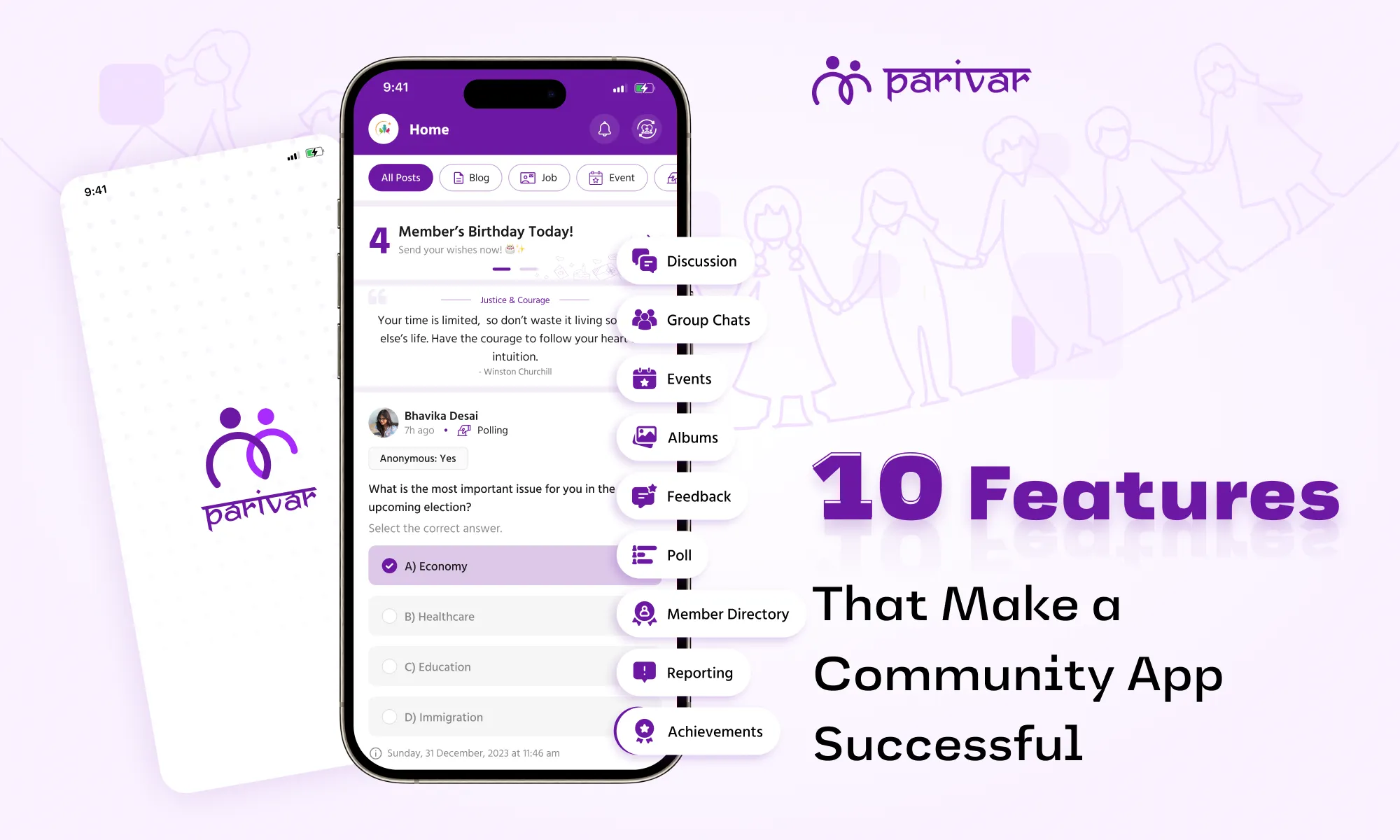
community-app-features-for-success

1. Intuitive, User-Friendly Interface

A great community app should be easy to navigate for both admins and members. If people struggle to find discussions, events, or resources, engagement drops.

Key Features:

  • Simple onboarding: Quick sign-up and easy first steps
  • Clean, mobile-friendly design: Works smoothly on phones and tablets
  • Custom branding: Match colors, logos, and themes to your community
  • Search functionality: Helps members find posts, files, and people fast
  • Example: A fitness community can brand their app with workout-themed visuals, making members feel part of an exclusive group.

2. Secure and Organized Communication

Messy, disorganized chats lead to frustration. A structured system keeps discussions on-topic, spam-free, and engaging.

Key Features:

  • Dedicated discussion channels (by topic, interest, or event)
  • Direct messaging (private 1:1 or group chats)
  • Moderation tools (flagging, deleting spam, banning users)
  • End-to-end encryption (for sensitive conversations)
  • Reaction emojis & threaded replies (to keep conversations tidy)

3. Event Hosting & Registration

Events, whether virtual or in-person, are key to keeping members engaged. A built-in event calendar simplifies planning and attendance.

Key Features:

  • Easy event creation (with descriptions, dates, and reminders)
  • RSVP tracking (to gauge interest and send reminders)
  • Integration with video platforms like Zoom or Google Meet (for seamless virtual events)
  • Post-event feedback (to improve future meetups)

4. Announcement & Broadcast Tools

Important updates shouldn’t get lost in daily chatter. A dedicated announcement system ensures everyone stays informed.

Key Features:

  • Priority pinned posts (for rules, updates, or urgent news)
  • Push notifications & email alerts (to reach offline members)
  • Targeted announcements (send to specific member groups)

5. Resource Library & File Sharing

Communities share guides, templates, photos, videos, and more. A centralized hub prevents files from getting lost in chats.

Key Features:

  • Upload multiple formats (PDFs, videos, images, docs)
  • Searchable library (organized by category or tags)
  • Access controls (restrict sensitive files to certain members)

6. Feedback & Polling Features

A community works best when members have a voice in decisions. Polls help you understand preferences, get quick feedback, and make members feel valued.

Key Features:

  • One-click polls (for instant feedback)
  • Anonymous voting (for honest opinions)
  • Real-time results (to track trends immediately)

7. Member Profiles & Directories

Knowing who’s who in your community makes networking easier. A member directory helps people network effectively leading to better engagement.

Key Features:

  • Custom profiles (bios, skills, social links)
  • Search filters (find members by expertise, location, etc.)
  • Privacy settings (control what info is public)

8. Gamification & Rewards

A little fun goes a long way in keeping members active. People love recognition! Badges, points, and leaderboards encourage participation.

Key Features:

  • Achievement badges (for posting, attending events, referrals)
  • Points system (reward activity like comments or logins)
  • Exclusive perks (early access, VIP status for top members)

9. Analytics & Insights

You can’t improve what you don’t measure. Data helps you improve engagement and spot trends before they become problems.

Key Features:

  • Member activity reports (who’s most active, who’s disengaged)
  • Engagement metrics (popular posts, peak activity times)
  • Retention tracking (new vs. returning members)

10. Multi-Admin & Moderator Controls

Managing a growing community alone is tough. Role-based permissions let you delegate tasks safely.

Key Features:

  • Assign roles (admins, moderators, content creators)
  • Automated moderation (AI spam filters, keyword blocks, content reporting)
  • Task assignments (split workload among team members)

Make the Most of Community Apps with the Best Features

The best online community management apps are the ones that combine simplicity, security, and engagement features in one place. They help you focus less on admin work and more on what truly matters: growing and connecting with your members.

Parivar app is built with all these features, making it the ideal platform for any kind of online community whether professional, social, creative, or educational.

If you’re ready to take your community to the next level, download the Parivar app today and give your community the home it deserves. It is built for communities of all sizes and types, and brings everything you need under one digital roof.

📲 Available on Android and iOS


TABLE OF CONTENTS

    • 1. Intuitive, User-Friendly Interface
    • 2. Secure and Organized Communication
    • 3. Event Hosting & Registration
    • 4. Announcement & Broadcast Tools
    • 5. Resource Library & File Sharing
    • 6. Feedback & Polling Features
    • 7. Member Profiles & Directories
    • 8. Gamification & Rewards
    • 9. Analytics & Insights
    • 10. Multi-Admin & Moderator Controls
    • 📲 Available on Android and iOS

ABOUT

Parivar - Bringing all community members together at your fingertips, the community engagement app will let you connect with your community conveniently.

Frequently Asked Questions

What are the must-have features of a community management app?

A good community management app should include secure communication channels, event hosting, announcement tools, file sharing, member profiles, polls, analytics, and multi-admin controls.

Features like polls, gamification, event hosting, and rewards systems keep members active and participating regularly in community activities.

A resource library centralizes guides, templates, videos, and other important files, making it easy for members to access and share valuable content anytime.

Analytics provide insights into member activity, popular topics, and engagement trends, helping managers make informed decisions to grow the community.

Recent Blogs

View all
manage-multiple-communities-from-one-account

How to Manage Multiple Communities & Samajs from One Parivar Account

  • Kanishka Panchal
nri-families-celebrate-raksha-bandhan-across-time-zones

How NRI Families Celebrate Raksha Bandhan Across Time Zones

  • Kanishka Panchal
support-local-business-in-community

How to Support Local Businesses Within Your Community

  • Kanishka Panchal