Download from
Play Store

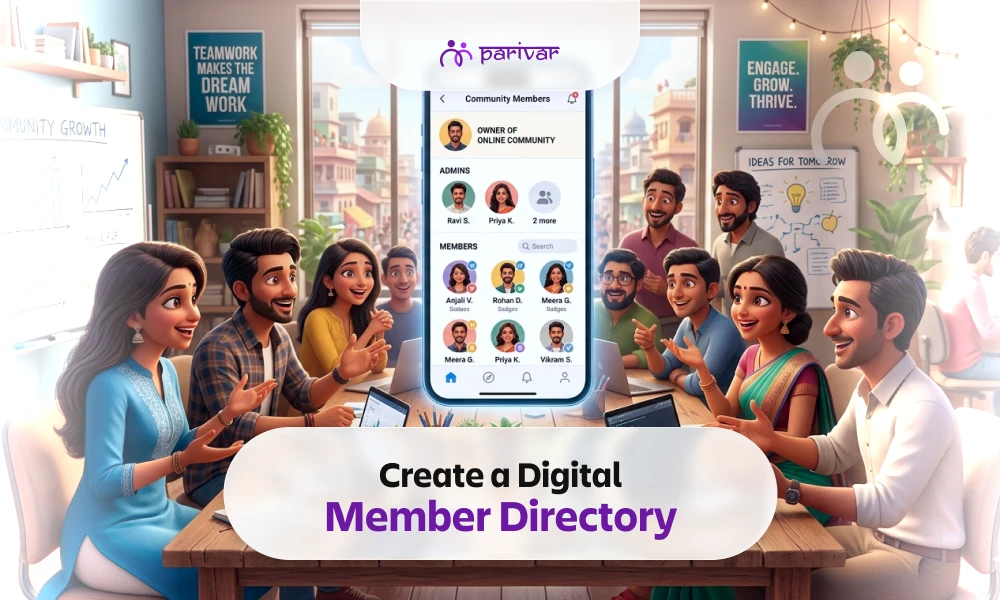
TABLE OF CONTENTS
Ask the secretary of any samaj or housing society how they manage their member list, and you will likely hear one of three answers: a WhatsApp group, a notebook, or an Excel sheet that nobody has updated in years.
These systems work, until they don't.
The moment a family moves cities, a new member joins, or the person who maintained the list steps down, things fall apart.
A digital member directory solves this problem. Not because it is more sophisticated, but because it is shared. The whole community maintains it together, and it stays accurate without depending on one person.
This blog explains what a good member directory looks like, what it should include, and how to set one up and keep it updated.
A member directory is a centralized, searchable record of everyone in your community: their name, contact details, location, profession, and family information, all accessible in one place to authorized members.
It is like a living phonebook for your community that members can search, update, and rely on.
Communities that benefit from having one include:
If your community has more than 30–40 members, a proper directory saves more time than you expect. If you are just getting started, explore the complete registration and login guide to help you set up your community on Parivar.
Most communities realize they need a directory only after something goes wrong.
A member falls ill during an event. The nearest doctor from the samaj lives nearby, but nobody can find their number because it is buried inside a WhatsApp chat.
When people join a community but cannot see who else is part of it, they often stay silent. A searchable directory helps them discover familiar names, shared roots, and common connections and increase community member engagement.
Every community has doctors, lawyers, teachers, accountants, and business owners. Without a directory, that knowledge stays hidden. With one, help is only a quick search away.
Members can also grow their business through community connections when the right people are easy to find.
When member information exists only on one person’s phone or in their memory, the entire community depends on them. If they leave, the knowledge leaves too.
Planning offline meetups is far easier when you can filter members by city instantly instead of sending messages and waiting for replies. A directory also makes it much easier to organize community activities and follow through on them.
In Parivar, each member profile goes beyond basic contact details and helps members genuinely connect with one another.
A member profile can include:
This makes the directory much more than a contact list. It becomes a meaningful record of who people are, where they come from, and how they connect within the community.
Here is how to set up a member directory using Parivar, from start to finish.
Download the Parivar app and create your community.
Add:
This ensures only approved members can join and appear in the directory.
Invite members through:
You can invite multiple members at once instead of adding them individually.
As soon as a member joins the community, their profile is added to the directory automatically.
No manual data entry required.
This is where many admins make life harder for themselves.
Instead of collecting and entering everyone’s information manually, let members update their own profiles. People know their own details best, and it keeps the directory more accurate over time.
A simple reminder message inside the community is usually enough to encourage profile completion.
Parivar allows community owners to assign different roles and permissions.
For example:
This gives the right people the right level of access without giving everyone full admin control.
Once profiles are completed, members can view each other’s:
The directory becomes an active community resource rather than just a list of names.
Most directories become outdated because one person is responsible for maintaining them.
A better system is shared maintenance.
Here is how Parivar helps keep the directory current:
If someone changes cities, professions, or phone numbers, they can update the information themselves.
As soon as someone joins the community, they are added to the directory immediately.
Community owners can update responsibilities as members take on or step away from committee roles.
If someone leaves the housing society or community, their profile can be removed or deactivated easily.
Once or twice a year, ask members to review and update their profile information.
Most people will do it if prompted directly.
A directory that members actively participate in maintaining stays accurate far longer than one managed by a single admin.
Privacy in communities is one of the biggest concerns before creating a digital directory.
Parivar handles this simply: every member controls their own visibility settings.
For example:
This balance: visible within the community, controlled by individuals, hidden from outsiders, makes members more comfortable sharing useful information.
And the more complete the profiles become, the more valuable the directory becomes for everyone.
A community that knows itself stays connected.
When members can:
…a group of people becomes a real community.
A member directory is not just an administrative tool. It is the answer to a simple question every member asks sooner or later: “Who else is here, and how do I reach them?”
In Parivar, the directory builds itself:
If your community is still relying on social media groups and outdated Excel sheets, switching to a digital member directory takes less than an afternoon.
Download the Parivar App, create your community, and start building a connected community from day one.
Available on Google Play Store and App Store.
TABLE OF CONTENTS
ABOUT

Parivar - Bringing all community members together at your fingertips, the community engagement app will let you connect with your community conveniently.
SUBSCRIBE TO OUR NEWSLETTER